
Worktrunk: a git worktree CLI that gives each agent its own folder
Two Claude Code sessions in two worktrees, merged with wt merge: 7 of 7 tests passing on main
- Who
- Open source by max-sixty (MIT or Apache-2.0), for developers who run several Claude Code or Codex sessions at once.
- When
- Repository created in October 2025; latest release v0.81.0 on 20 October 2026.
- Where
- A Rust CLI for macOS and Linux (Homebrew, Cargo) and Windows (winget, as git-wt), used in git repos on your own machine.
What was hard
Run two or three Claude Code sessions at once and they edit the same files. Git worktrees keep them apart, but each one meant typing git worktree add -b feat ../repo.feat, then cd into it, and afterwards removing the worktree and the branch by hand.
What it does about it
Worktrunk treats worktrees like branches. wt switch -c feat creates the branch and its folder at a path from your template, and -x claude starts Claude inside it. When the work is done, wt merge main writes the commit message, rebases onto main, merges, and removes the worktree and the branch.

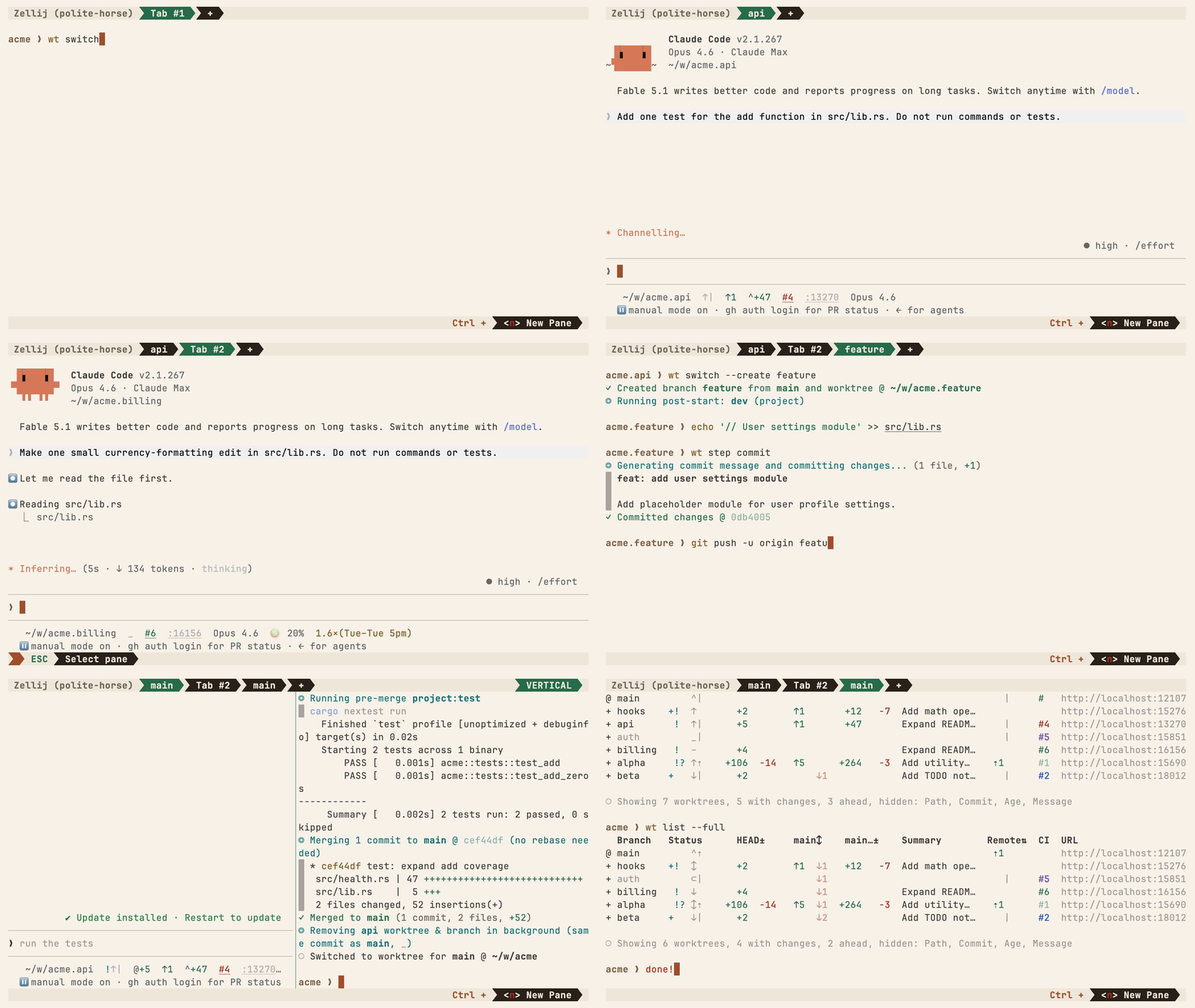
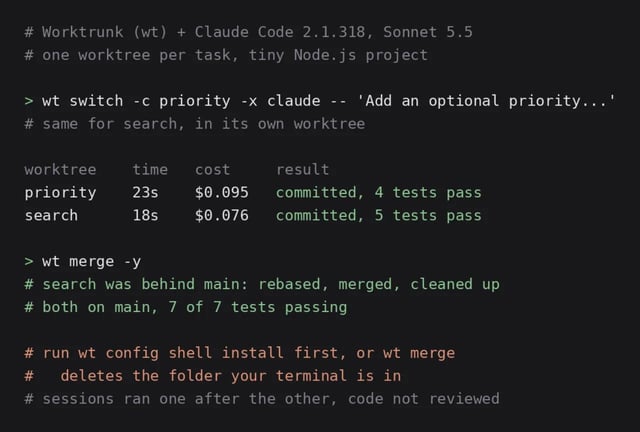
wt switch --create feature-auth✓ Created branch feature-auth from main and worktree @ ~/repo.feature-authwt merge main◎ Generating commit message and committing changes... (2 files, +53, no squashing needed)✓ Committed changes @ a1b2c3d◎ Merging 1 commit to main @ a1b2c3d (no rebase needed)✓ Merged to main (1 commit, 2 files, +53)◎ Removing feature-auth worktree & branch in background (same commit as main, _)○ Switched to worktree for main @ ~/repo
What people made with it
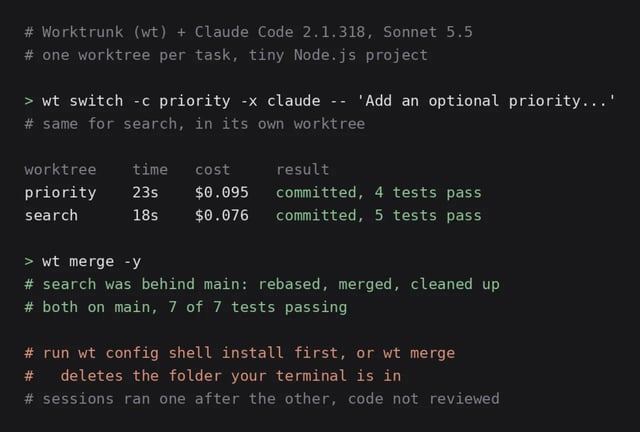
Two Claude Code sessions in two worktrees added a priority field and a search to a small Node.js app, in 23 and 18 seconds; after wt merge, main passed 7 of 7 tests.
After the first merge, the second branch was behind main, and wt merge rebased it before merging. Both ended up on main with 7 of 7 tests passing.
How it runs inside
- 1
You → wt (Worktrunk)
wt switch -x claude -c feature-a -- 'task'A branch name and the task, in one line.src/commands/worktree/switch.rs - 2
wt (Worktrunk) → git worktree
Path from the template, branch and worktree createdWorktrees are addressed by branch name; their paths come from a configurable template.src/commands/worktree/resolve.rs - 3
wt (Worktrunk) → Claude Code
-x: claude starts in the new folder, task after --After switching it runs the -x program and passes the arguments after -- to it.src/commands/worktree/switch.rs - 4
wt (Worktrunk) → You
wt list: changes, commits ahead, CI per branchA table of staged changes, commits ahead of main and unpushed commits for each worktree.src/cli/list.rs - 5
wt (Worktrunk) → LLM command for commits
The diff goes out, a commit message comes backIt renders the changes into a template for your configured LLM command and takes its message.src/llm.rs - 6
wt (Worktrunk) → main branch
wt merge main: squash, rebase, merge, clean upRebases onto main, fast-forwards, then removes the worktree and the branch.src/commands/merge.rs
What goes in, what comes out
Is it for you
Good for
- Running several Claude Code or Codex sessions on one repository
- Creating and removing a branch and folder for every task
- Merging work from several sessions a day
- Giving each worktree its own dev server port
Not for
- Run wt config shell install first, or wt can't change your directory (per the README).
- On Windows the name clashes with Windows Terminal's wt, so it installs as git-wt.
- Shared build caches work on APFS, btrfs and XFS only.
- From the Reddit write-up: -x takes a program, not a shell command; for pipes use -x sh -- -c.
Reviewed by Devalley’s editor before publishing. How the column is made