
lot-map: a live map of what Claude Code is doing
A map beside the chat lights up as Claude Code reads files, runs the shell or goes out to the web
- Who
- Made by Aleksei Volodin (alexeyw) for people who work in Claude Code. MIT licensed.
- When
- The repository opened on 9 November 2026; version 0.6.0 came out on 12 November.
- Where
- Claude Code's desktop app and terminal. Built and tested on 2.1.321 on macOS; users report Windows works too (README).
What was hard
Hand Claude Code a long task and the screen fills with commands, one line after another. To know whether it was editing files, out on the network, or how many subagents were running, you had to read that list yourself.
What it does about it
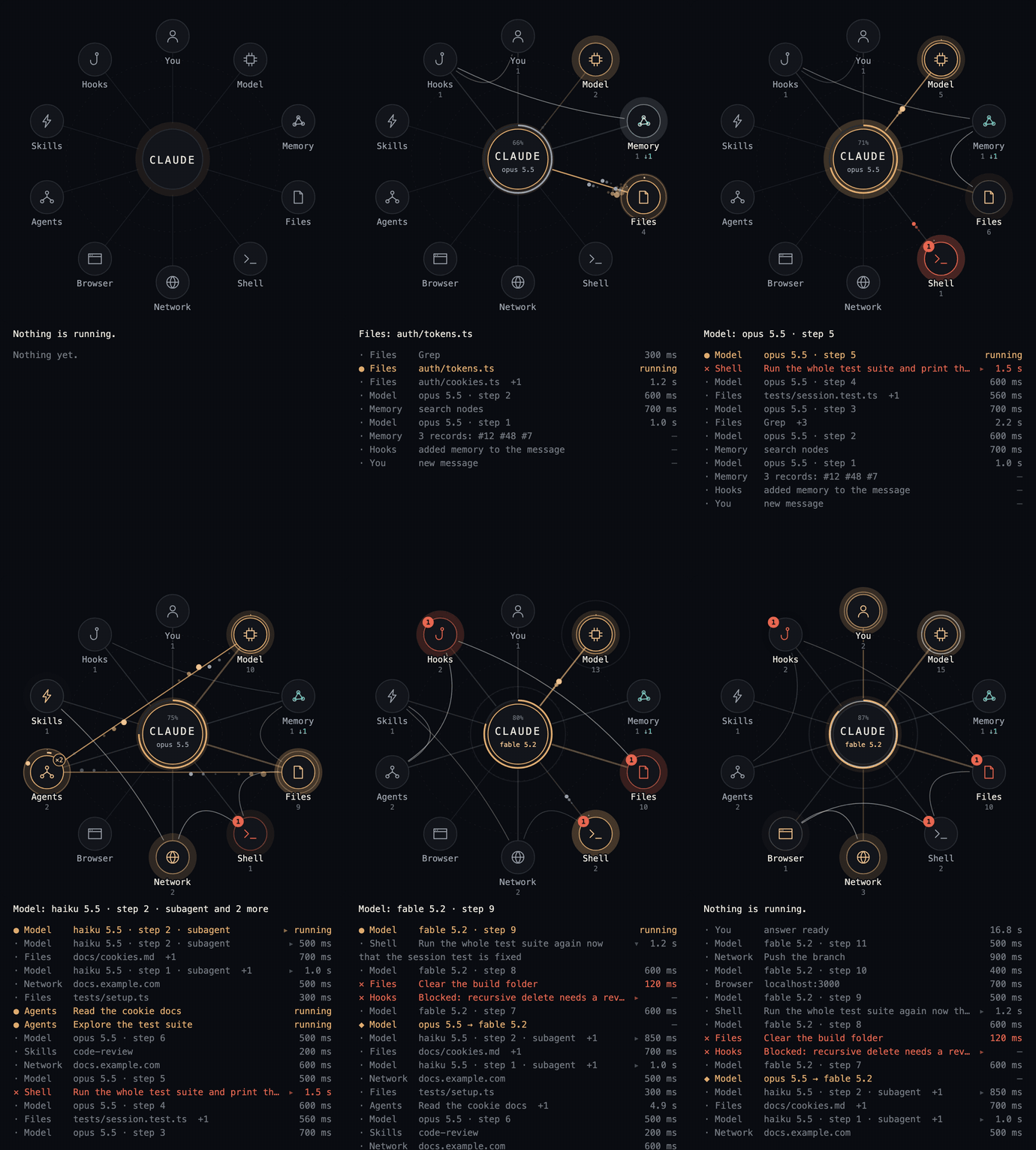
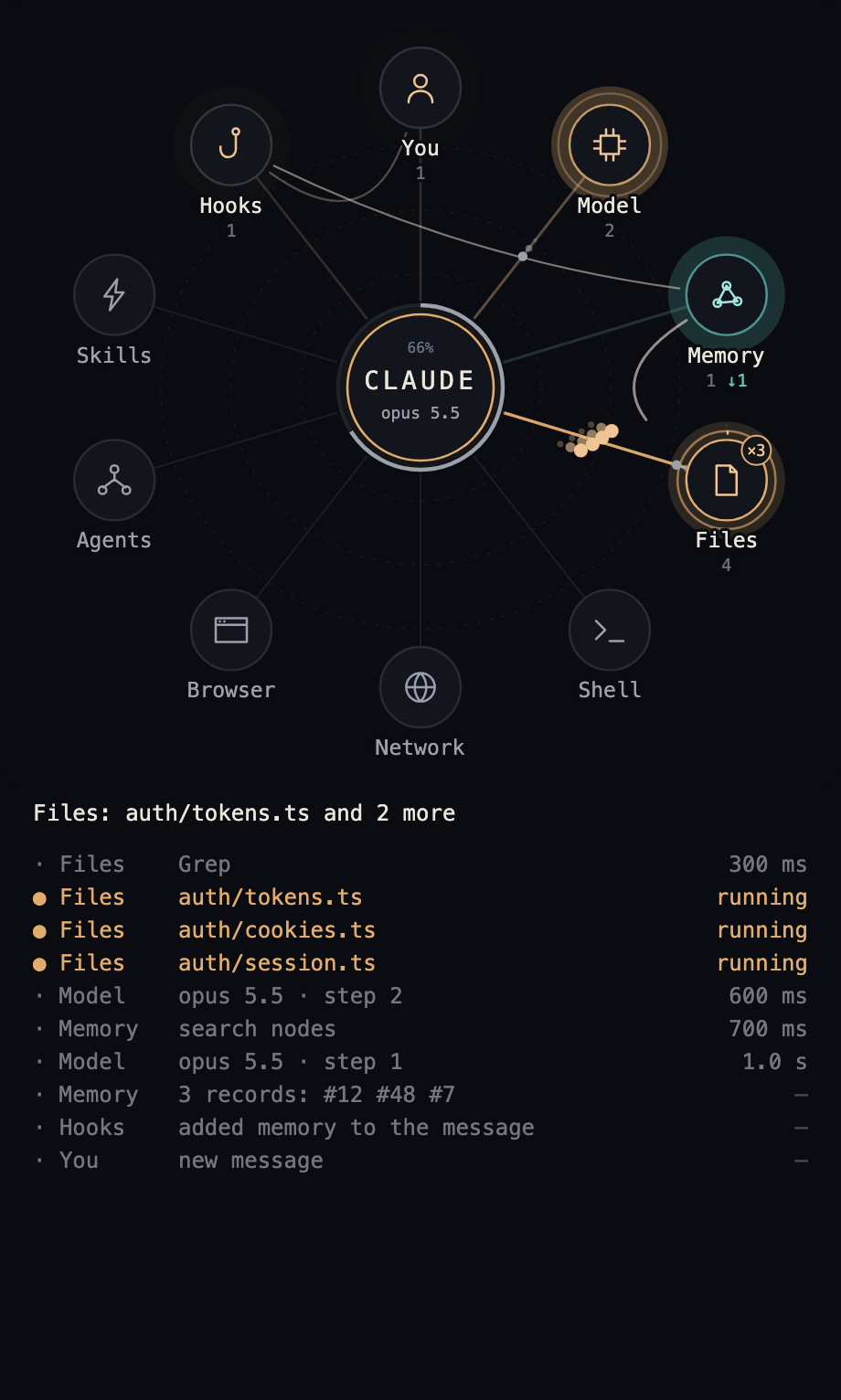
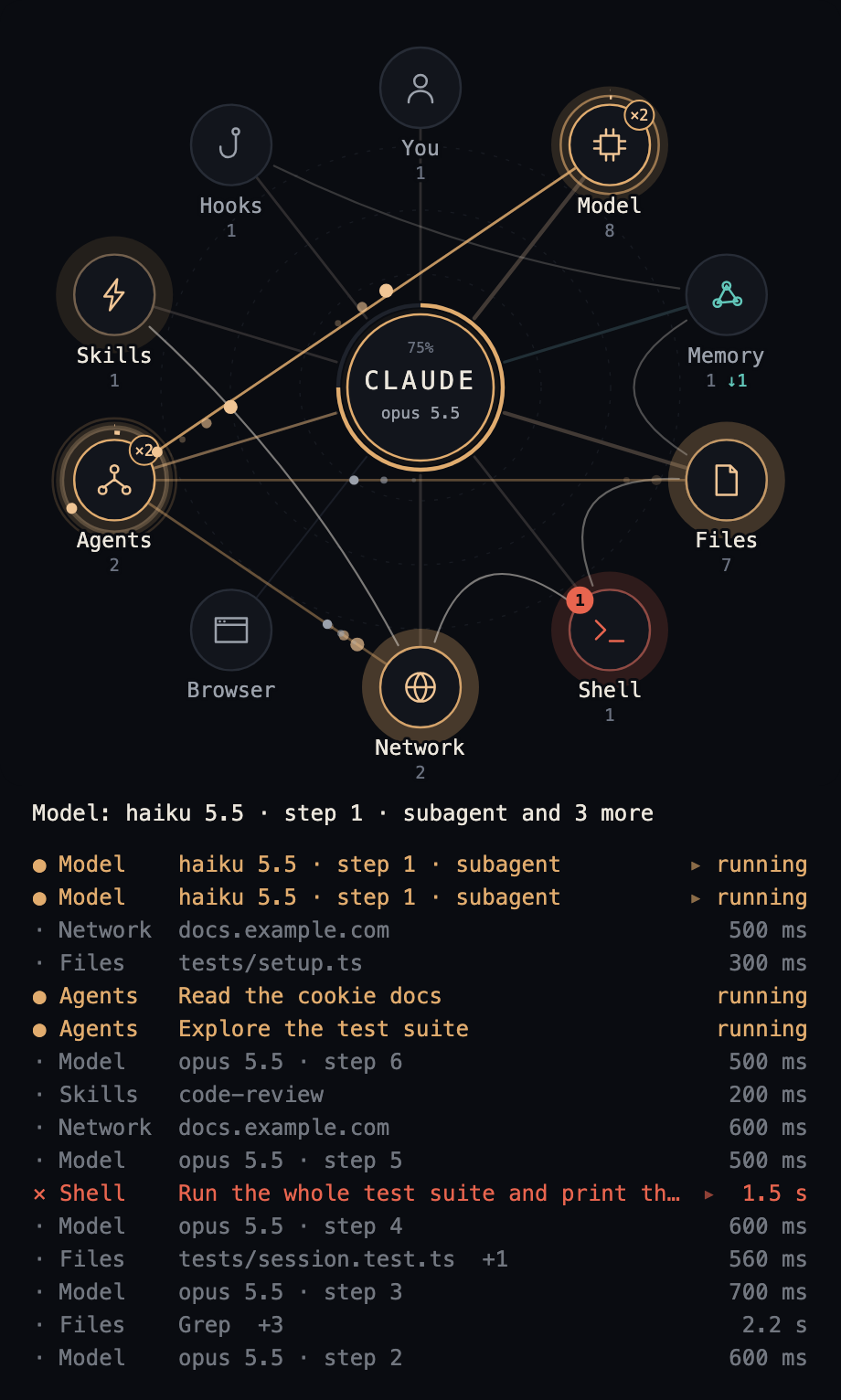
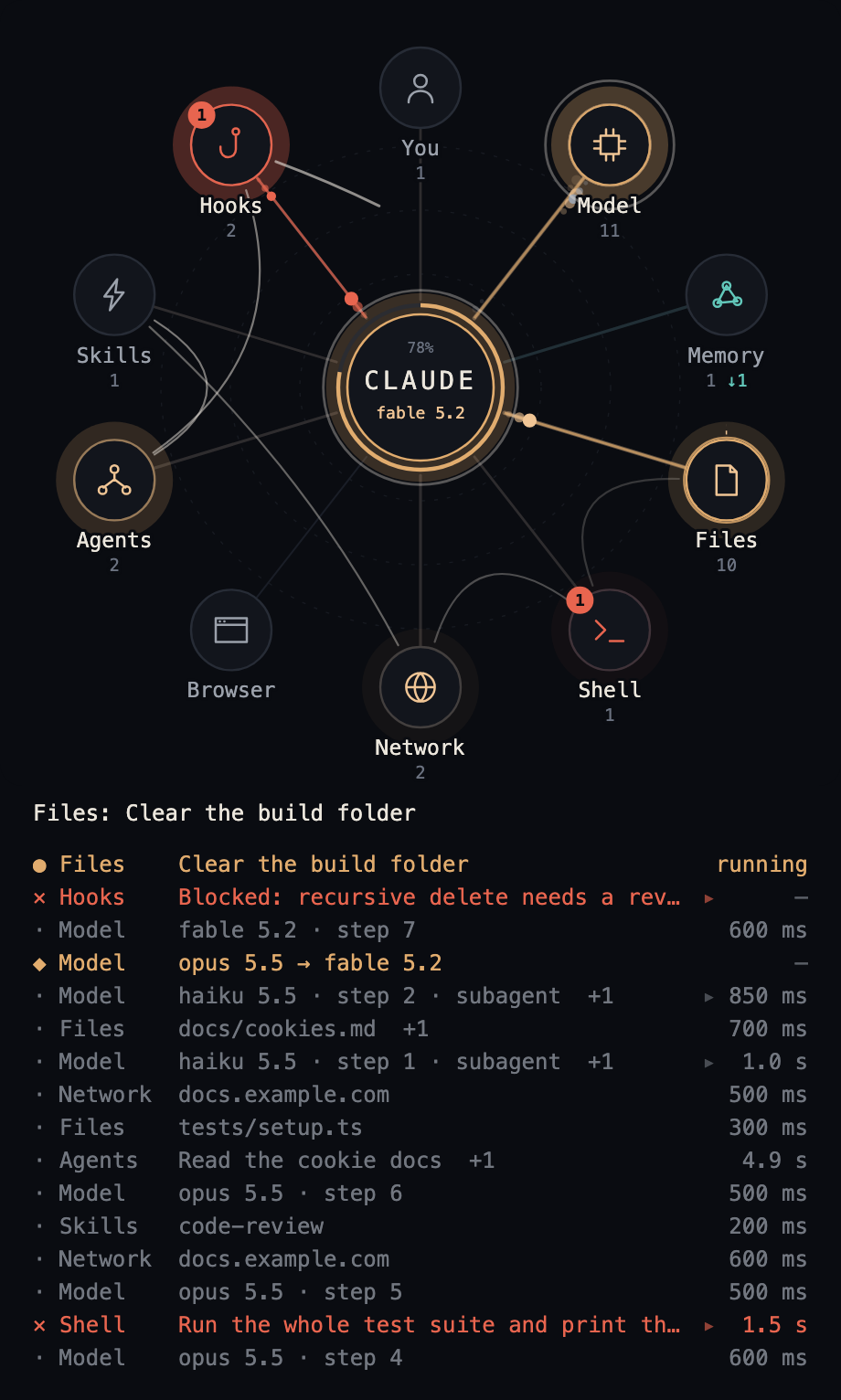
lot-map opens one map in a pane beside the chat. From the circle in the middle, a pulse flies to one of ten stations (You, Model, Memory, Files, Shell, Network, Browser, Agents, Skills, Hooks) when a call starts and returns when it ends. A spoke thickens the more it is used and refusals and errors stay red, so the map at the end of a session shows where the work went. A label is a name only: no command line and no file content reaches the map.
What people made with it
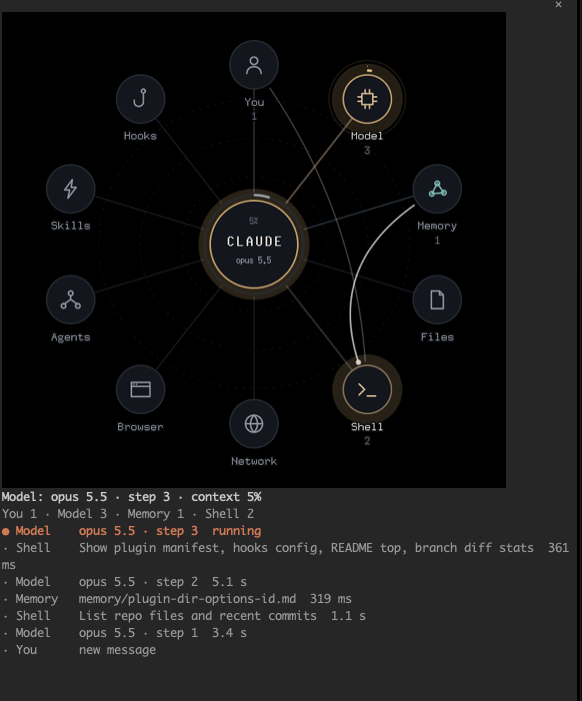
Built and sent in the terminalView option, which shows the map as a picture in iTerm2, kitty and Ghostty instead of rows of text, with shots from a dark and a light profile.
Seen in iTerm2 3.7.7 on macOS 27.2.1, in a dark and a light profile: pictures below.
How it runs inside
- 1
You → Claude Code
A messageYou give Claude Code work as usual. - 2
Claude Code → register.tsx (hooks)
Tool calls, model steps, hook eventsThe plugin's hooks receive each event and pass it on as it came; no input or result is changed.hooks/register.tsx - 3
register.tsx (hooks) → classify.ts
The tool's name and inputIt picks a station and a label: a file's last two path parts, a web address's host alone.hooks/classify.ts - 4
classify.ts → board (session record)
Station, label, start timeA row opens when a call starts and closes when it ends; errors and refusals are counted apart.hooks/register.tsx - 5
board (session record) → The lot-map pane
The map drawMap drawsPulses, the route, worn spokes and the context ring are drawn from the record.hooks/draw.ts - 6
board (session record) → The lot-map pane
A PNG picture in a terminalWith terminalView set to picture, the same drawing is painted and shown in the terminal.hooks/raster.ts
What goes in, what comes out
Is it for you
Good for
- Leaving a long task running and following it out of the corner of your eye
- Running several subagents or background tasks at once
- Seeing where the work went once a session is over
- Keeping an eye on how full the context window is
Not for
- In a terminal the pane opens by itself only at 144 columns or more; otherwise type /lot-map.
- A terminal shows rows of text by default. The picture needs terminalView set to picture and iTerm2 3.5+, kitty or Ghostty.
- Shell commands are sorted by name, not by what they do: a python -c script that opens a connection shows as Shell.
- Labels come in seven languages: en, ru, es, fr, de, it and pt.
Reviewed by Devalley’s editor before publishing. How the column is made