
stack-diagram: one sentence in, an architecture diagram with official logos out
Describe your stack in a sentence and this skill draws an architecture diagram with official logos as one HTML file. It passed 1,200 stars two days after it appeared
- Who
- An MIT-licensed skill by the developer caru-ini, for anyone who has to show a tech stack or a service layout as a picture.
- When
- The repository appeared on 2026-11-01; v0.4.0 on 2026-11-03 added the official Google Cloud and Azure icons.
- Where
- Claude Code, Codex, Cursor and other skill hosts; the Claude apps take the zip from Releases. Local Python, only logos from the network.
What was hard
Every time a README or a deck needed a stack diagram, it meant opening draw.io, hunting for logos, aligning boxes and tidying arrows for far too long. Asking an agent for a Mermaid diagram gave back grey boxes with no logos.
What it does about it
stack-diagram takes one sentence about your stack, decides the nodes, the groups and three kinds of edges (main flow, internal, deploy), and fetches each brand's official logo onto a white tile. Logos are never recolored; a white one moves to a dark tile instead. The key idea is the loop after drawing: render a PNG, look at it, check that no arrow crosses a label, and fix it. The result is one HTML file with fonts and logos inlined, so it opens anywhere.
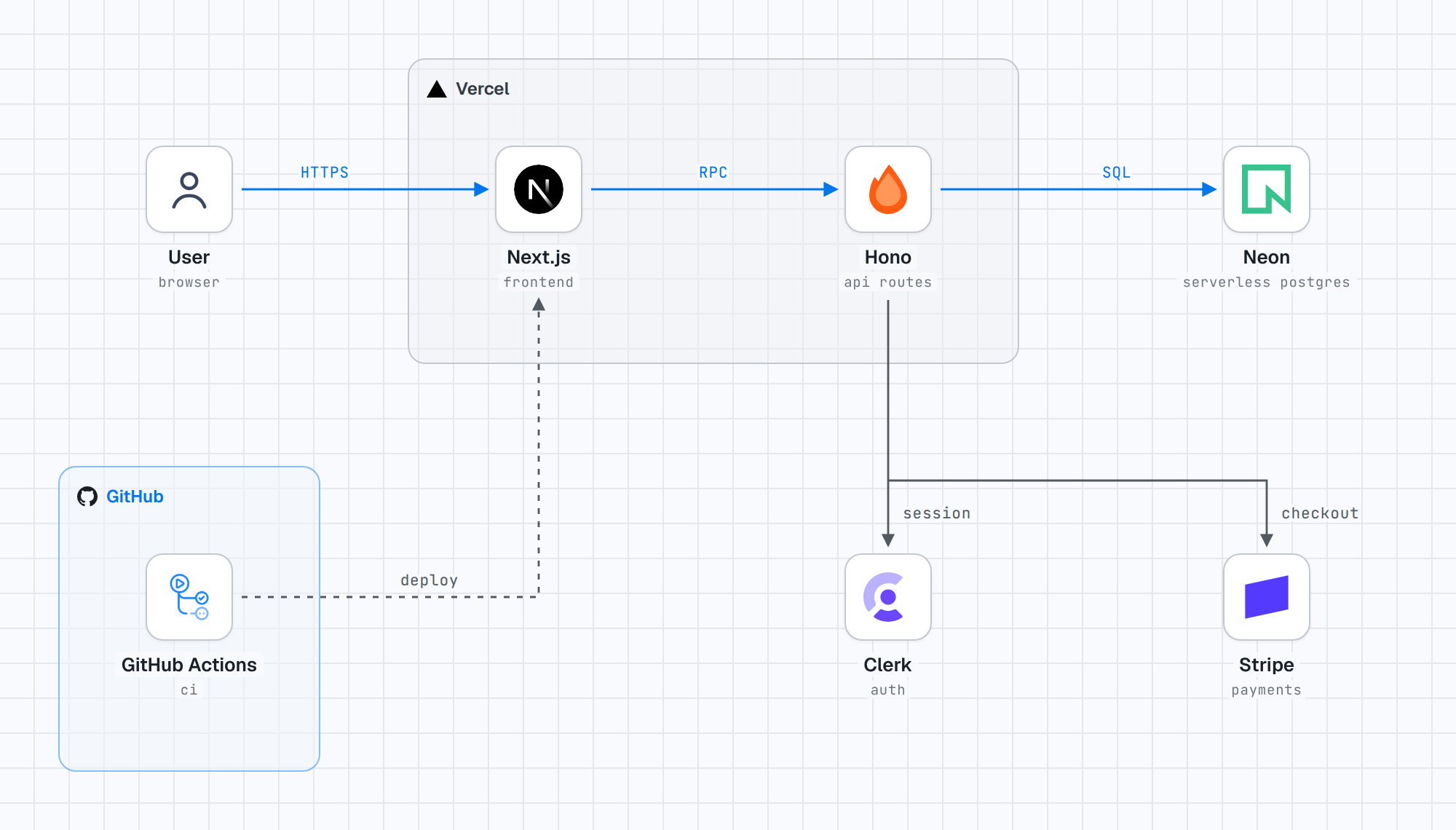
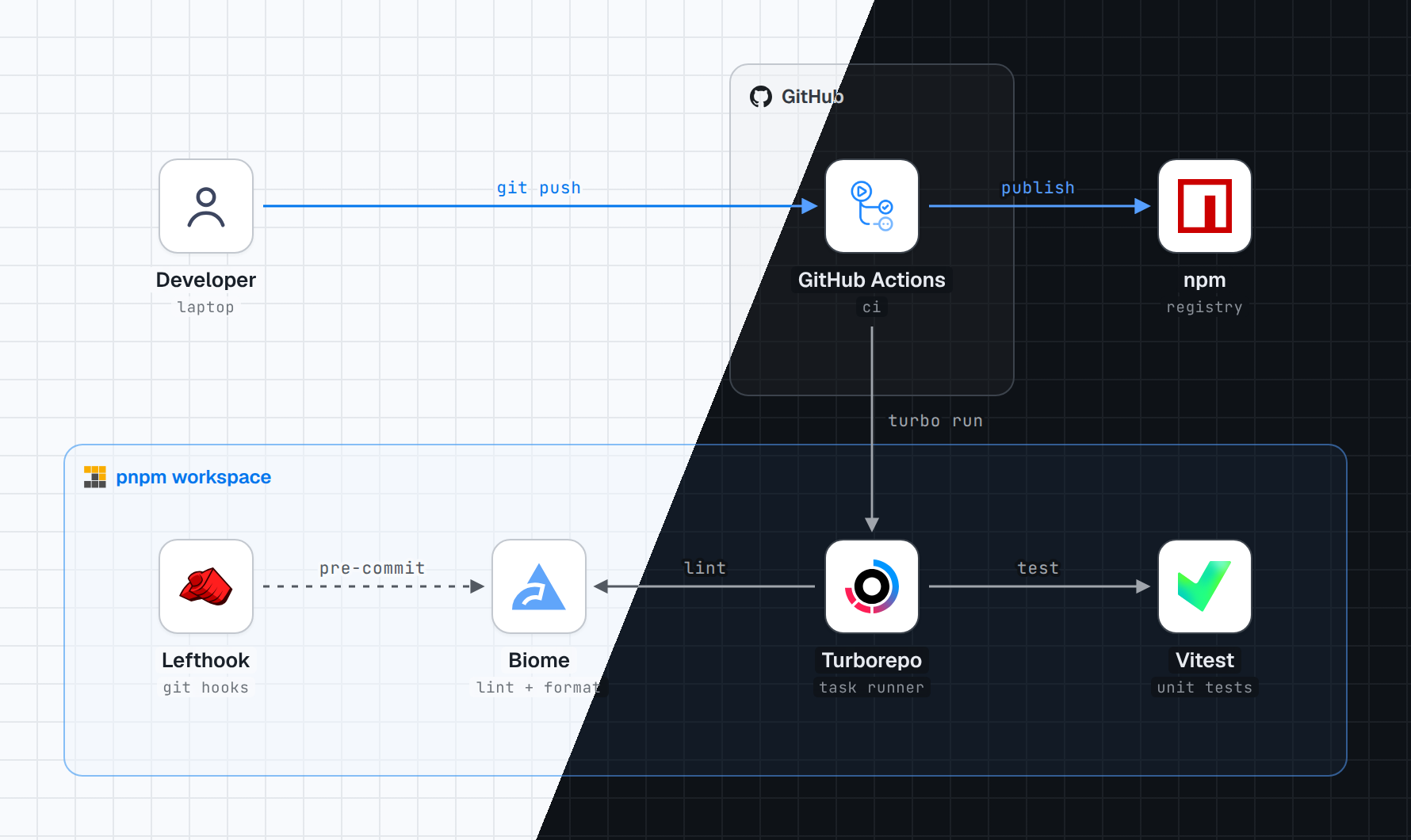
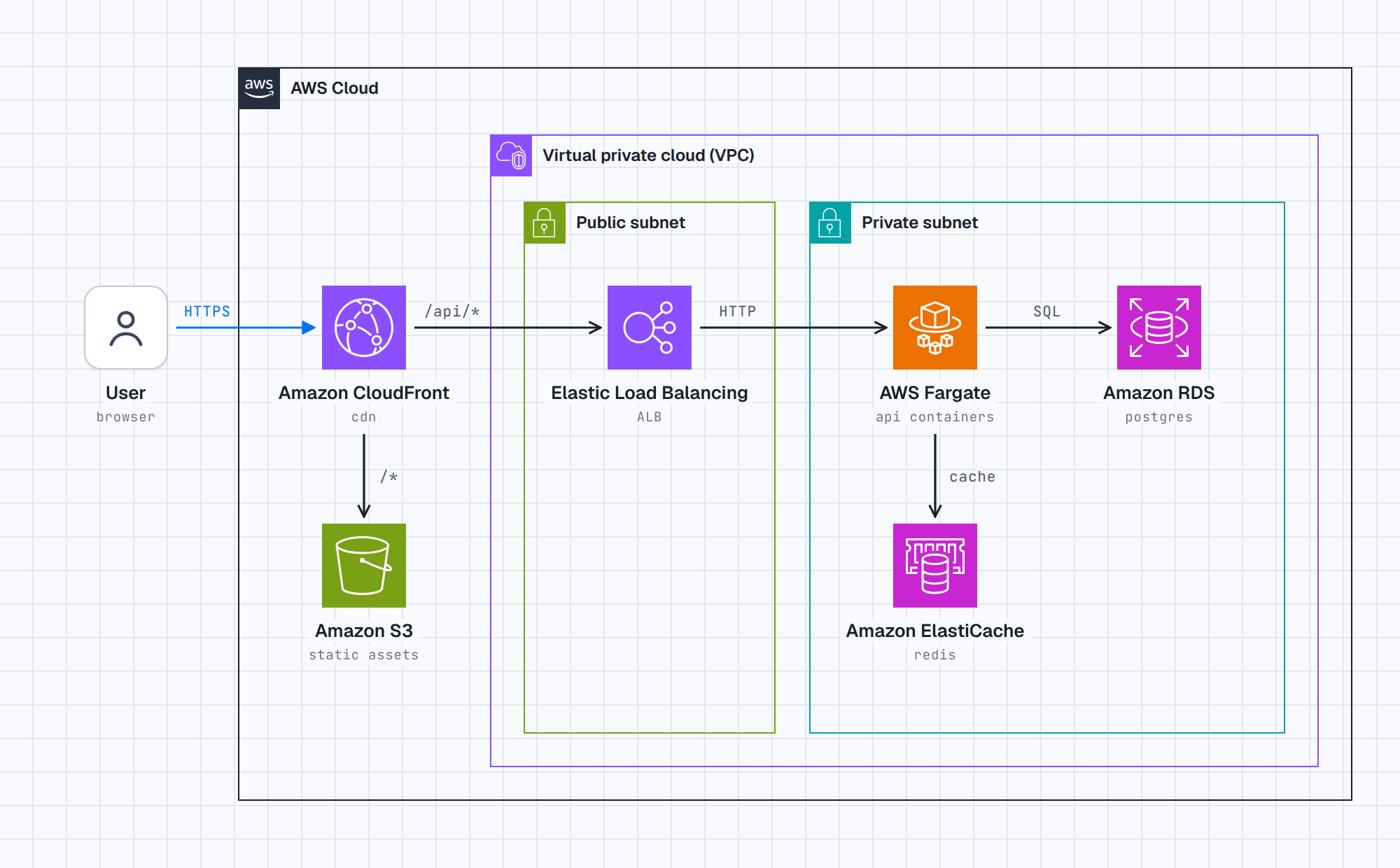
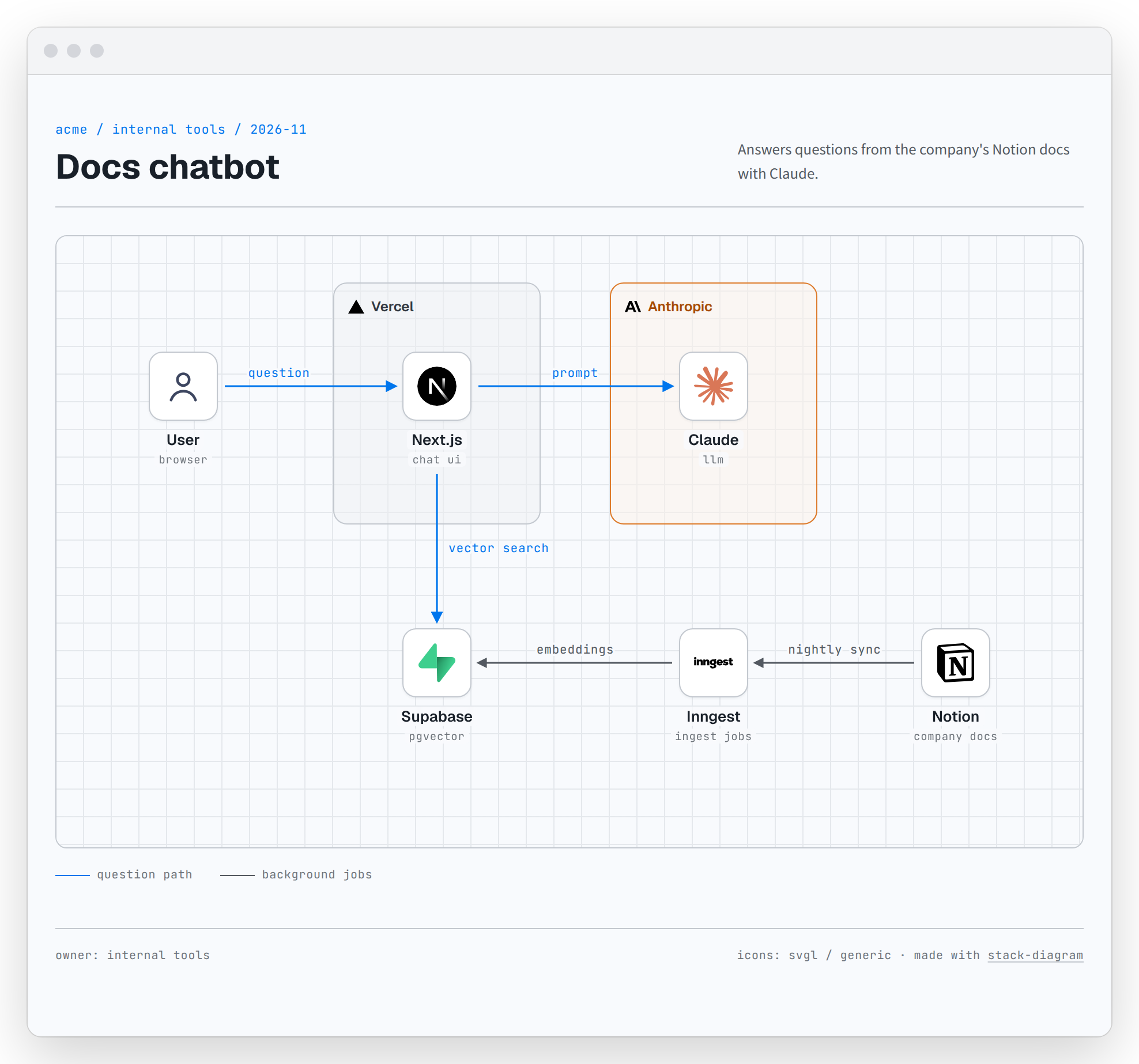
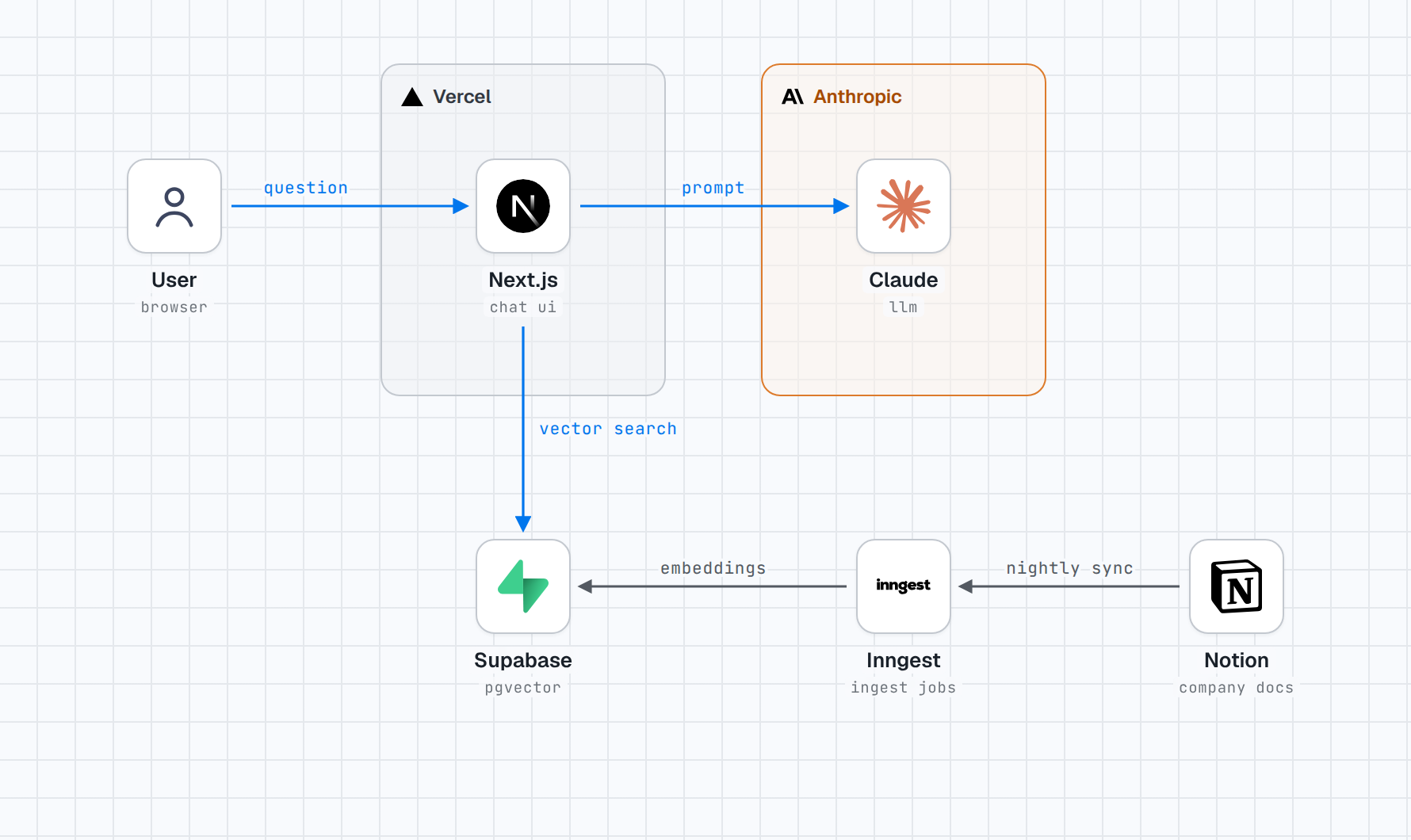
What people made with it
A pull request that regenerated five architecture pages of their own project with stack-diagram: self-contained HTML with official logos, about 3.5 MB down to about 0.6 MB in total.
公式ロゴ入り・自己完結HTML(合計 約3.5MB→約0.6MB)、ダーク既定(?theme=light 可)、狭い画面では横幅に合わせて縮小
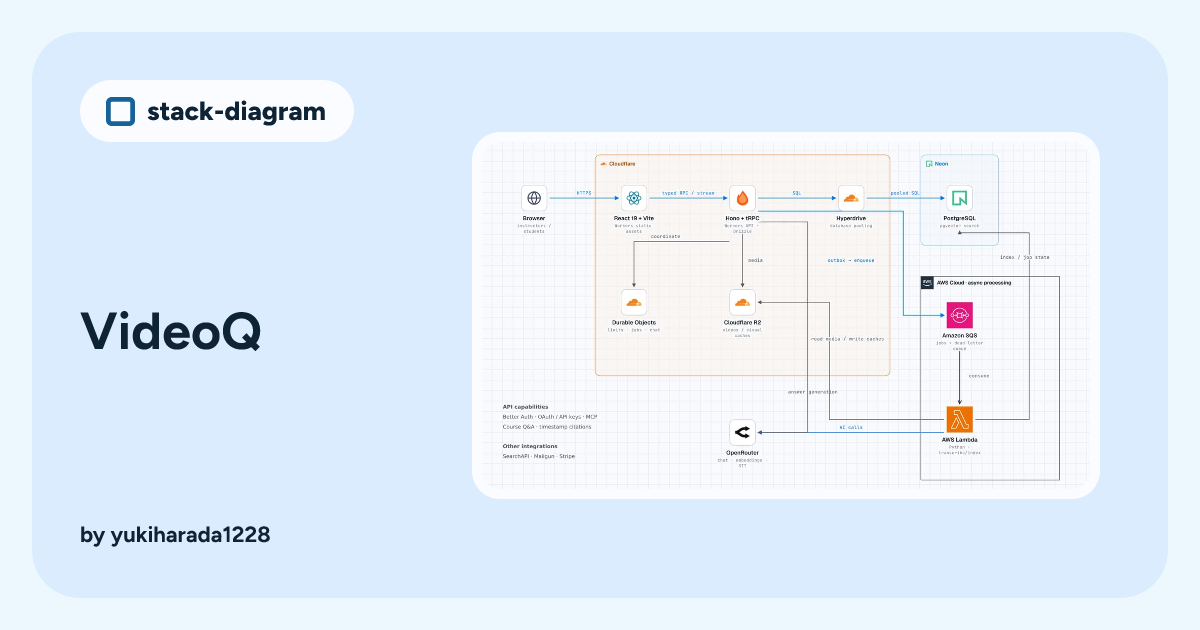
A diagram posted to the skill's public gallery: a VideoQ stack with React, Vite, Cloudflare Workers, Hono, Neon, AWS Lambda, Stripe and about twenty technologies on one page.
VideoQ
A pull request adding the skill to a drawio-desktop fork, then rendering both theme PNGs with the Electron, Node.js and npm logos and confirming the HTML opens with no extra network requests.
Electron、Node.js、npmのロゴを取得し、画像とフォントを埋め込んだHTMLから両テーマのPNGを生成できました。
How it runs inside
- 1
You → Claude Code
one sentence about the stackOne node per technology, groups by shared runtime or vendor, and three edge kinds: main flow, internal, deployskills/stack-diagram/SKILL.md - 2
Claude Code → fetch_icons.py
python3 scripts/fetch_icons.py icons nextjs hono …Tries svgl, devicon, then gilbarbara/logos; AWS, GCP and Azure from the vendors' packages; manifest.json records sourcesskills/stack-diagram/scripts/fetch_icons.py - 3
Claude Code → build.py
template.html + coordinatesNode boxes are 132 by 100; vertical arrows run from a box bottom to the next tile top, so they never cross textskills/stack-diagram/references/geometry.md - 4
build.py → render_png.py
out.htmlbuild.py swaps %%ICON_name%% and %%FONT_*%% tokens for data URIs and fails loudly on any leftover tokenskills/stack-diagram/scripts/build.py - 5
render_png.py → Claude Code
out.png, out-dark.pngHeadless Chromium shoots .canvas at 2x in both themes; the agent looks and fixes arrows through text and clippingskills/stack-diagram/scripts/render_png.py - 6
Claude Code → HTML + PNG diagram
HTML, PNG, TSX, artifactAll formats derive from the one HTML; sharing to stacks.caru.moe is offered once and sent after two explicit yesesskills/stack-diagram/scripts/share.py
What goes in, what comes out
Is it for you
Good for
- A service diagram for a README or a slide deck
- AWS, Google Cloud or Azure architectures drawn with each vendor's official icons
- Non-cloud layouts such as monorepo tooling
- When you need light and dark versions of the same picture
Not for
- Needs Python 3.9+ and network access for the logos; PNG export also needs Playwright with Chromium
- Logos are not bundled; they are downloaded at build time, and the AWS, GCP and Azure icons are not to be committed to a repo
- Japanese text renders with Chinese glyph variants if the rendering machine has no Japanese font (per SKILL.md)
- Gallery sharing is sent only after two explicit confirmations, and what is sent becomes public
Reviewed by Devalley’s editor before publishing. How the column is made