
teardown: any machine as a 3D simulator you can take apart
Ask Claude Code how a mechanical watch keeps time and get back a 3D simulator you can take apart
- Who
- A Claude Code skill by elvarofficial, for anyone who wants to show or learn how a machine works.
- When
- The repository opened on 30 October 2026; there is no release yet.
- Where
- Runs in Claude Code. You get one HTML page that opens offline on your computer, and an mp4 if you want one.
What was hard
Explaining how an engine or a landing gear moves took a stack of diagrams and a long write-up. Making it something people could turn and open meant writing 3D code or learning a modelling tool. Asking an AI from a single sentence tended to give a vague, generic machine.
What it does about it
teardown teaches Claude Code how to build a machine. Its main rule is that one value drives everything: the parts and the gauges are computed by the same function from one input, such as the crank angle, so the numbers on screen can never disagree with the motion. Left alone, the page tours itself, and the same code records a 60 fps film.
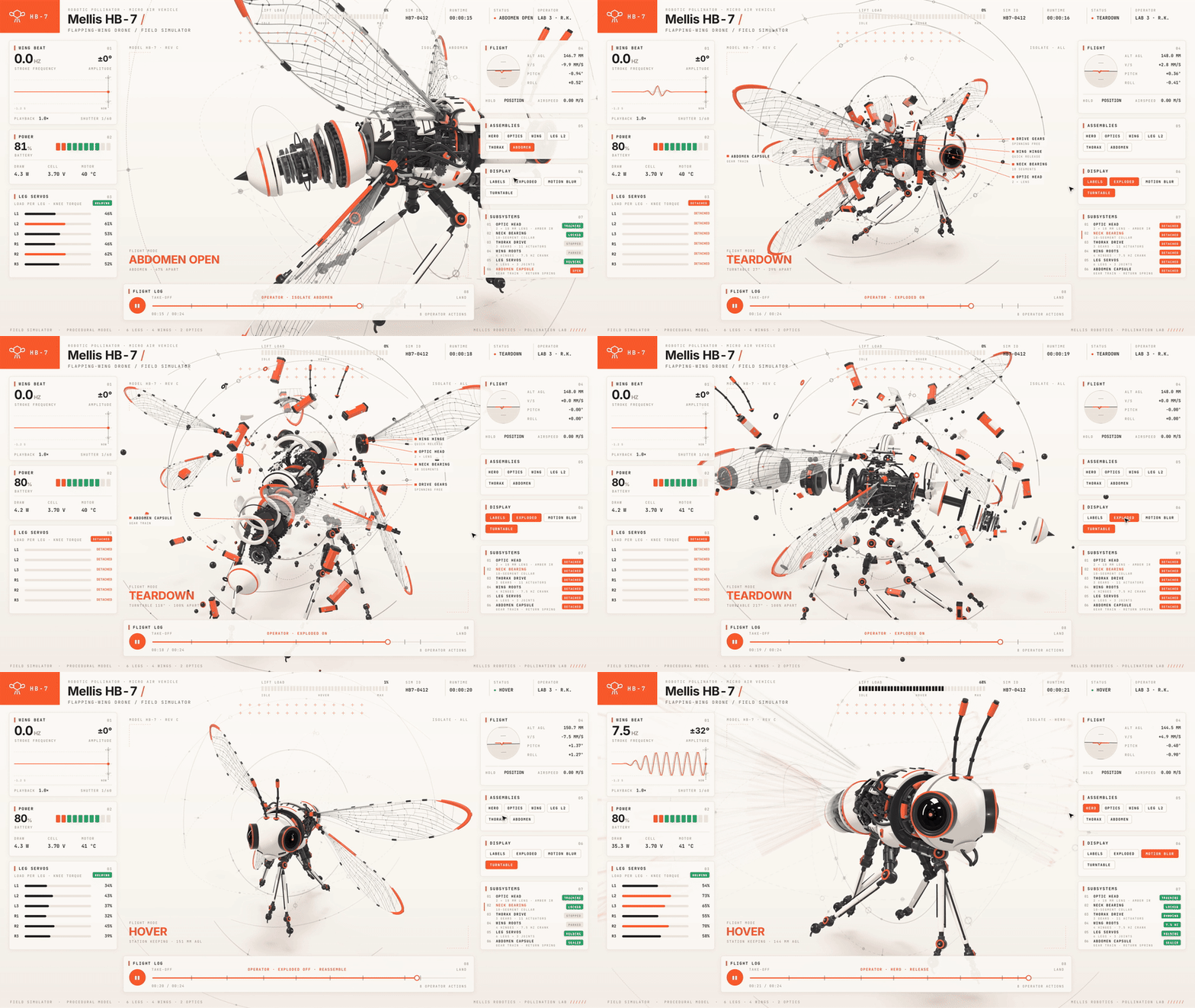
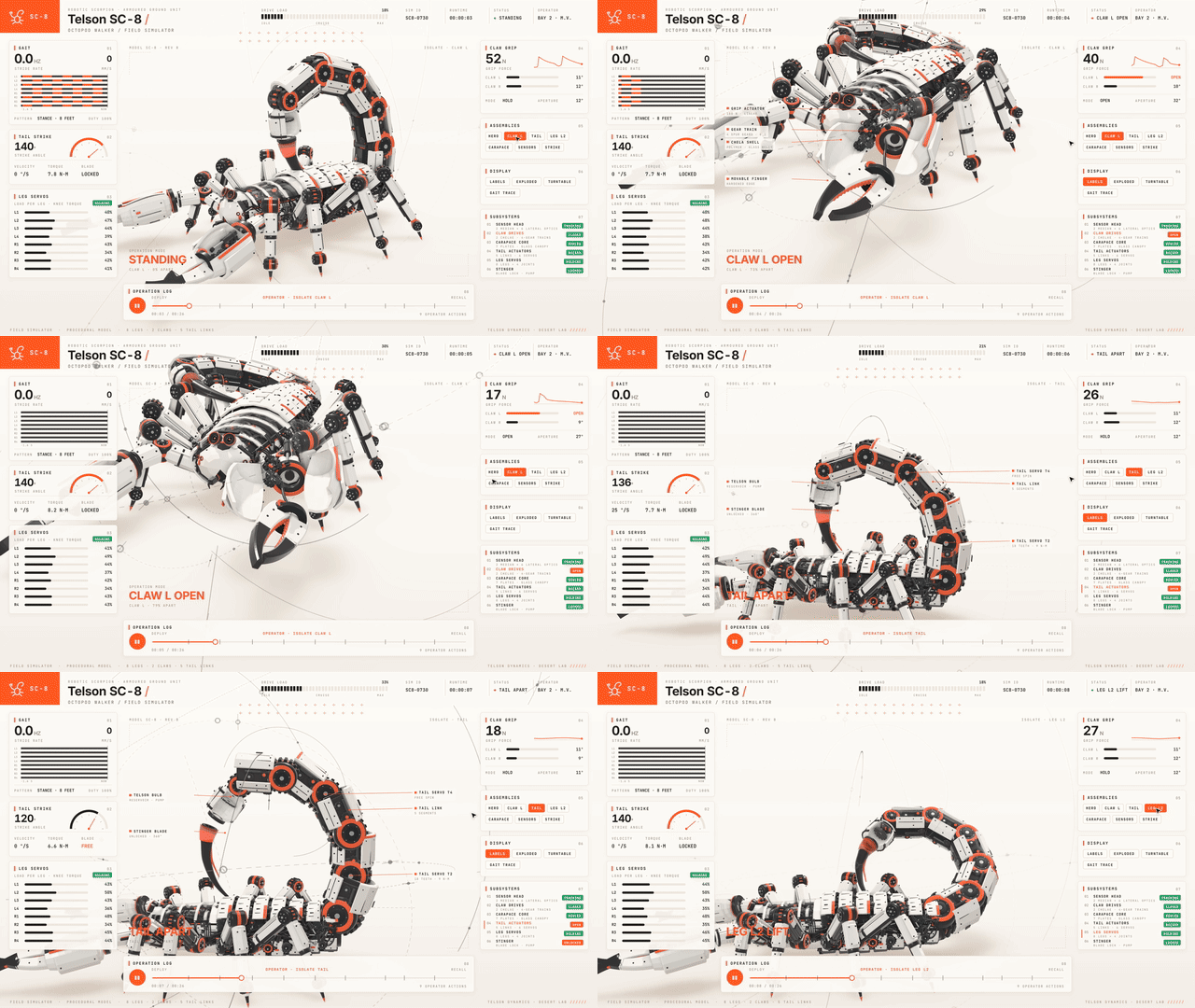
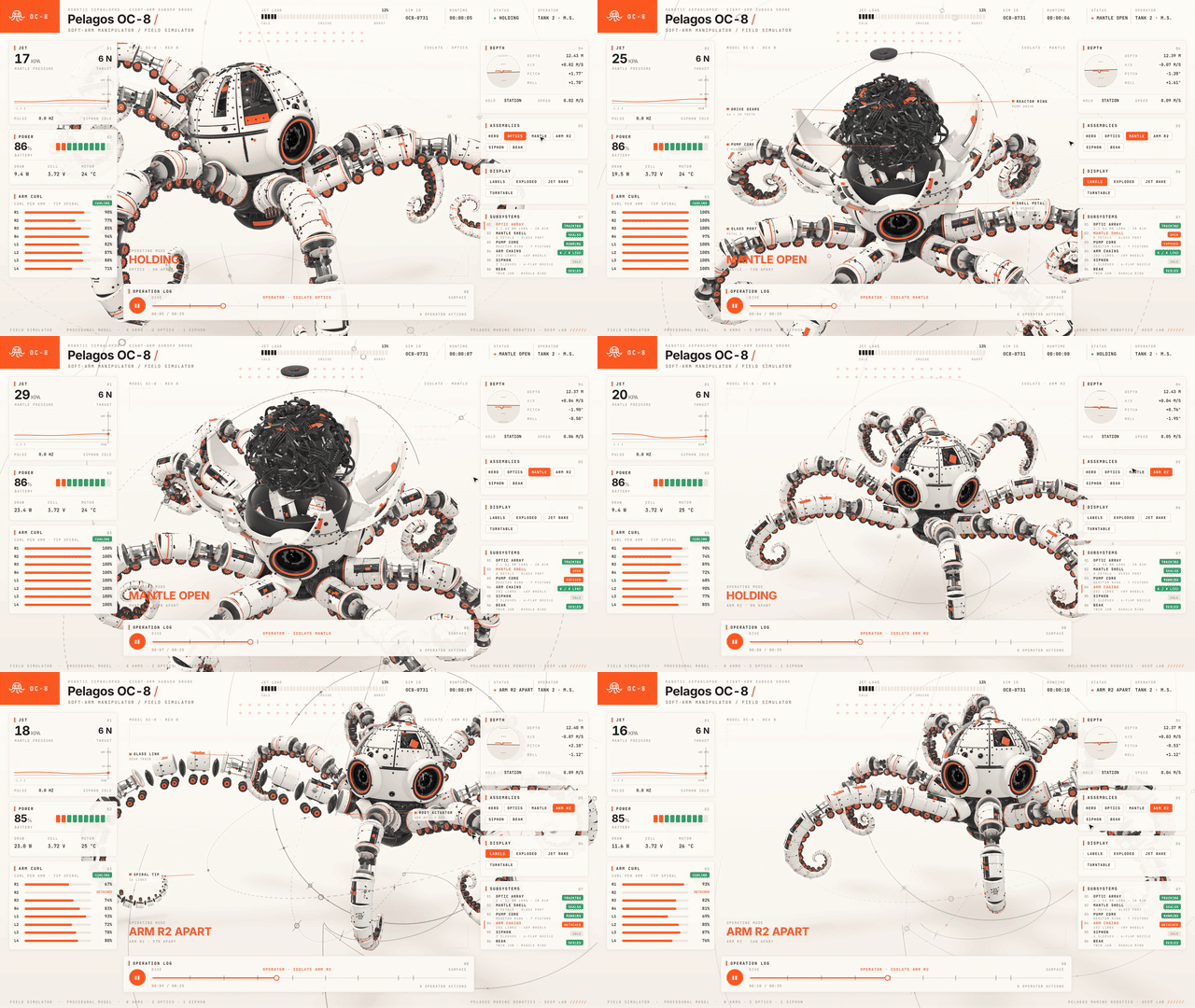
How it runs inside
- 1
You → Claude Code
"How does a mechanical watch keep time? Simulator."You name a machine or a principle in plain words.README.md - 2
Claude Code → SKILL.md
How a machine is built, the rules, the review loopFind real dimensions first, and let one input move every part and every number.SKILL.md - 3
Claude Code → sims/build.mjs
A machine folder: kin.js, stage.js, console.js, live.jsMath, geometry, lighting, panels and live controls go in separate files; the V8 runs on crank angle alone.sims/v8-shared/kin.js - 4
sims/build.mjs → teardown-out
One HTML file with three.js and fonts inlinedThe machine is bundled into a single page that opens offline, written to teardown-out/dist.sims/build.mjs - 5
Claude Code → sims/capture.mjs
--stills beats review sheetsIt renders a still per beat, reads them, fixes overlaps and clipping, and rebuilds.sims/capture.mjs - 6
sims/capture.mjs → teardown-out
A 60 fps mp4 rendered frame by frameThe tour is recorded as a film, with sound laid on the same timeline.sims/capture.mjs
What goes in, what comes out
Is it for you
Good for
- Showing how a machine works in a class or a talk
- Studying engineering or physics by opening the parts yourself
- Making a short film of a device
- Sharing a light demo page with a single link
Not for
- The film needs ffmpeg and the sound needs Python 3.
- SKILL.md itself warns that machines invented from a sentence, with no reference picture, come out generic.
- On a laptop's built-in GPU the frame rate can drop a lot, so the examples carry quality tiers.
- It is made as a Claude Code skill.
Reviewed by Devalley’s editor before publishing. How the column is made