
Diagram Design: editorial diagrams your agent draws as one HTML file
One sentence gets any of 45 diagram types drawn in your brand colours as a single HTML file, and the repo has passed 64,000 stars
- Who
- Cathryn Lavery (LittleMight) built it after disliking the diagrams she got for her blog; for anyone who puts figures in posts and decks.
- When
- Repository opened 16 April 2026; the plugin is at 2.6.141 (last push 3 November 2026). No GitHub release tags, just a CHANGELOG.
- Where
- Claude Code, Codex, Cursor, Copilot, Pi and other Agent Skills hosts. Output: an HTML file on your PC that fetches only Google Fonts.
What was hard
Every time a post or a deck needed a figure, asking an agent returned the same rounded grey boxes with drop shadows. Matching it to the site meant thirty minutes in Figma, or shipping without the diagram.
What it does about it
Diagram Design writes down the taste the model was missing. One or two accents, 1px hairlines, no shadows and every coordinate on a 4px grid, applied to 45 diagram types, each delivered as one HTML file with inline SVG. Give it your site's address and it pulls the palette and fonts into every diagram after that; give it an existing draw.io, Mermaid or Excalidraw file and it keeps the content and redraws it in this style.

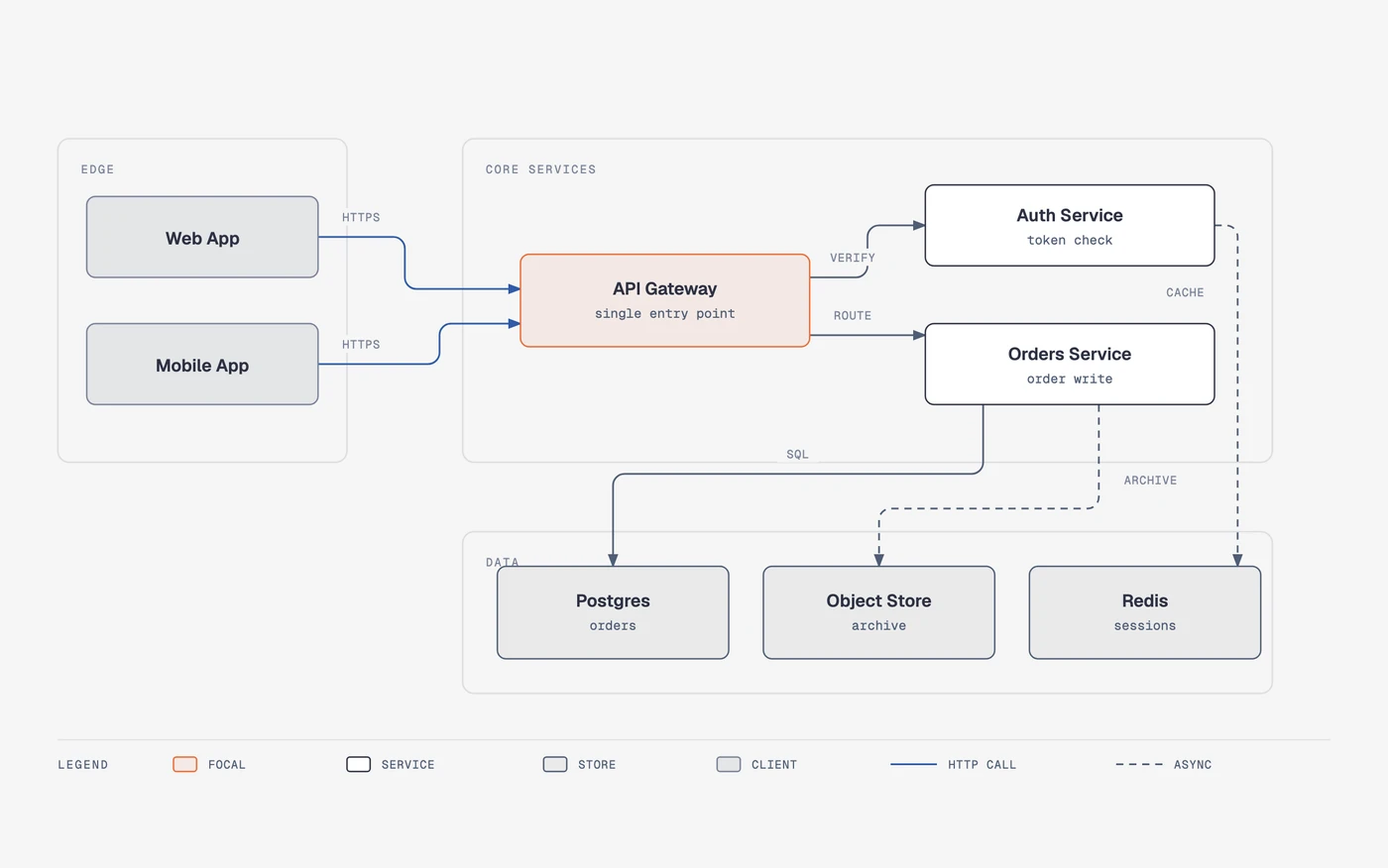
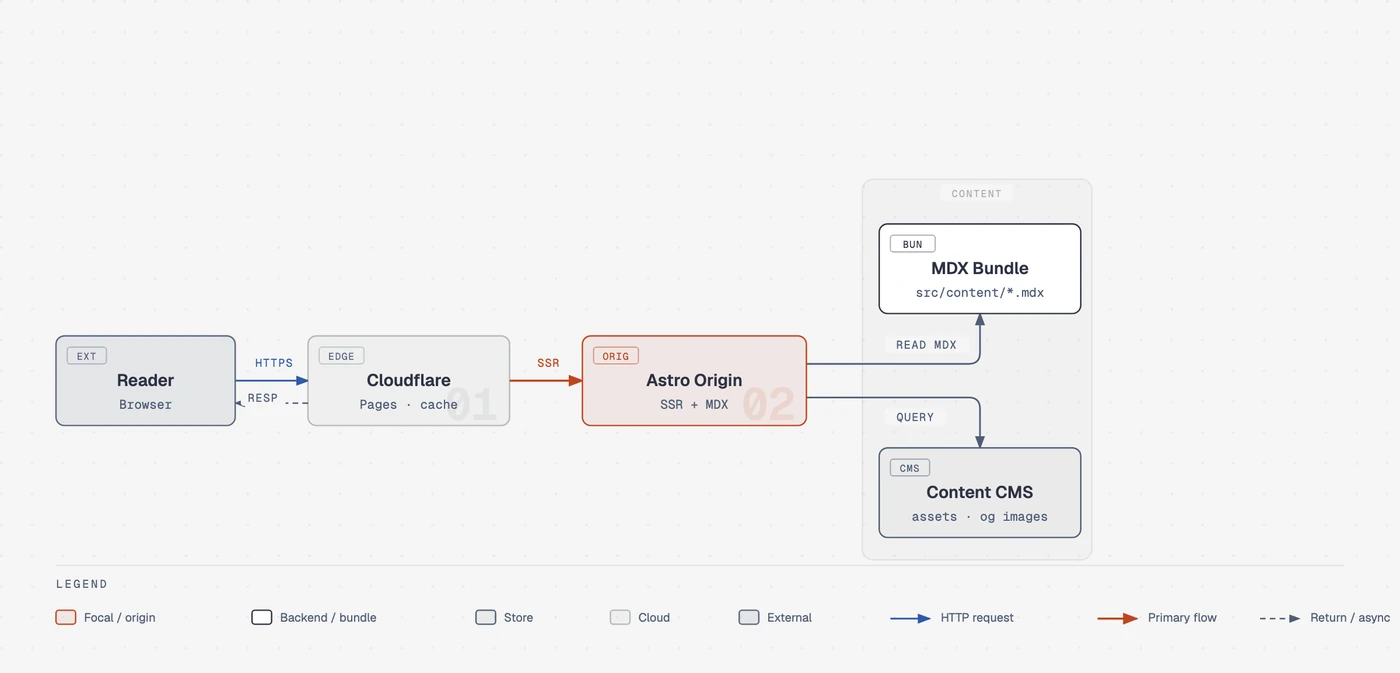
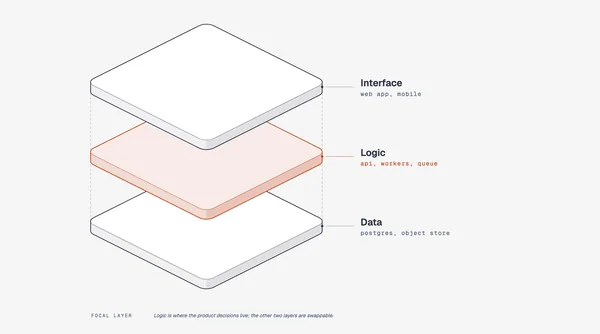
/diagram-design:import-drawio platform.drawioDetail: balanced · 12 source nodes → 8 drawnCollapsed: "Token valid?" decision → edge label on Gateway → AuthDropped: 1 sticky note ("legacy path, to be retired"), unconnected in sourceKept in full: the request path (Web/Mobile → Gateway → Orders → Postgres)
What people made with it
Tim of Vibe Rooster redrew a weekly ops page with the skill as a Kanban board, one blocked card as the only accent, and opened a PR to add the before/after pages to the README.
drawn as a Kanban board in the full-editorial variant with the default skin: one blocked card as the only accent, WIP chips, a bottom legend, and three summary cards of varied widths
How it runs inside
- 1
You → Claude Code
"Make me an architecture diagram"Ask in plain words, like the README's examples. At startup the agent only knows the skill's name and description.README.md - 2
Claude Code → SKILL.md
Loads SKILL.md when a request matchesOn first use it checks whether the style guide is still default and asks: site URL, pasted tokens or default.skills/diagram-design/SKILL.md - 3
SKILL.md → style-guide.md
Pulls colours and fonts from your siteMaps the site's colours and fonts to paper, ink and accent roles, shows a diff, then writes style-guide.md.skills/diagram-design/references/onboarding.md - 4
SKILL.md → Claude Code
Picks one type, loads only its referencePicks a semantic pattern first when behaviour matters, states type, size and cuts in one line; max 9 nodes, 2 accents.skills/diagram-design/references/type-architecture.md - 5
Claude Code → self_check.py
Fills template.html, runs self_check.pyChecks right-angle connectors, label masks, role=img with title/desc, no remote assets, everything inside the viewBox.skills/diagram-design/scripts/self_check.py - 6
self_check.py → diagram .html
OK means one .html file, PNG/SVG on requestThe result opens by double-clicking. Export is export_svg.py and export_png.py, which renders through Playwright.skills/diagram-design/scripts/export_png.py
What goes in, what comes out
Is it for you
Good for
- Architecture, flow and sequence figures for blog posts or docs in your own site's tone
- 16:9 slide figures (the size preset changes the type ramp too)
- Cleaning up draw.io or Mermaid diagrams for publication
- Keeping several clients' brands as saved profiles and switching between them
Not for
- The output is not an editable source format; for docs that live in Git and change every sprint the README still recommends Mermaid
- Quality depends on the model, and the same prompt can lay out differently twice, as the README says
- PNG export needs Playwright and Chromium; the default fonts load once from Google Fonts (a system-fonts option exists)
- Nine nodes and twelve arrows per diagram is the budget, so big systems split into overview and detail
Reviewed by Devalley’s editor before publishing. How the column is made