
PhoneBox: an old Android phone as your AI coding desk panel
Plug in the Android phone from your drawer and tap Allow or Deny on Claude Code's permission prompts
- Who
- Built by ersinkoc under the MIT license, for people who run coding agents at a desk and have a spare Android phone.
- When
- First released as v0.5.0 on November 7, 2026; the latest release is v0.9.20 from November 18.
- Where
- A desktop agent for Windows, Linux and macOS plus an Android 5+ phone, over USB or paired Wi-Fi, with no cloud in between.
What was hard
You hand a task to an agent, switch to another window, and find out much later that the terminal has been sitting on a permission prompt. Checking how much quota is left or which session is still running means digging that window back up. Meanwhile an old Android phone sits unused in a drawer.
What it does about it
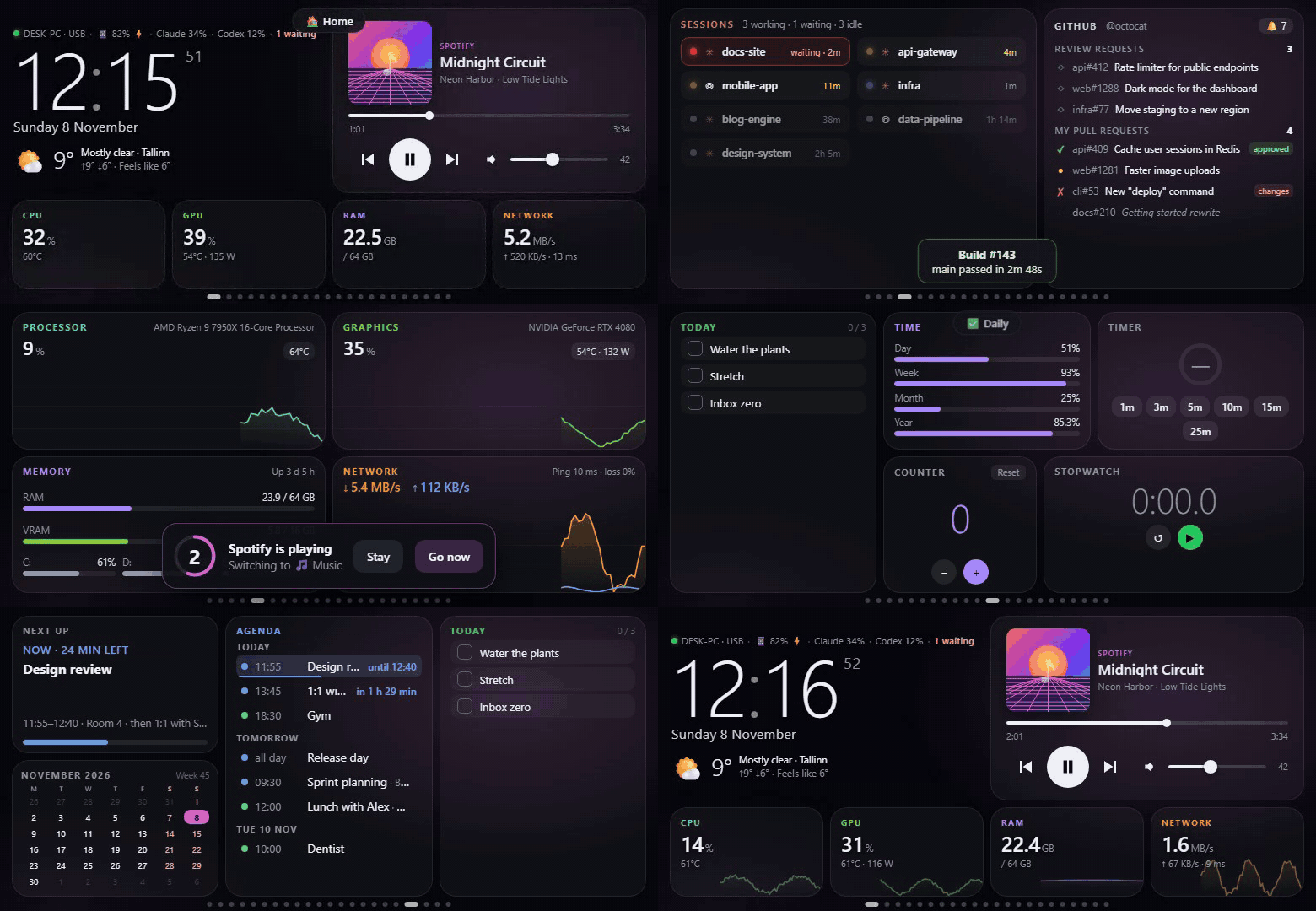
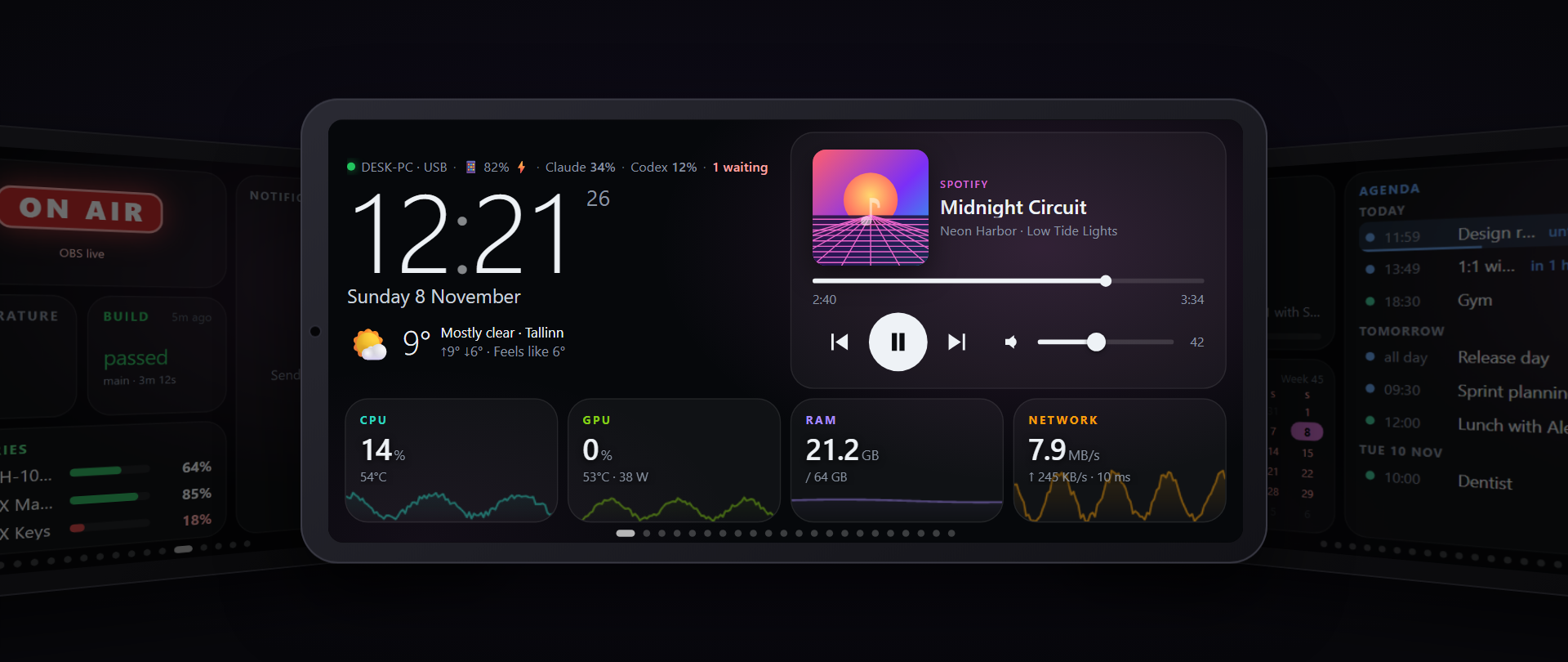
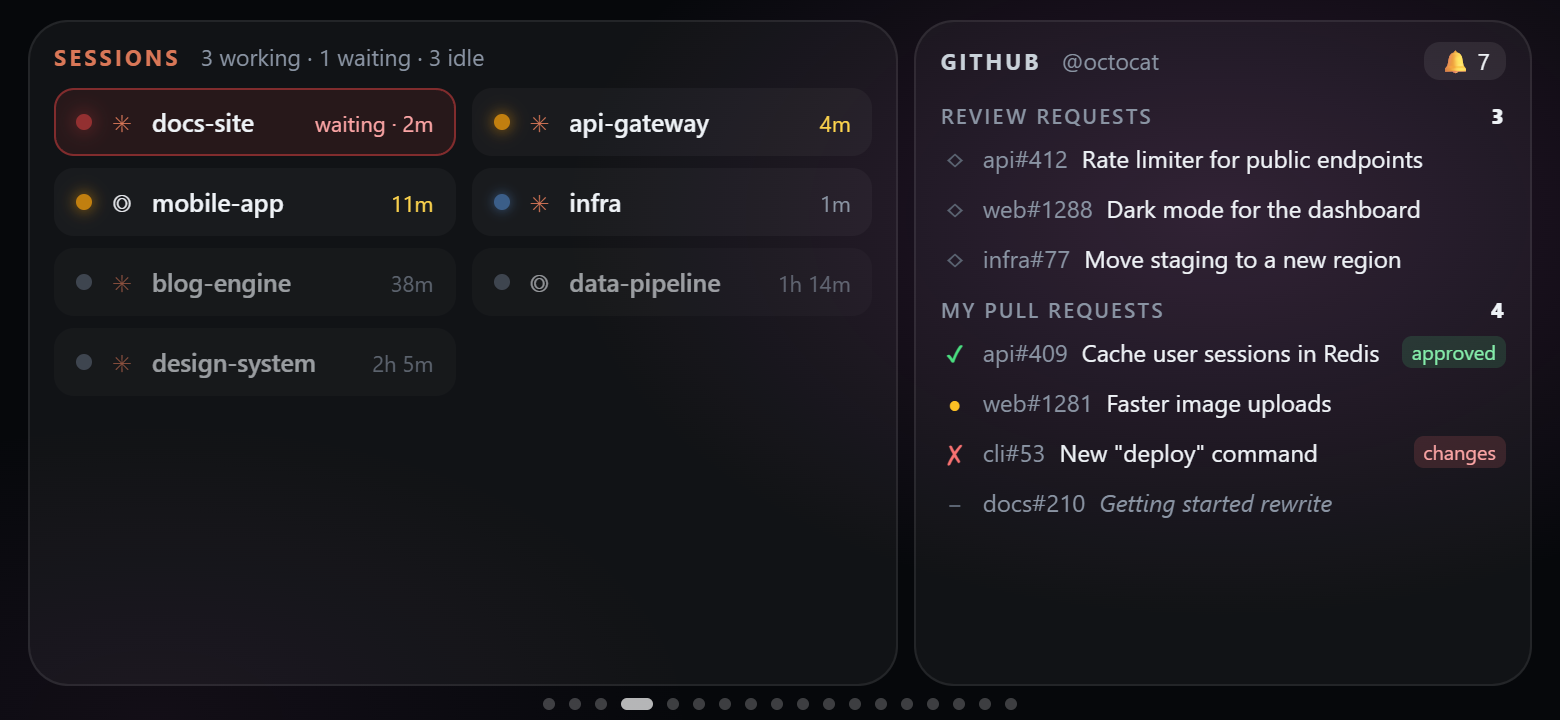
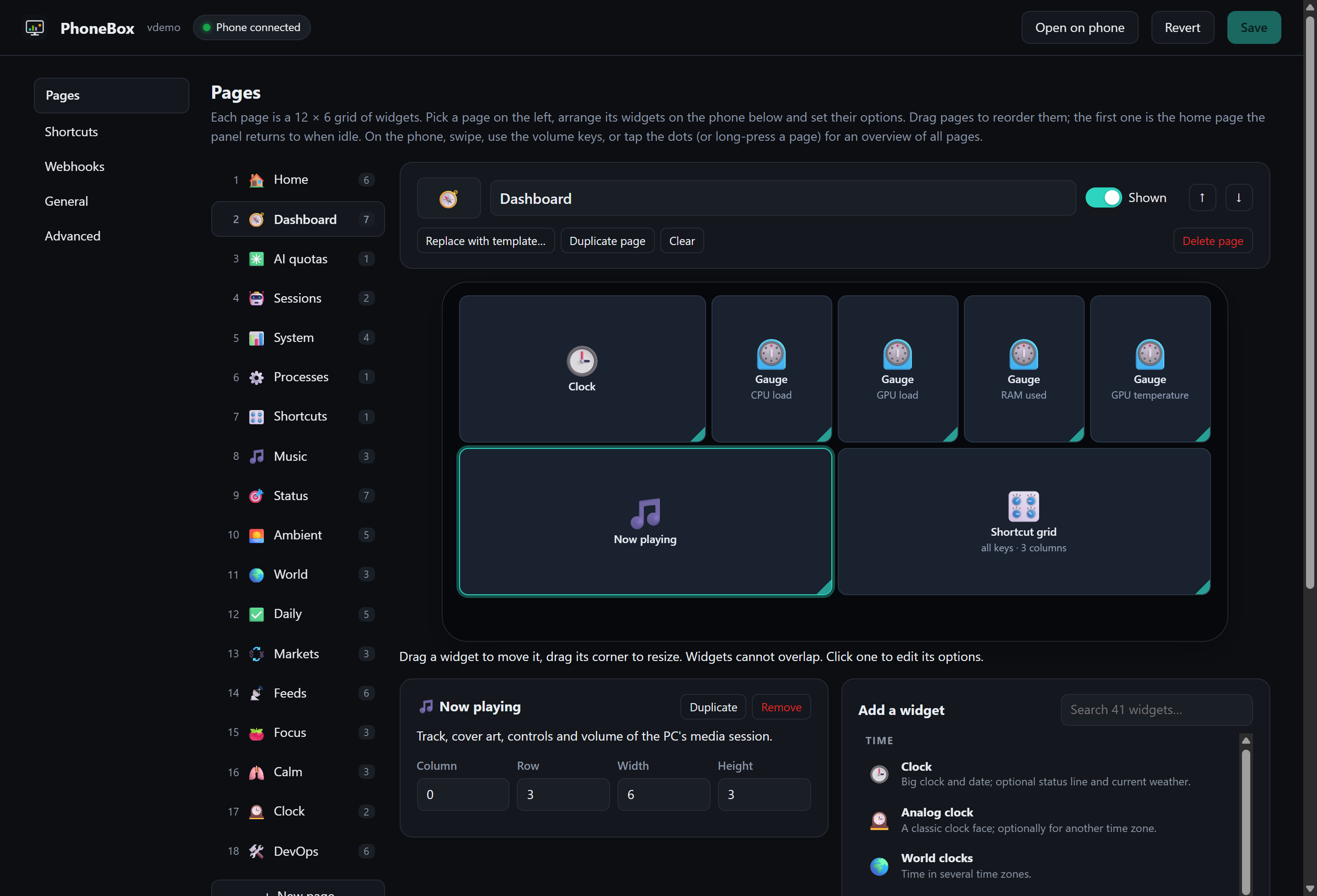
PhoneBox stands that phone next to your computer as a panel. A full-screen app runs on the phone and a small agent program on the computer, joined by USB or paired Wi-Fi. You lay the panel out in a browser editor from 123 widgets and 30 templates, and once you opt in, Claude Code's permission prompts can be answered with Allow or Deny on the phone. Commands and integration credentials stay on the computer; the phone only asks for configured actions by ID.
What people made with it
Ran a test build on an OPPO A71 with Android 7.1.1 and reported, with screenshots, that touch and the panel worked. After that test, 0.9.11 installs on Android 7.0 and later.
I love your idea bro and i want to use it myself but majority of the old phones in normal homes run either Android 8 or below
How it runs inside
- 1
PhoneBox agent → PhoneBox Android app
adb reverse tcp:8765 tcp:8765Over USB, the agent keeps a rule so the phone's 127.0.0.1:8765 reaches it, and wakes a newly plugged phone.agent/PhoneBox.Agent/AdbReverse.cs - 2
Claude Code → PhoneBox agent
~/.claude/sessions/{pid}.jsonEvery 2 seconds the agent reads Claude Code's status files and the rollouts under ~/.codex/sessions, read-only.agent/PhoneBox.Agent/SessionMonitor.cs - 3
Claude Code → PhoneBox agent
POST /api/hooks/claude/permissionA PermissionRequest hook in ~/.claude/settings.json posts each permission prompt to the agent.agent/PhoneBox.Agent/ClaudeHook.cs - 4
PhoneBox agent → PhoneBox Android app
GET /api/state, /api/approvalsThe panel on the phone fetches the state and waiting prompts and shows the project, tool and command or file.agent/PhoneBox.Agent/Program.cs - 5
You → PhoneBox Android app
Tap Allow or DenyThe phone app draws the panel in a WebView and lets only the panel itself reach the agent.android/app/src/main/java/net/oxog/phonebox/deskpanel/MainActivity.kt - 6
PhoneBox Android app → PhoneBox agent
POST /api/approvals/{id}The answer reaches the request the agent is holding open.agent/PhoneBox.Agent/Program.cs - 7
PhoneBox agent → Allow / Deny
hookSpecificOutput: allow / denyThe decision goes back as the hook's output. No answer means no output, and Claude Code asks in the terminal as usual.agent/PhoneBox.Agent/ClaudeHook.cs
What goes in, what comes out
Is it for you
Good for
- People who leave Claude Code or Codex running while working in another window
- Watching quotas and reset times without opening a terminal
- Turning a spare Android phone into a deck for shortcuts, volume and OBS
- Keeping everything between your own computer and phone, with no account or cloud
Not for
- There is no iOS version, and the phone app comes only from this repository's releases, not an app store.
- The Windows agent is unsigned for now, so SmartScreen or antivirus software may warn or block it (per the README).
- The Claude quota comes from an undocumented endpoint that may change, as the guide notes.
- Windows ARM and musl Linux such as Alpine have no release builds.
Reviewed by Devalley’s editor before publishing. How the column is made