
Orca: run a fleet of coding agents side by side
An app that hands one prompt to five agents, each in its own worktree, so you can merge the best result
- Who
- A desktop app stablyai released under the MIT license, for developers who run several coding agents at once.
- When
- The repository opened in March 2026; the latest release is v1.4.244 from 2026-10-29. The README says they ship daily.
- Where
- macOS, Windows and Linux desktop, iOS and Android phone apps, SSH remotes. Claude Code, Codex, Grok and any agent that runs in a terminal.
What was hard
Run Claude Code and Codex in the same repository and they soon edit the same files and trip over each other. The more terminal windows you open, the more you have to check each one to see which agent finished and which is waiting for approval.
What it does about it
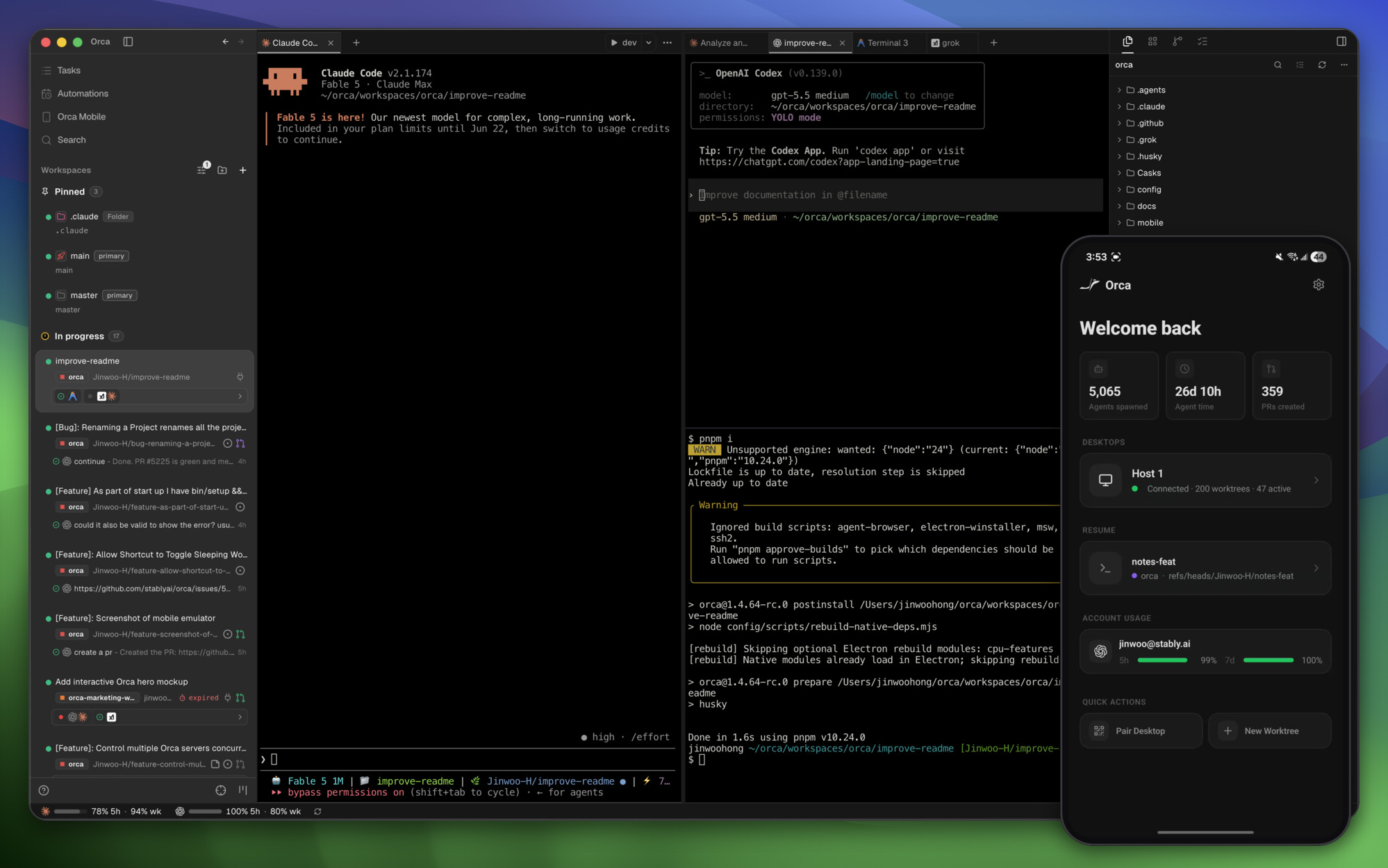
Orca creates a fresh git worktree for every task and starts the agent inside that folder. That is what lets you hand one prompt to five agents, compare what they made, and merge only the best (per the README). Hooks in each agent tell the app whether it is working, asking or done, so one screen and a phone alert are enough to keep up.
What people made with it
After running supervised multi-agent work on real repos with Orca, they turned five failures they kept hitting into Orca-specific skills, orchestra-auto, and published them.
I’ve been running supervised multi-agent work on real repos with orca orchestration, and these kept biting me — so I wrote them into Orca-specific skills (orchestra-auto / orchestra-auto-zh)
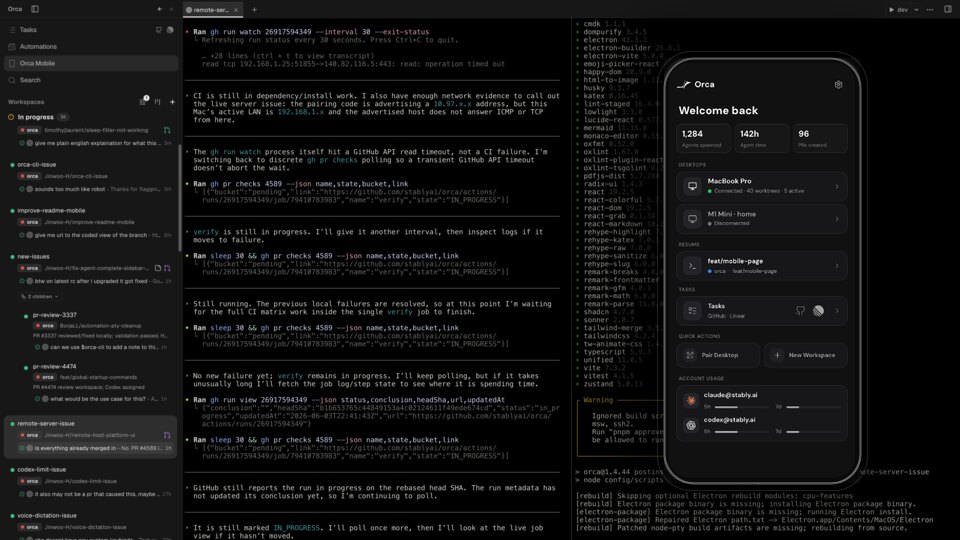
Someone using two Max 20 plans on two computers brought the Claude Code sessions from both machines into one place with Orca's remote feature.
But with Orca remote, all sessions from both machines are in one place.
How it runs inside
- 1
You → Orca desktop app
New worktree + agent + first promptCreating a worktree, you pass the agent to start and its first prompt along with it.src/main/agent-launch/startup-agent-worktree-create.ts - 2
Orca desktop app → git worktree
git worktree add --no-track -b <branch>Each task gets a new branch and folder, so agents never touch the same files.src/main/git/worktree-add.ts - 3
Orca desktop app → Claude Code · Codex
Start in that folder's terminal, submit promptIt opens a terminal in the new worktree, starts the agent and hands it the prompt.src/main/agent-launch/agent-launch-executor.ts - 4
Claude Code · Codex → Orca hook server
Hook script POSTs the statusA hook installed in the agent reports working, waiting for approval or done to the local hook server.src/main/claude/hook-script.ts - 5
Orca hook server → Desktop and phone alert
agent-task-complete notificationWhen an agent finishes, it flags the tray, shows a desktop banner and alerts the paired phone.src/main/notifications/notification-delivery-service.ts
What goes in, what comes out
Is it for you
Good for
- People who pay for both Claude Code and Codex and switch between them
- Trying the same task with several agents and comparing the results
- Getting a phone alert when an agent finishes
- Running agents on a remote server over SSH
Not for
- Agents are installed separately, each signed in with your own subscription.
- It collects anonymous usage data; the telemetry docs the README links explain how to opt out.
Reviewed by Devalley’s editor before publishing. How the column is made