
Plannotator: mark up your agent's plan and send it back
SSW's engineering rules list Plannotator as the recommended way to review a plan an AI wrote
- Who
- By backnotprop, dual-licensed Apache-2.0 or MIT, for people who want to read an agent's plan and code before it runs.
- When
- Public since 28 December 2025; latest release v0.28.65 on 15 November 2026.
- Where
- Claude Code, Codex, Copilot CLI, Gemini CLI, OpenCode, Kiro, Droid, Amp and Pi, on macOS, Linux, WSL and Windows, in your own browser.
What was hard
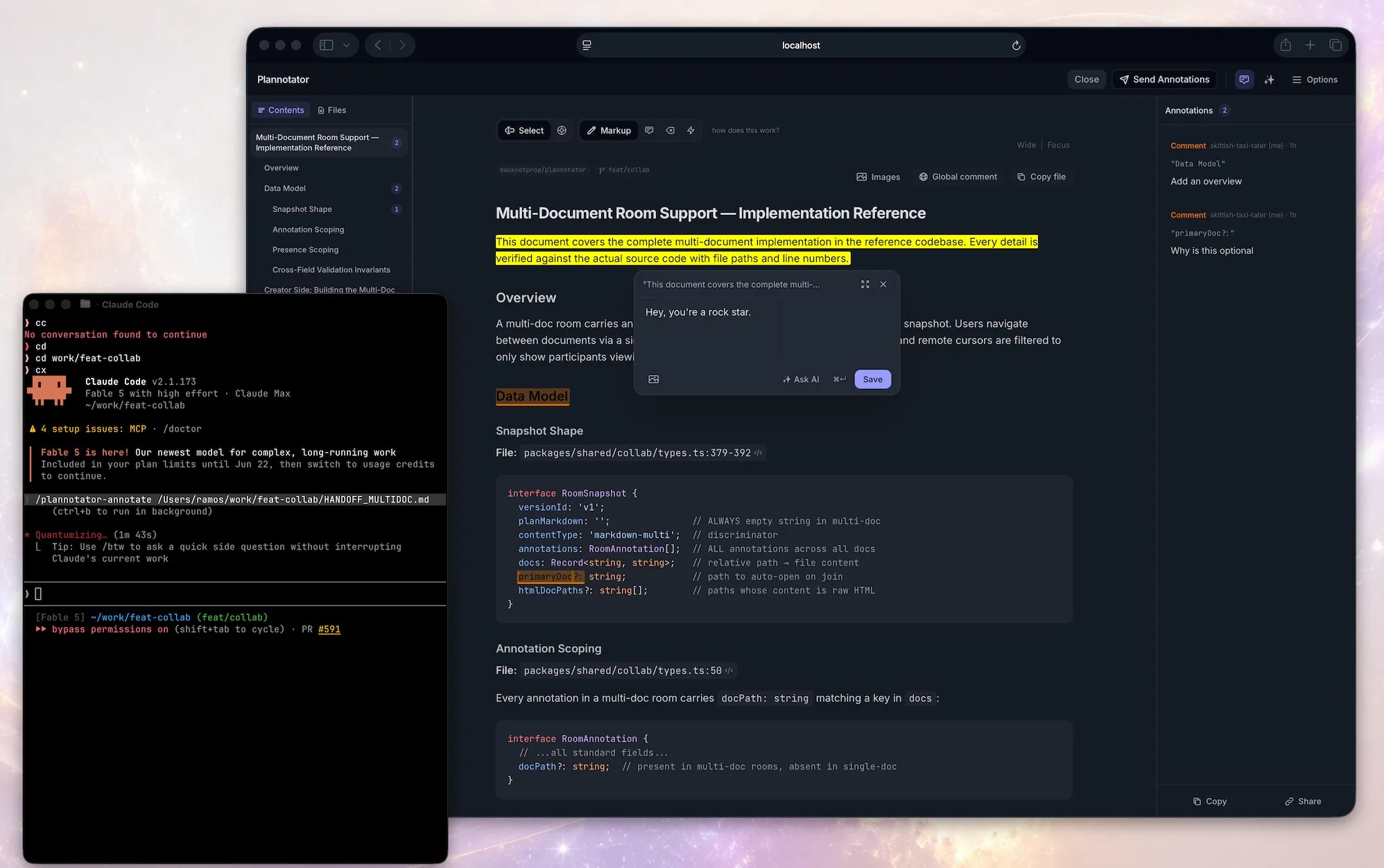
When an agent proposes a plan, a long block of text scrolls past in the terminal. You only dislike step three, but saying so means typing out which part of step three you mean. So you approve it, and find the thing you could have fixed after the code is written.
What it does about it
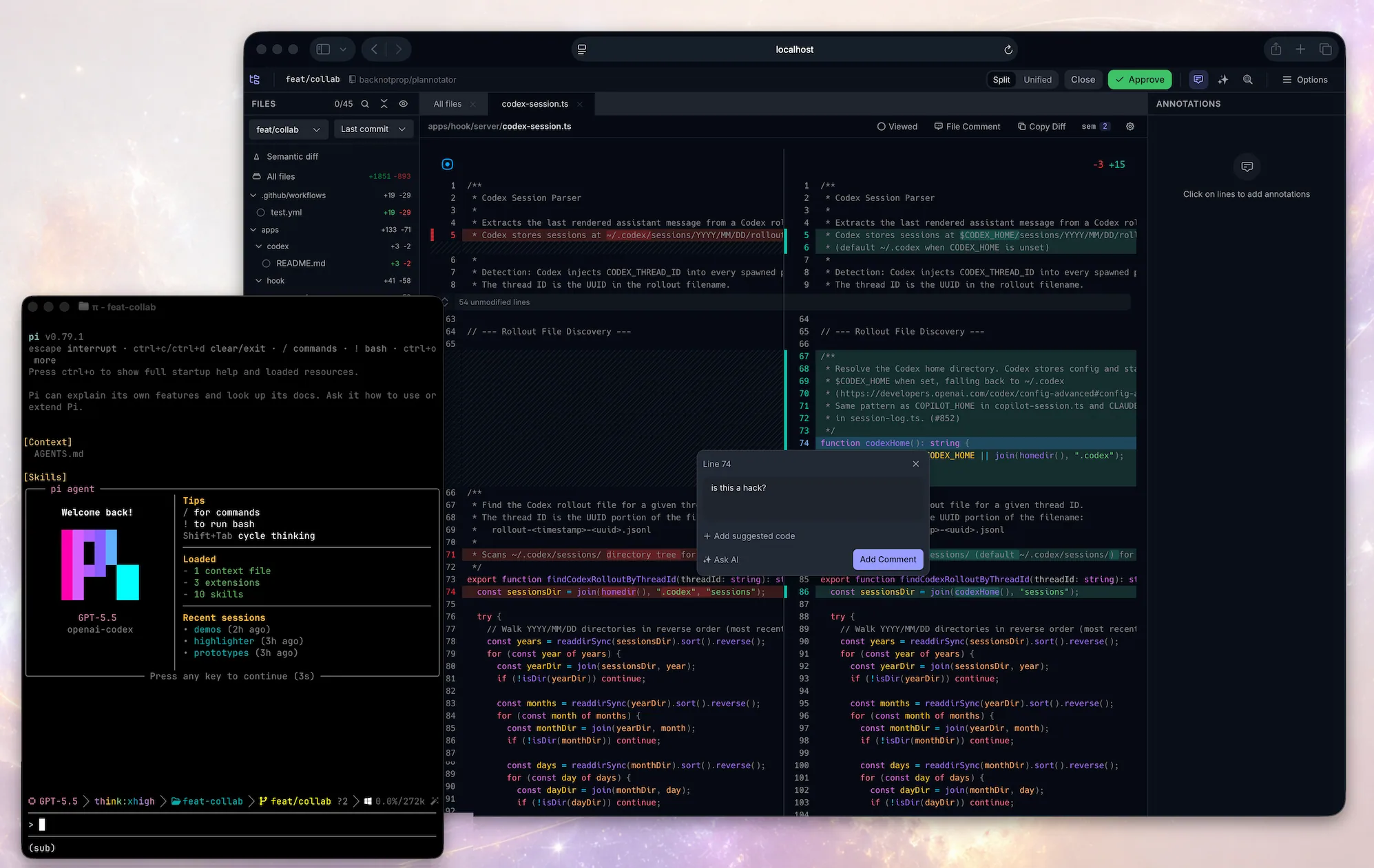
Plannotator opens the plan as a document in your browser the moment it is proposed. Highlight the line that is wrong, add a note, strike what is not needed, and those marks go back to the agent as structured feedback. When the agent resubmits, a diff shows what changed. The same surface reviews uncommitted changes or a GitHub or GitLab pull request with comments on each line.

What people made with it
SSW's written rule for its developers: the AI writes PLAN.md, Plannotator opens, you comment on lines and send feedback, re-review the revised plan, then approve.
Plannotator opens the plan in a browser-based, pull-request-style review UI.
How it runs inside
- 1
Claude Code → plannotator (hook command)
ExitPlanMode fires the PermissionRequest hookThe plugin's hooks.json puts the plannotator command on ExitPlanMode's permission request.apps/hook/hooks/hooks.json - 2
plannotator (hook command) → Local server and review UI
Read the plan from the hook event on stdinCalled with no arguments it is plan review: it takes the plan text from the hook input and starts a server.apps/hook/server/index.ts - 3
Local server and review UI → You
Open the review UI in the browserA random port locally, the fixed port 19432 over SSH.packages/server/browser.ts - 4
You → Local server and review UI
Comment, redline, mark up, then approve or denyYou mark the plan's own lines and press Approve or Send Feedback.packages/server/index.ts - 5
plannotator (hook command) → Claude Code
Approve to proceed, deny with your notesThe decision goes back on stdout, so the agent carries on or takes the notes and revises.apps/hook/server/index.ts - 6
Claude Code → A revised plan and its diff
The revised plan comes backOn resubmission a plan diff shows what changed since the last version.
What goes in, what comes out
Is it for you
Good for
- You use plan mode a lot and catch yourself approving plans half-read
- You want to read an agent's changes line by line before the commit, like a pull request
- Several agents ask you things and you want their questions and files in one window
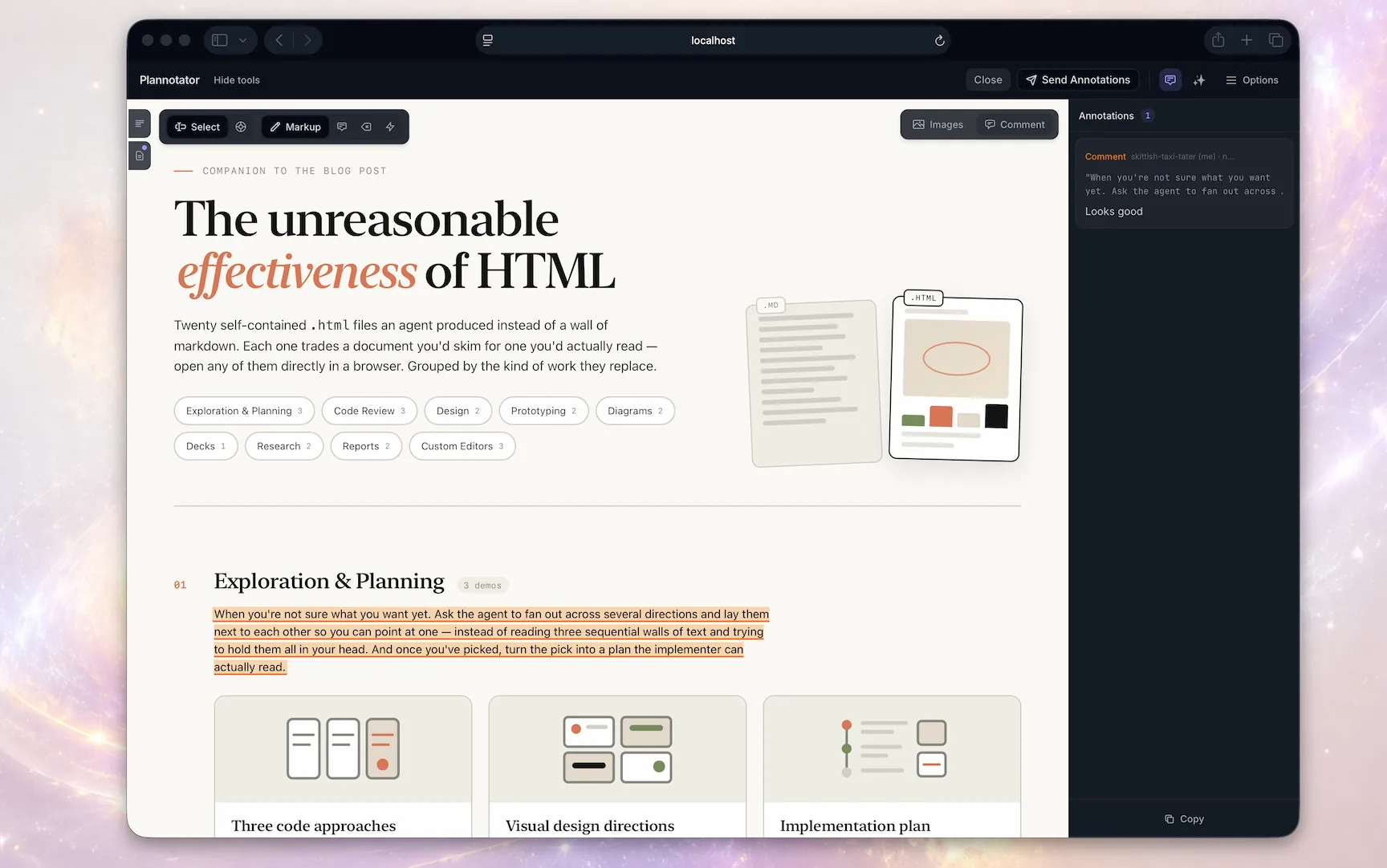
- You want an agent to fix one part of an HTML mockup or a document it made
Not for
- Each review surface checks GitHub for the latest release when it loads. No plan content is sent, but the README says there is no opt-out yet.
- Small markdown share links are not encrypted: anyone with the full link can read them, and link sharing is moving to deprecated support.
- On Claude Code 2.1.287 or newer a review does not block Claude; leave plan mode yourself before approving and it can start editing.
- Droid gets commands only, no plan interception yet; Codex on native Windows needs its hook set up by hand.
Reviewed by Devalley’s editor before publishing. How the column is made