
Huashu Design: a design skill that shows three drafts first
One line in, six candidates lined up, three built as real screens for you to pick from
- Who
- Made by 花叔 (Huashu, @AlchainHust), an independent developer in China, for people who would rather ask an agent than open a design tool.
- When
- Public since April 19, 2026. The latest release is v3.4.2, from November 21, 2026. MIT-licensed since May 14.
- Where
- Claude Code, Cursor, Codex, OpenClaw, Hermes and other skill-capable agents. Design, render and export all run on your machine.
What was hard
Ask an agent for a landing page or a deck and you get something plausible that you have seen before: a purple gradient, emoji icons, rounded cards with a colored bar on the left. Ask again and the same skeleton comes back in new colors, so you end up opening a design tool after all.
What it does about it
Huashu Design makes you choose before it builds. A request gets six candidates from three lines of reasoning: how a great designer would think, award-winning work in the same medium, and a random draw from its style library. The three most different become real screens, and then it stops and waits for your pick. References are screenshotted and looked at rather than recalled by name, and the final piece is fixed from the agent's own screenshots. What you shipped stays in a ledger on your machine, so the next project does not look the same.
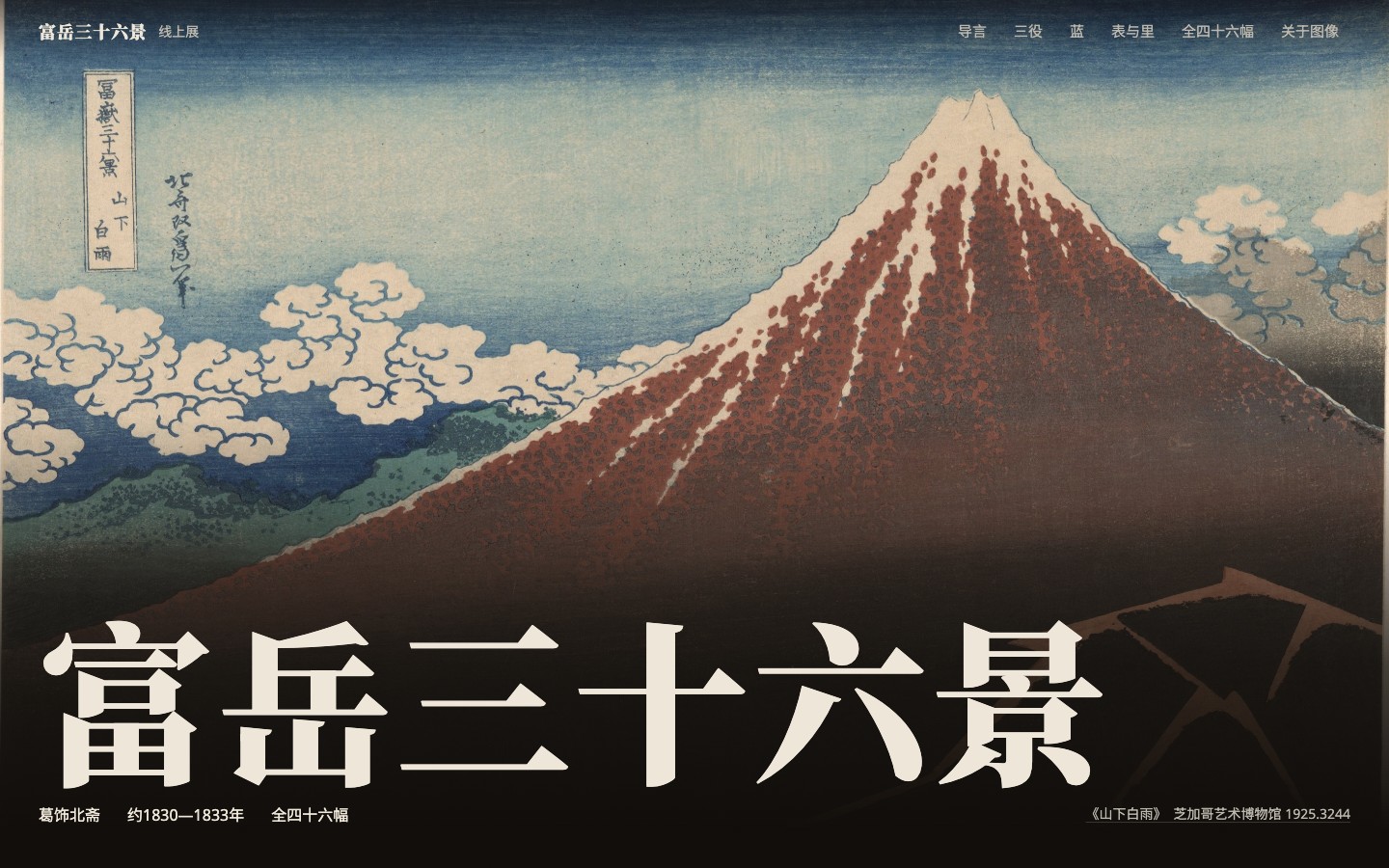
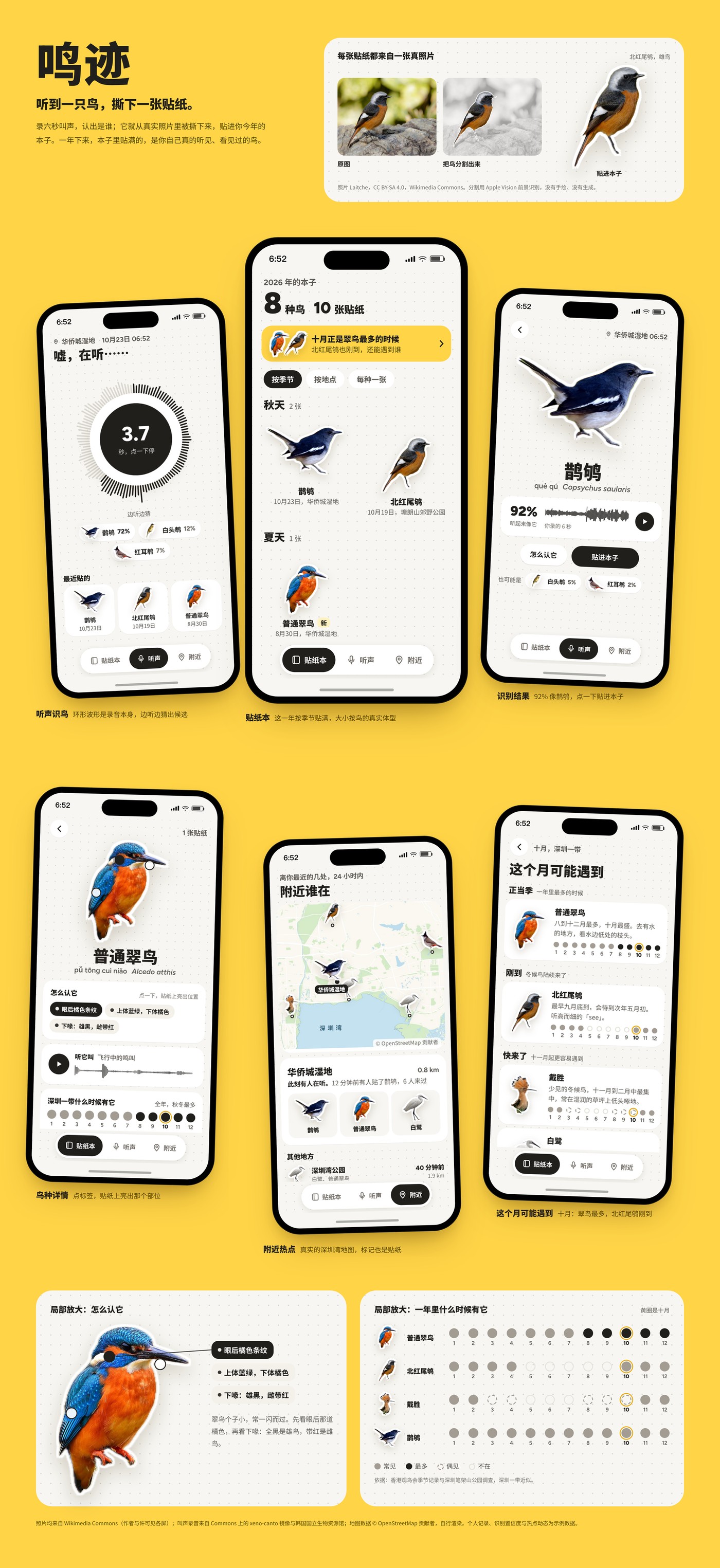
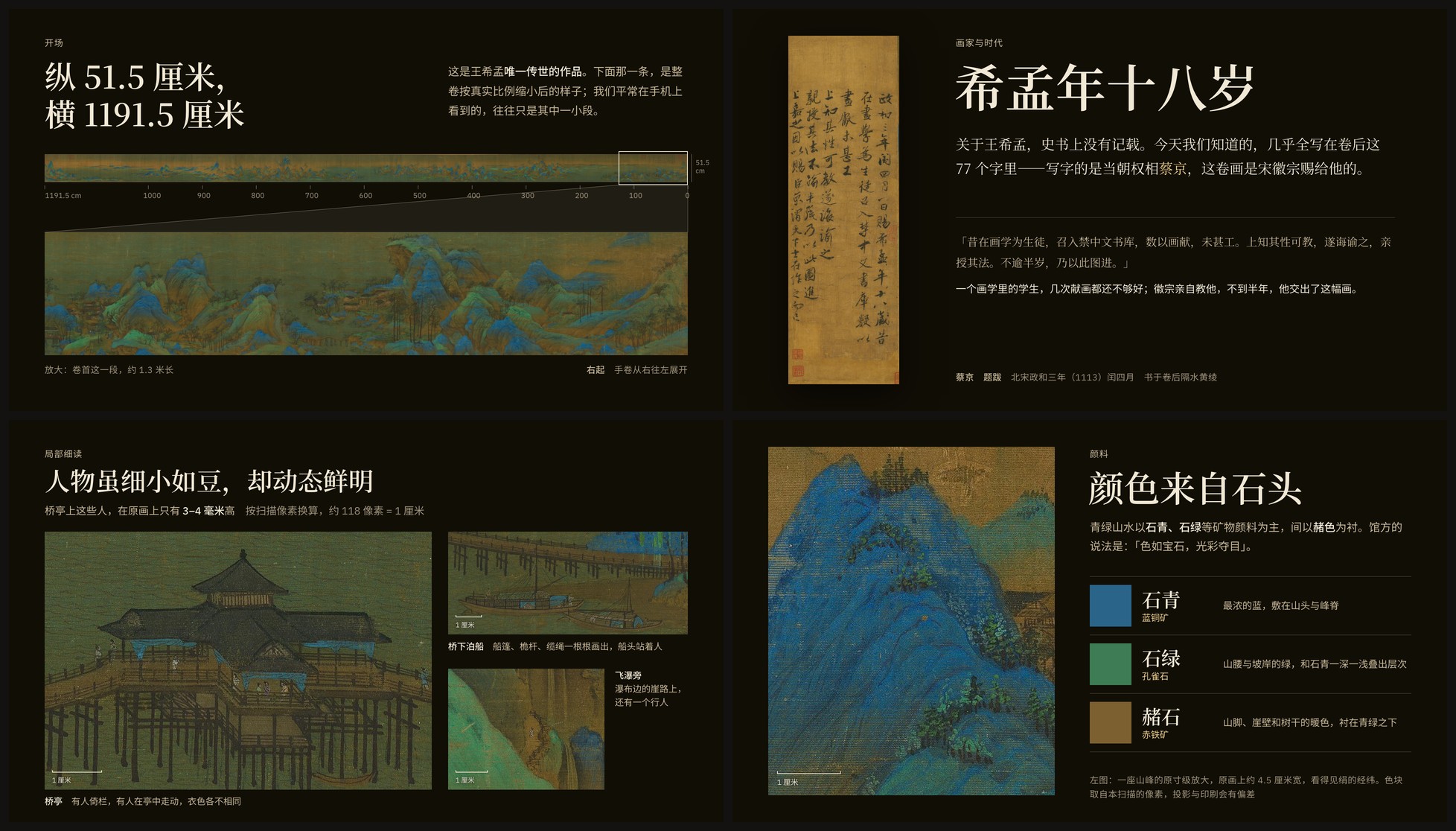
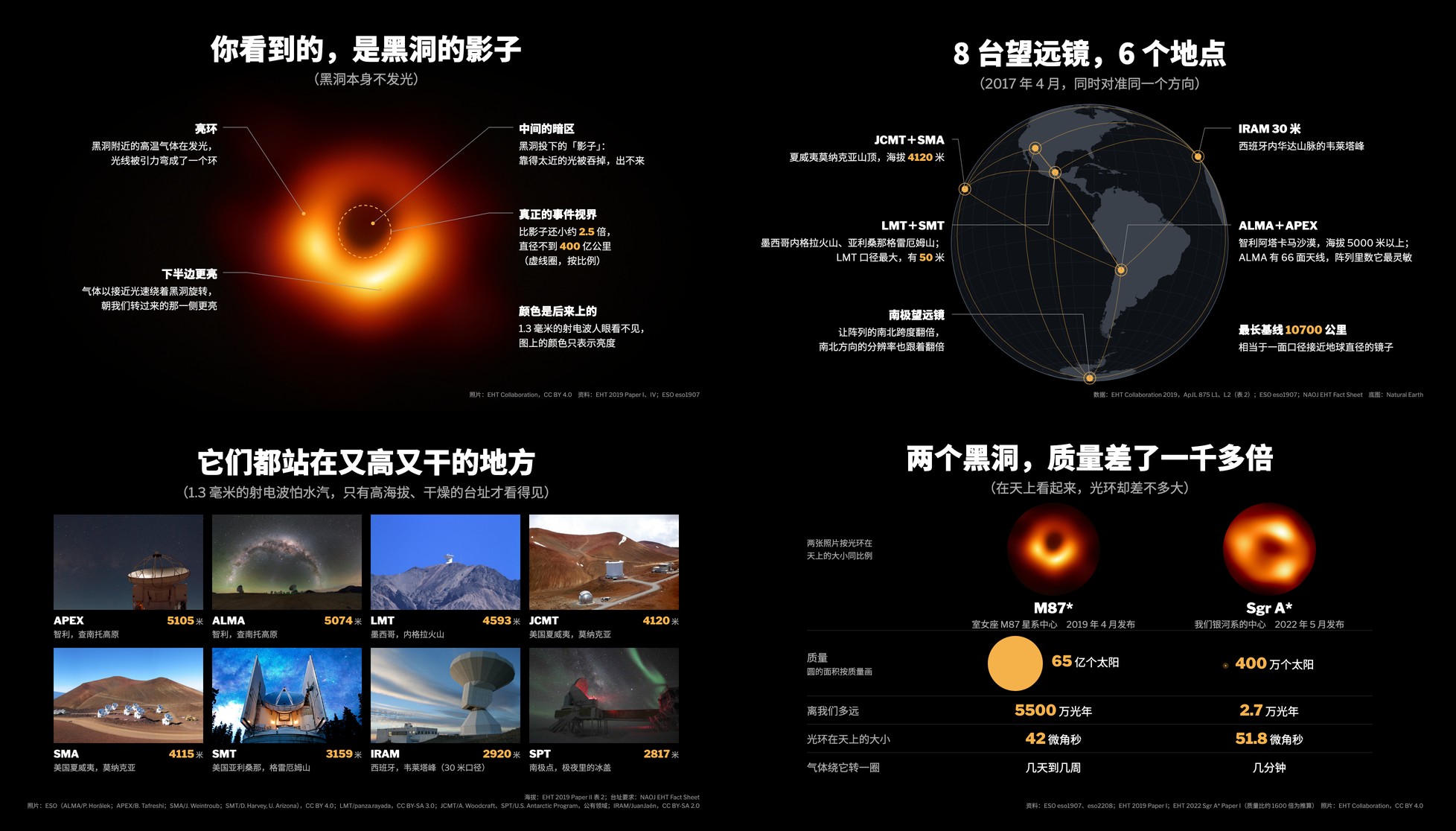
How it runs inside
- 1
You → Claude Code
A one-line requestA line such as "prototype a bird-watching log app" is enough to trigger the skill.SKILL.md - 2
Claude Code → SKILL.md
Pick a module, load your tasteIt routes to the web, deck, infographic or app manual, and learn.py brings back preferences you stated before.scripts/learn.py - 3
SKILL.md → scripts/ref_board.py
Screenshot the referencesAward-winning work in the same medium is captured by a headless browser into one board, then measured.scripts/ref_board.py - 4
scripts/ref_board.py → Claude Code
6 candidates → 3 draftsBest designer, real reference and a seconds roulette give two candidates each; the three most different get built.references/directions.md - 5
Claude Code → polish.py · design_lint.py
Shoot screen by screen, look againpolish.py captures each screen at full size; design_lint.py flags broken images, tiny text and low contrast.scripts/polish.py - 6
polish.py · design_lint.py → HTML · PPTX · MP4 · PDF
Finish the chosen direction, exportYour pick is recorded in direction-approved.md; decks export to PPTX with live text boxes.scripts/export_deck_pptx.mjs
What goes in, what comes out
Is it for you
Good for
- Making a launch film, a deck or an app prototype yourself, with no designer
- Not knowing which style you want and preferring to pick by eye
- Having a logo and brand colors and needing drafts that respect them
- Wanting to edit the text of a finished deck in PowerPoint
Not for
- The README says quality drops to 60–65 out of 100 when it designs from nothing, with no brand assets.
- Complex animation such as 3D, physics simulation and particle systems is out of scope.
- SKILL.md and the manuals are in Chinese. An English fork (namandhakad712/huashu-design-en) is community-maintained.
- This piece is drawn from the README, SKILL.md and the scripts, not from a run of our own.
Reviewed by Devalley’s editor before publishing. How the column is made