
Floorplan: a plain-English map of the app you built with AI
Ask Claude Code or Codex for a floorplan, and a few minutes later a map of your whole app opens in the browser
- Who
- A Claude Code and Codex plugin by Hayden Smith (haydenschmitty), for people who build with AI and don't read the code.
- When
- Released on 27 October 2026; v0.6.1 came out on 1 November.
- Where
- Runs in Claude Code and Codex. The scan, the map and its small server all run on your computer.
What was hard
You built an app with a lot of help from AI, and it works. But ask what happens when someone checks out, or what breaks if you change a table, and the honest answer is no idea. Short of reading the code line by line, there was no way to see its shape.
What it does about it
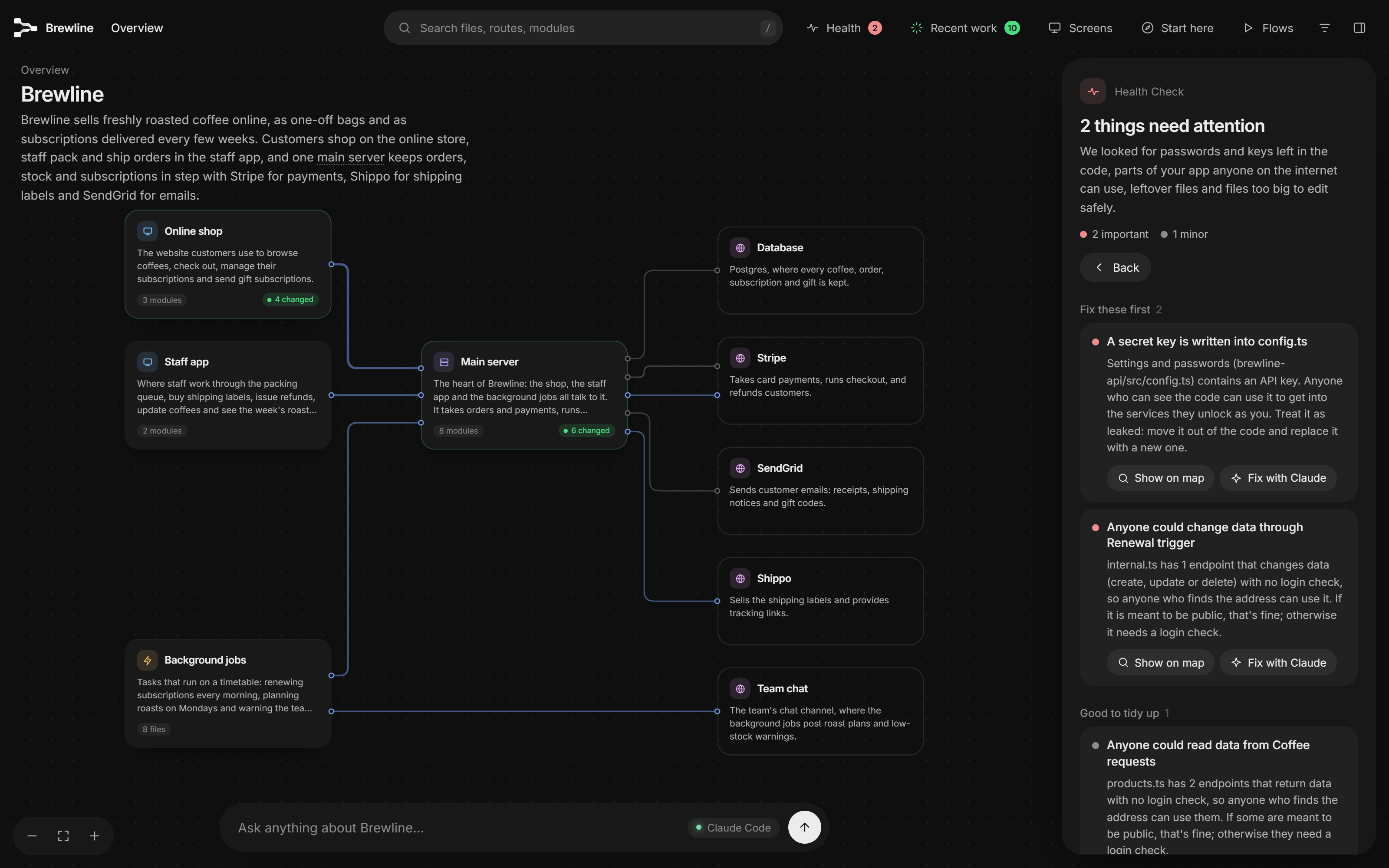
Floorplan draws the diagram nobody drew. Scripts do the mechanical part: following files and imports, and matching each request in the frontend to the server endpoint that answers it. Claude or Codex only does what a reader must: deciding what the parts are and saying so plainly. On the map you can start from a screen and see everything behind it, ask a question, or let the Health check find keys left in the code.
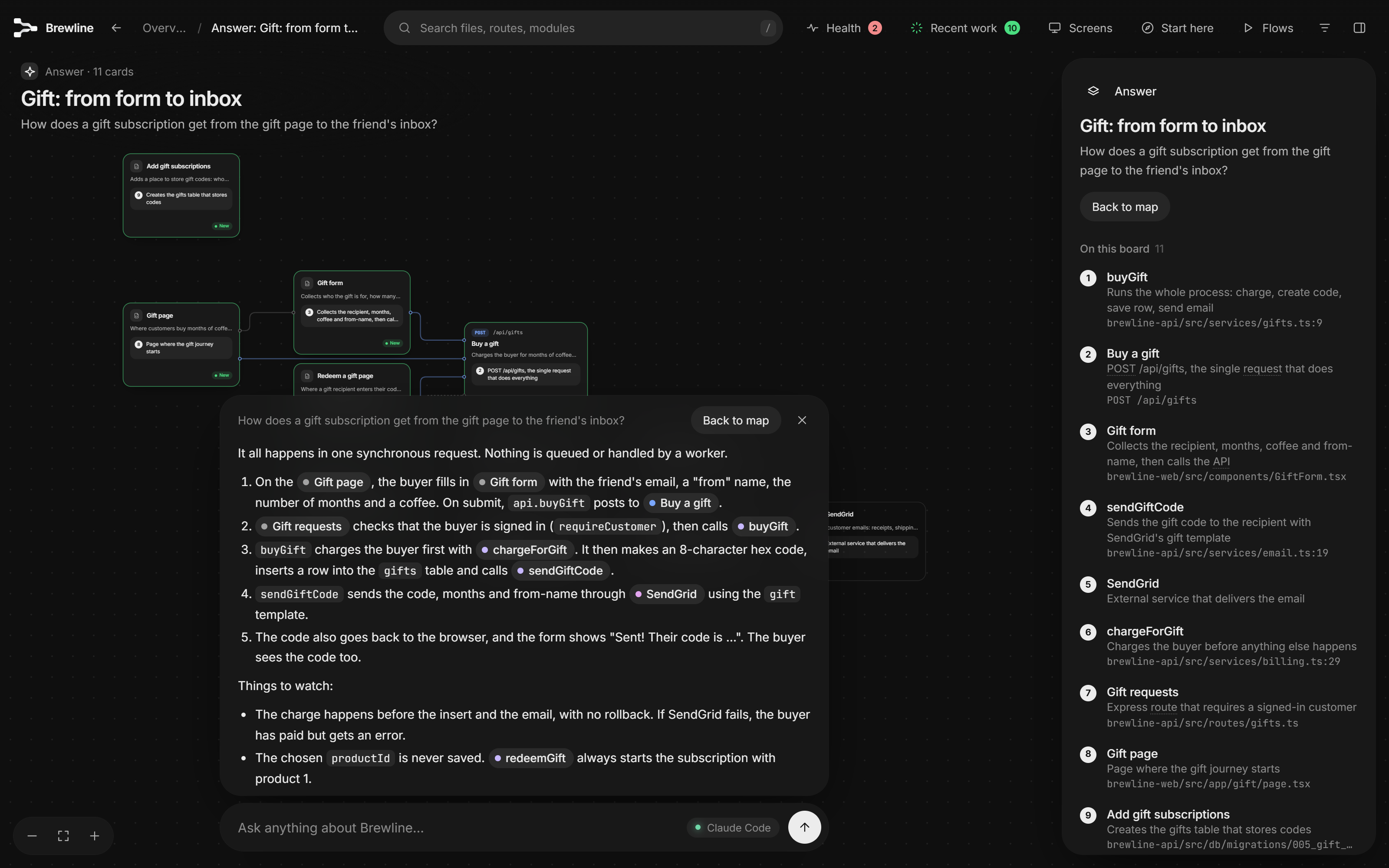
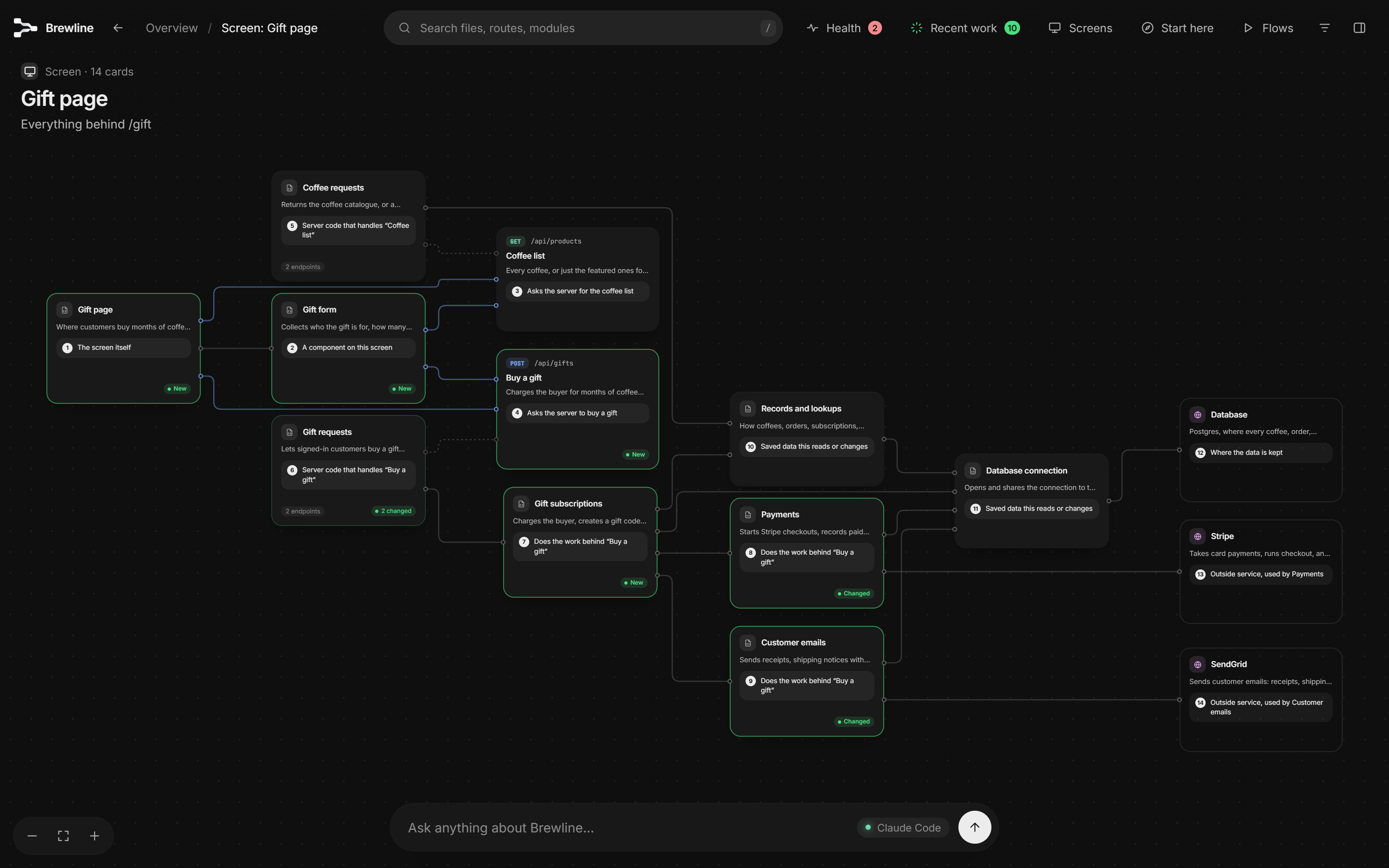
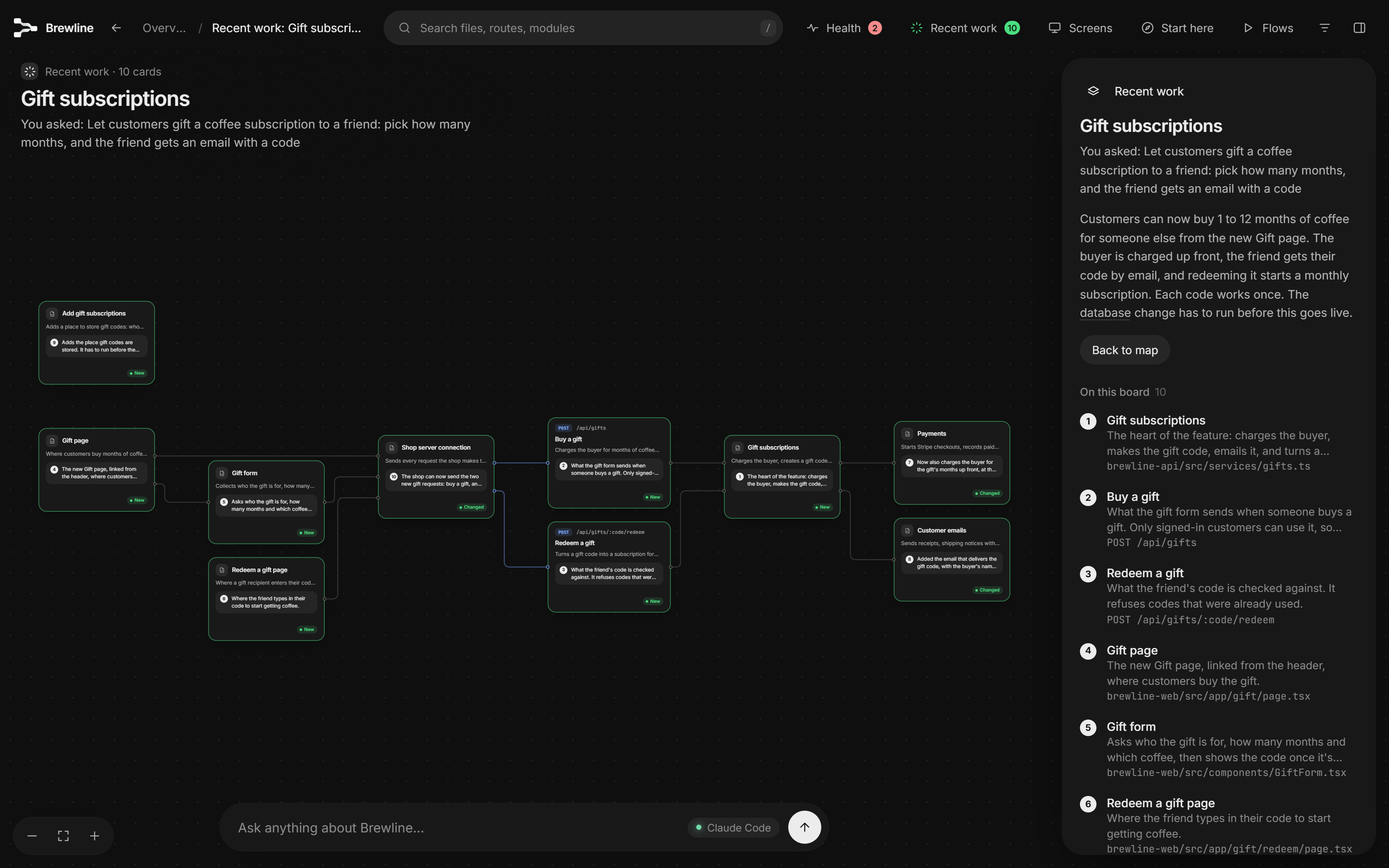
What people made with it
Ran the Health check on their own site: the 'important' secret key it flagged was a Cloudflare Web Analytics token that must be public, so they asked for such tokens to be left out.
Upon investigation, the access token identified is my beacon token for Cloudflare Web Analytics
How it runs inside
- 1
You → Claude Code / Codex
"Make me a floorplan of this app."The Floorplan skill checks whether a map exists and, if not, starts from scratch.skills/floorplan/SKILL.md - 2
Claude Code / Codex → scan.mjs
Repos, files, imports, endpoints, requestsFiles are listed with git, imports resolved to real files, and endpoints and outgoing requests found.skills/floorplan/scripts/scan.mjs - 3
Claude Code / Codex → architecture.json
The app's parts, outside services, flows, tourThe AI reads the scan summary and READMEs and writes down the parts of the app in plain words.skills/floorplan/references/schema.md - 4
architecture.json → build.mjs
Files assigned, requests matched to endpointsWhat the AI wrote is validated, files go into parts, and cards connect by imports and matched requests.skills/floorplan/scripts/build.mjs - 5
Claude Code / Codex → build.mjs
A name and description for every file and endpointThe AI fills in a worksheet per part; on big projects parallel helpers share the work.skills/floorplan/scripts/describe.mjs - 6
build.mjs → floorplan/index.html
Health: keys in code, endpoints with no sign-inClassic mistakes go on the map with a fix prompt; secret values are never stored or shown.skills/floorplan/scripts/lib/health.mjs - 7
Claude Code / Codex → floorplan/index.html
The map opened through a local serverA small server that only accepts your own machine opens the map, and an open tab reloads in place.skills/floorplan/scripts/open.mjs
What goes in, what comes out
Is it for you
Good for
- Understanding an app you built with AI without reading the code
- Onboarding someone from the big picture down to the exact file
- Seeing which parts your AI just changed, and why
- Checking for classic mistakes like keys in code or Supabase tables anyone can read before you ship
- Planning the parts of an app from a PRD before any code exists
Not for
- A first map takes a few minutes for a small app and longer for a big one, on your Claude or ChatGPT plan.
- Matching requests to endpoints is pattern matching, not a compiler, so it catches most connections but not all.
- The README calls Health a check, not an audit; an issue reports a public analytics token flagged as a secret.
- It runs only in Claude Code and Codex.
Reviewed by Devalley’s editor before publishing. How the column is made