
OpenMontage: your coding agent as a whole video studio
Its README shows a 60-second Pixar-style short about a lonely banana, made from six clips for $1.33 in total
- Who
- Built by calesthio on GitHub, nights and weekends, for people making videos from Claude Code, Cursor, Copilot, Windsurf or Codex.
- When
- Opened 2026-03-29, last commit 2026-11-03. No releases, you pull main. Its README wears a GitHub Trending 'Repository of the Day' badge.
- Where
- Inside Claude Code, Cursor, Copilot, Windsurf or Codex, on your own machine (macOS, Linux, Windows PowerShell). Cloud keys are optional.
What was hard
Most AI video tools answer one prompt with one clip. Research, script, narration, music, captions and the edit lived in other tabs, and stitching the pieces together usually produced a slideshow that moved. The bill only became clear afterwards.
What it does about it
OpenMontage gives a coding agent the entire production pipeline. There is no orchestrator code: YAML manifests and Markdown director skills teach the stages, research→proposal→script→scenes→assets→edit→compose, and the proposal, script, scene plan and assets each pause for your approval. With no keys at all it still produces a real video from Piper narration, free footage from Archive.org, NASA and Wikimedia, and a Remotion composition, then reviews its own render with ffprobe and frame samples.
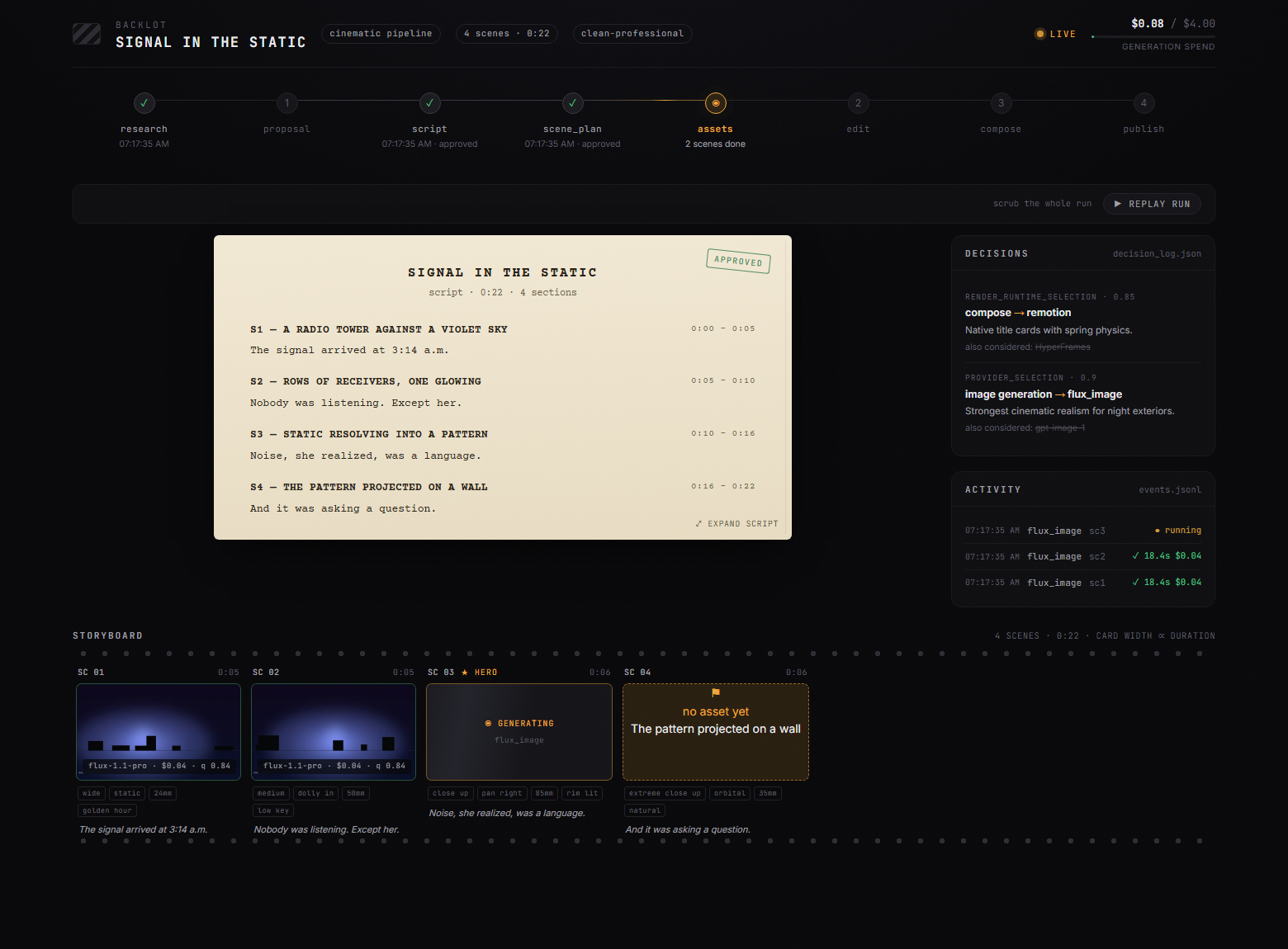
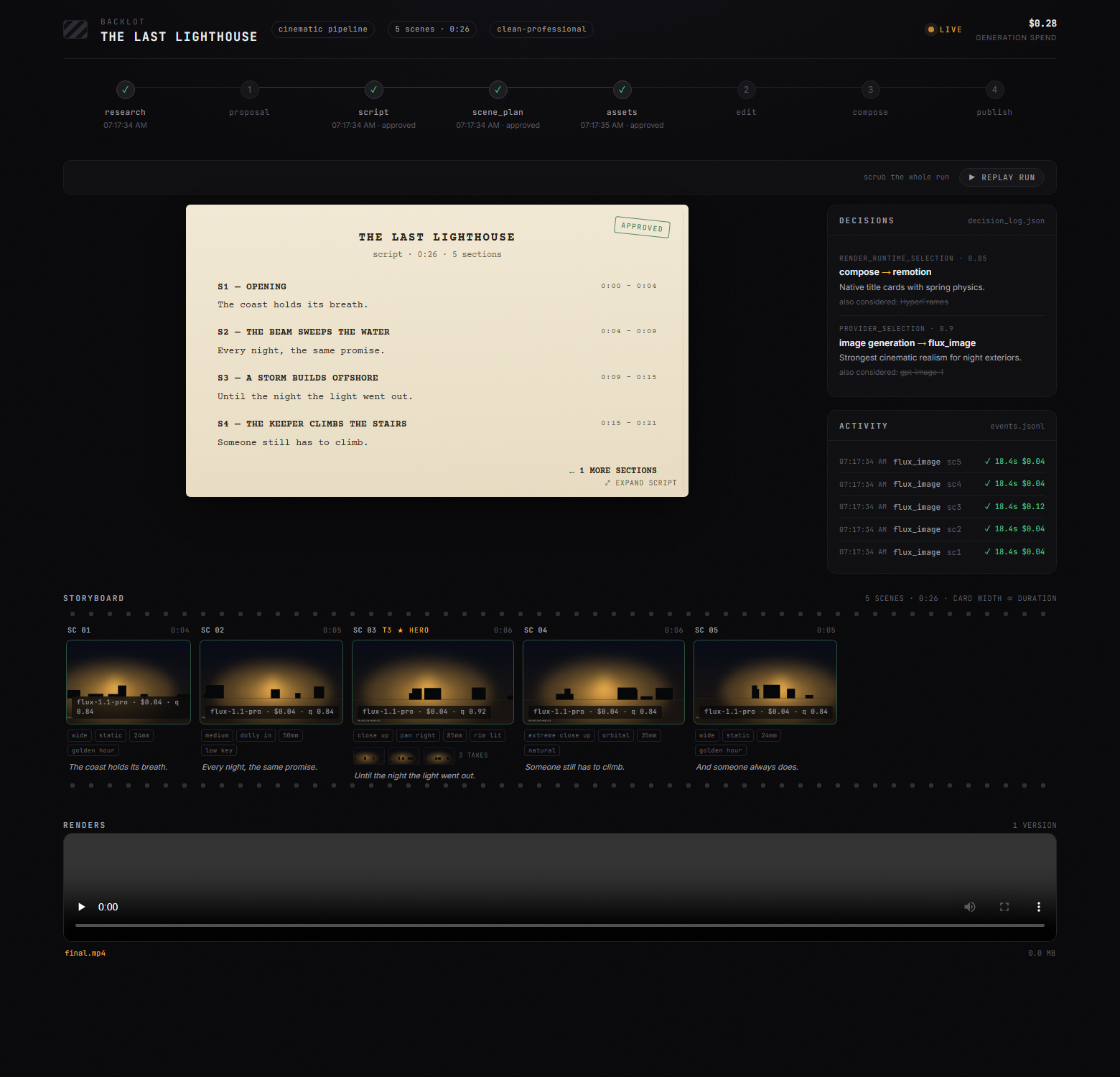
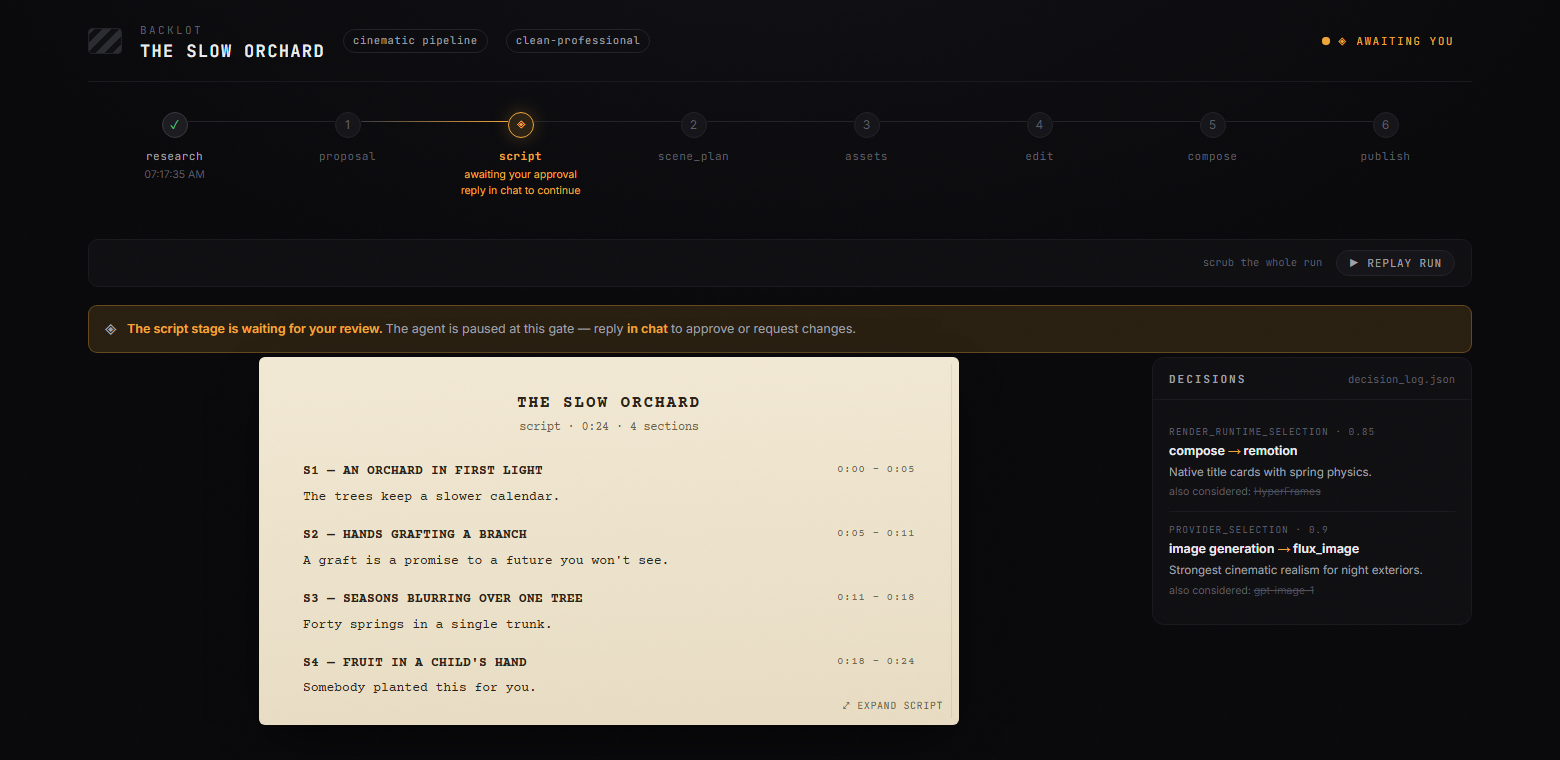
git clone https://github.com/calesthio/OpenMontage.gitcd OpenMontagemake setup"Make a 60-second animated explainer about how neural networks learn"
What people made with it
Someone who hates editing tried OpenMontage: the video is built through the research→proposal→script→assets→edit→compose pipeline instead of a timeline, with a recording of the run.
So I tried out OpenMontage. It's an open-source, agentic framework that treats video production like software engineering.
An experience report from a first full project run, attached as a Markdown file, with the fixes that got it through.
My first project experience report. Some fixes that worked.
How it runs inside
- 1
You → Claude Code
"Make a 60-second explainer"AGENT_GUIDE.md first: a vague ask goes through onboarding, a concrete one straight to pipeline selection.AGENT_GUIDE.md - 2
Claude Code → animated-explainer.yaml
Read the pipeline manifestThe YAML lists the eight stages with each one's tools, review focus and success criteria, and a $2 default budget.pipeline_defs/animated-explainer.yaml - 3
animated-explainer.yaml → executive-producer.md
Load the director skillsRuns stages in order, reviews each artifact, and sends work back, say to the script, when narration runs long.skills/pipelines/explainer/executive-producer.md - 4
executive-producer.md → tools/ registry
registry.discover()Every BaseTool subclass under tools/ is registered; the registry says which providers work with the keys you have.tools/tool_registry.py - 5
tools/ registry → executive-producer.md
Provider scores and cost estimateTask fit 30%, quality 20%, control 15%, reliability 15%, cost 10%, latency 5%, continuity 5%; the choice is logged.lib/scoring.py - 6
executive-producer.md → You
Approve proposal, script, scenes, assetsNo gated stage saves as completed without recorded approval; checkpoint JSON under projects/ feeds the Backlot board.lib/checkpoint.py - 7
executive-producer.md → tools/ registry
video_compose: Remotion renderThe runtime locked in edit_decisions picks Remotion, HyperFrames or FFmpeg; silent swaps are forbidden, so it asks you.tools/video/video_compose.py - 8
tools/ registry → final.mp4
Scenes, captions and audio in one fileThe Explainer composition draws cards, charts, word-level captions, narration and music frame by frame into final.mp4.remotion-composer/src/Explainer.tsx
What goes in, what comes out
Is it for you
Good for
- People who post explainer videos regularly and are tired of editing
- Anyone who wants to turn a short they love into a video on their own topic
- Cutting a long podcast into several social clips
- People already in Claude Code or Cursor who do not mind the terminal
- Anyone who wants the cost per video shown first, with a cap
Not for
- AGPL-3.0: a company may use and modify it freely, but a modified version offered as a network service must publish its source.
- The free, keyless path covers image-based animation and archive footage. The README's examples with generated clips cost about $0.15 to $3 each in model fees.
- You need Python 3.10+, Node.js 18+ and FFmpeg, so the install is not light. On Windows the README suggests npx --yes npm install if npm install fails.
- Running on a local LLM (Ollama, LM Studio) is listed in the README as coming soon; today it needs a coding-agent subscription.
Reviewed by Devalley’s editor before publishing. How the column is made