
animate: a Claude Code skill that draws short animated videos in code
A small apparel shop owner made a 58-second animated short with it, every frame drawn in code, no video generator
- Who
- A Claude Code skill by Chase (cth9191), for anyone who wants short explainers, histories or launch reels without an editing suite.
- When
- Published 2026-10-04; no release tags yet. Past 1,100 stars.
- Where
- Installs as a Claude Code plugin. Renders locally with headless Chromium and ffmpeg; fonts fall back on Windows, macOS and Linux.
What was hard
Even a short explainer meant settling story, look, shot order and music, and finding out the story was off only after it was all built meant starting over.
What it does about it
animate draws every scene on one canvas in code, synthesizes the music in code and renders an MP4. Before animating it shows a beat table, two to four style frames and a storyboard, one approval at a time. Pick one of seven styles, from cut paper to riso and pixel, or give it references and it measures that look and saves it as a new style.
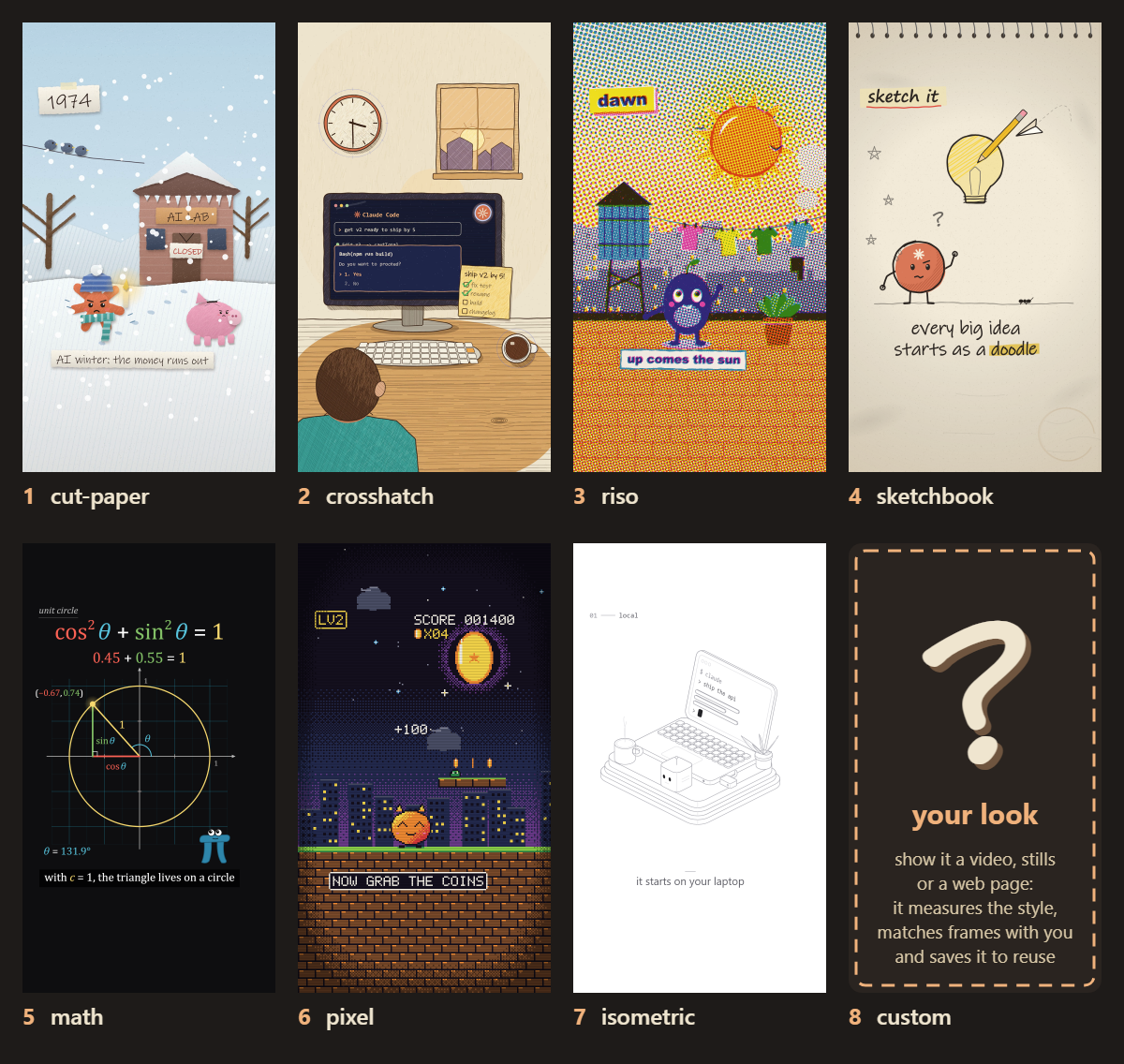

What people made with it

The apparel shop IBSIX turned Steve Jobs's D8 story into a 58-second short: a new flat style built from two reference illustrations, rendered in four shapes from 9:16 to 16:9.
I wanted to turn that into a short film, so I built it with Claude Code and Chase's animate skill
Built a test cutscene set on a city-covered planet from the author's game, combining the animate skill with Remotion and pixel-art assets, with Claude planning each cut and its timing.
I wanted to share a proof of concept I created recently combining AI video editing with pixel assets for cutscene creation.
How it runs inside
- 1
You → Claude Code
/animate a subject and a styleIt asks only what it can't infer and shows a style gallery to pick from.plugins/animate/skills/animate/intake.md - 2
Claude Code → Beat table and storyboard
Beat table, style frames, storyboardYou approve a timed beat table, then thumbs up or down each storyboard panel by number.plugins/animate/skills/animate/tools/storyboard.mjs - 3
Beat table and storyboard → index.html (one canvas)
Build the approved scenesScene files and the style kit become one index.html; no image or video files go in.plugins/animate/skills/animate/tools/build.mjs - 4
index.html (one canvas) → export.mjs (Chromium, ffmpeg)
Frames and a synthesized scoreA headless browser draws each frame, the coded score becomes a WAV, and ffmpeg joins them.plugins/animate/skills/animate/tools/export.mjs - 5
export.mjs (Chromium, ffmpeg) → renders/share.mp4
share.mp4 after the checksMeasures cut-off text, cuts on the beat and where the loudest moment lands before it is delivered.plugins/animate/skills/animate/tools/review.mjs
What goes in, what comes out
Is it for you
Good for
- You want a 30-60 second explainer for a product or an idea
- You make a series of pieces in one consistent look
- You need vertical and wide versions from the same piece
- You want a result you can edit in code rather than regenerate
Not for
- It is a Claude Code skill and needs Node 18+, Playwright with Chromium and ffmpeg on PATH.
- Narration needs faster-whisper, and voices from the ElevenLabs connector cost about a credit per character.
- Per the skill's own notes, only cut paper and crosshatch have carried full pieces; the other styles have a demo or one or two pieces.
- A WebGL 3D motion style is still to come.
Reviewed by Devalley’s editor before publishing. How the column is made