
OpenMontage: 코딩 에이전트가 영상 제작 스튜디오가 되는 오픈소스
외로운 바나나의 60초 픽사풍 단편을 클립 6개, 총 1.33달러로 만든 예시가 README에 있어요
- 누가
- GitHub의 calesthio가 밤과 주말에 만들어요. Claude Code·Cursor·Copilot·Windsurf·Codex로 영상을 만들고 싶은 사람을 위한 도구예요.
- 언제
- 2026-03-29 저장소 공개, 2026-11-03에도 커밋. GitHub 릴리스 없이 main에서 받아요. README에 GitHub Trending '오늘의 저장소 1위' 배지가 붙어 있어요.
- 어디서
- Claude Code·Cursor·Copilot·Windsurf·Codex 안에서, 내 PC(macOS·Linux·Windows PowerShell)에서 로컬로 돌아요. 클라우드 모델 키는 선택이에요.
이게 불편했어요
AI 영상 도구는 대개 프롬프트 하나에 클립 하나만 돌려줬어요. 리서치, 대본, 내레이션, 음악, 자막, 편집은 다른 탭에서 따로 하고, 이어 붙이면 '움직이는 슬라이드쇼'가 나오기 일쑤였어요. 비용도 다 쓰고 나서야 알았고요.
그래서 이렇게 풀어요
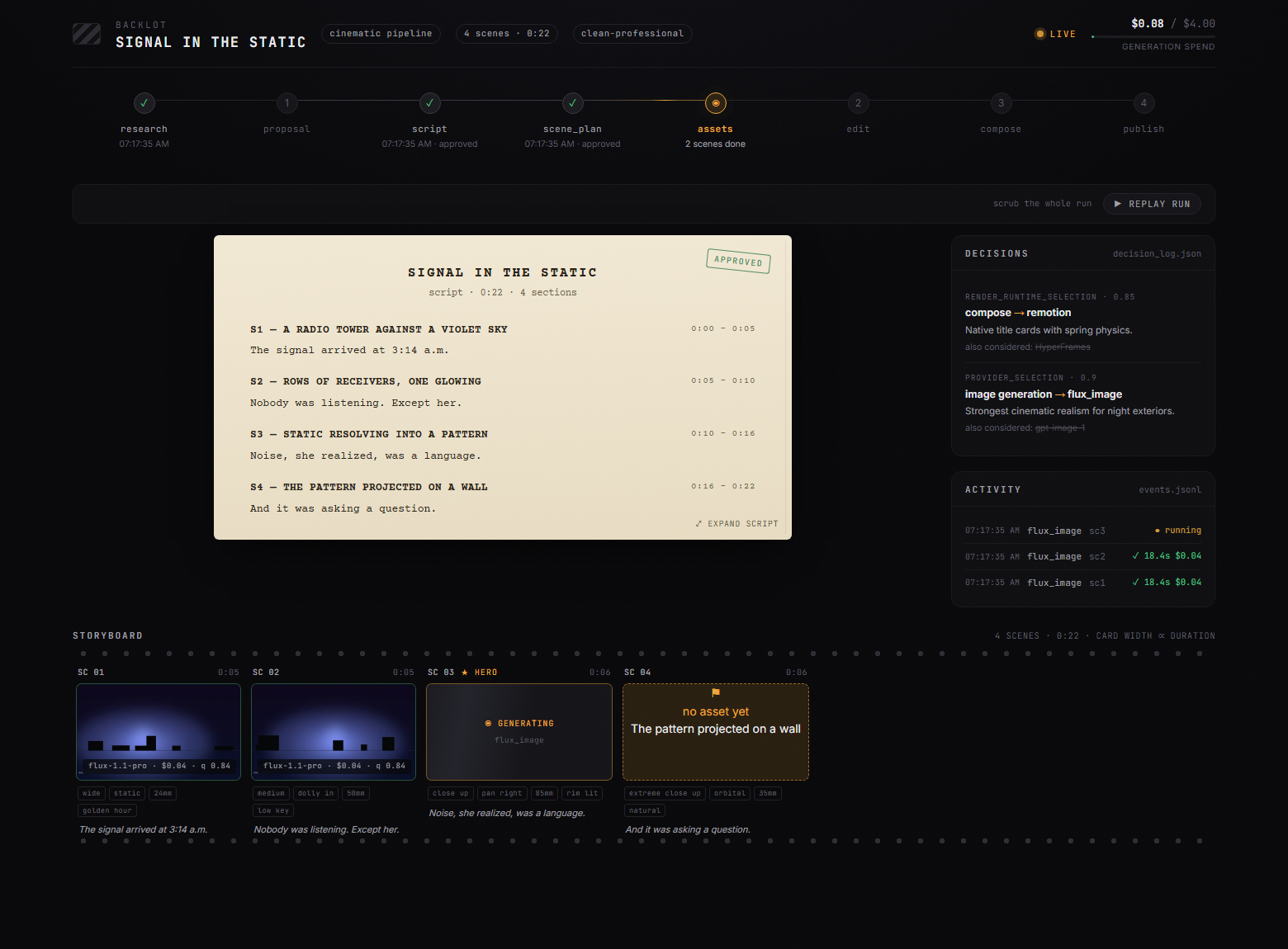
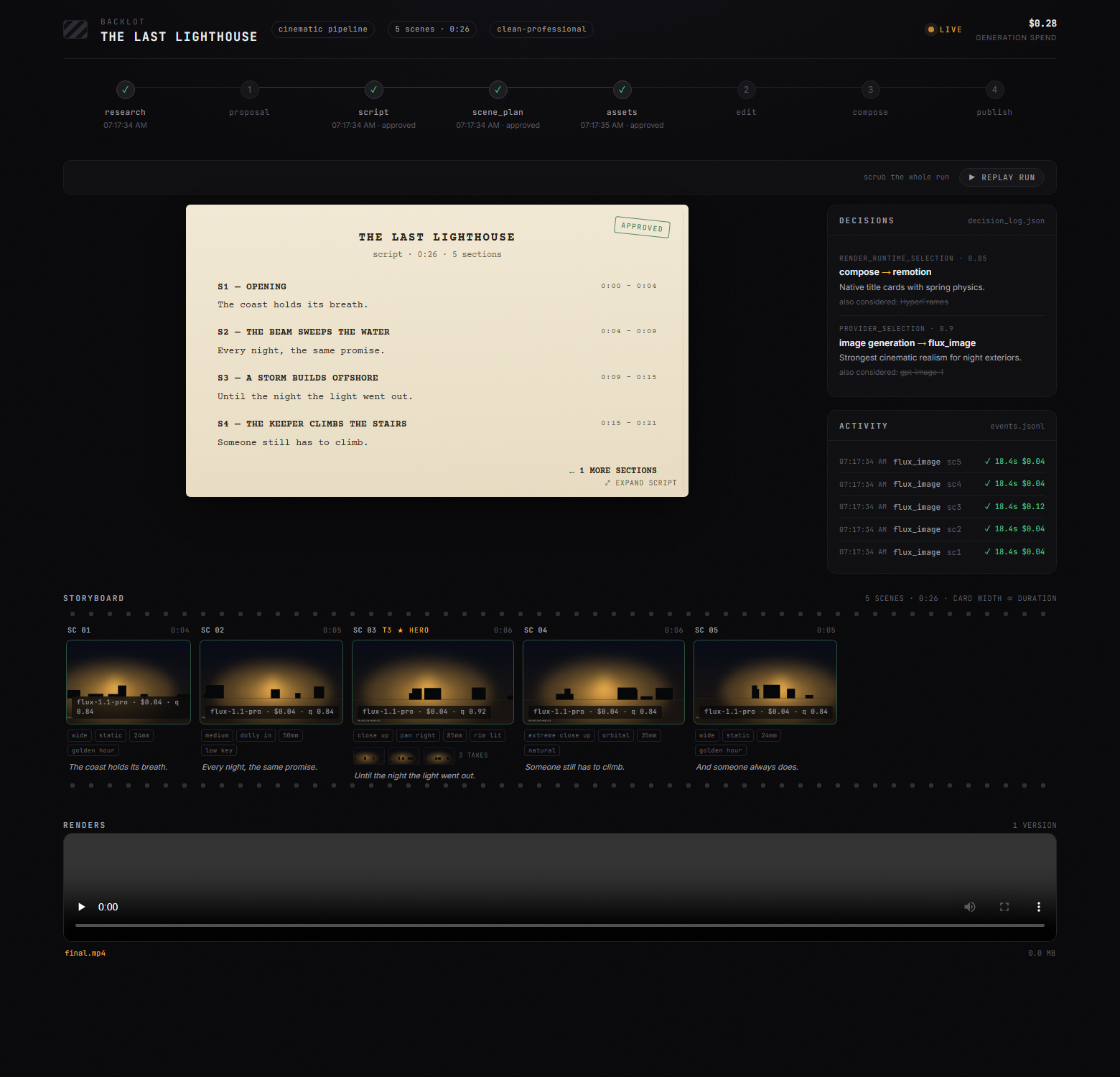
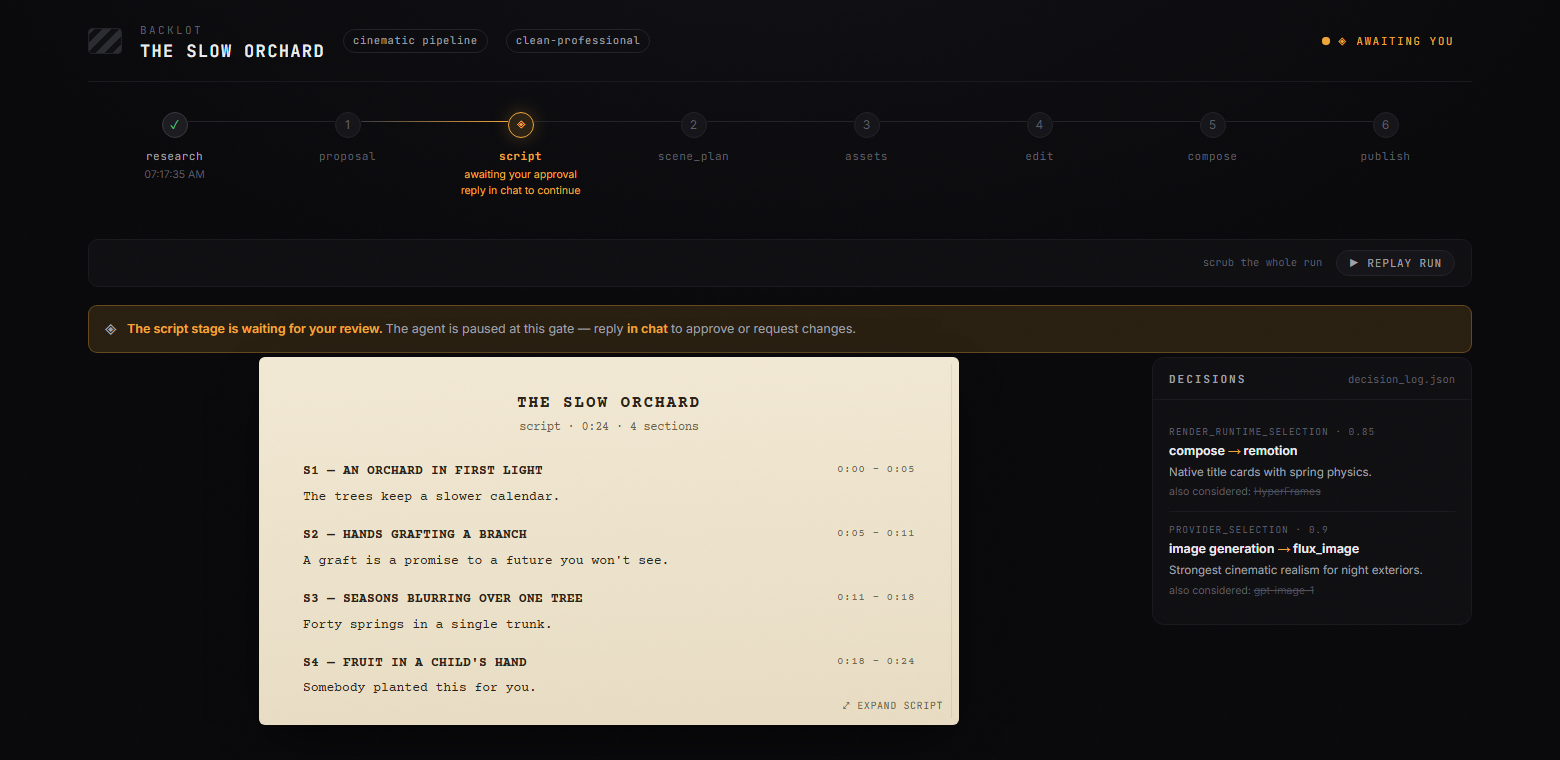
OpenMontage는 코딩 에이전트에게 영상 제작 파이프라인을 통째로 맡겨요. 오케스트레이터 코드는 없고, YAML 매니페스트와 마크다운 디렉터 스킬이 리서치→기획→대본→장면→에셋→편집→합성 순서로 단계를 가르치며 기획·대본·장면·에셋 단계마다 사람의 승인을 받아요. 키가 하나도 없어도 Piper 내레이션과 Archive.org·NASA·Wikimedia의 무료 영상, Remotion 합성으로 실제 영상이 나오고, 렌더 뒤에는 ffprobe와 프레임 추출로 스스로 검수해요.
git clone https://github.com/calesthio/OpenMontage.gitcd OpenMontagemake setup"Make a 60-second animated explainer about how neural networks learn"
이걸로 만든 사람들
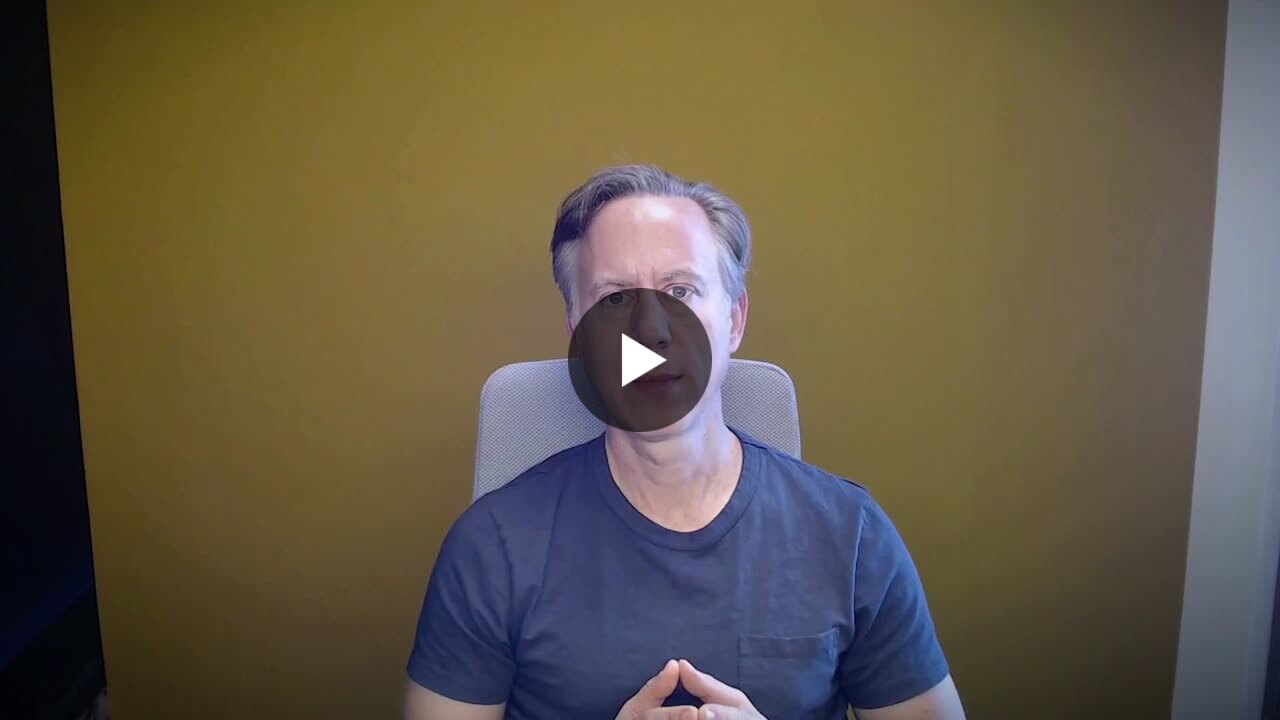
영상 편집이 싫어서 OpenMontage를 직접 써 봤다는 글이에요. 타임라인에 소재를 끌어다 놓는 대신 리서치→기획→대본→에셋→편집→합성 파이프라인으로 영상을 만드는 과정을 영상과 함께 올렸어요.
So I tried out OpenMontage. It's an open-source, agentic framework that treats video production like software engineering.
첫 프로젝트를 끝까지 돌려 본 경험 보고서를 마크다운 파일로 올리고, 막혔을 때 먹혔던 수정 사항을 함께 적었어요.
My first project experience report. Some fixes that worked.
안에서는 이렇게 돌아가요
- 1
나 → Claude Code
"60초 설명 영상 만들어 줘"에이전트는 먼저 AGENT_GUIDE.md를 읽고, 막연한 요청이면 온보딩 스킬로 무엇이 가능한지 묻고, 구체적이면 바로 파이프라인을 고릅니다.AGENT_GUIDE.md - 2
Claude Code → animated-explainer.yaml
파이프라인 매니페스트 읽기research→proposal→script→scene_plan→assets→edit→compose→publish 단계마다 쓸 도구, 검토 항목, 성공 기준, 기본 예산 2달러가 YAML에 적혀 있어요.pipeline_defs/animated-explainer.yaml - 3
animated-explainer.yaml → executive-producer.md
단계별 디렉터 스킬 로드총괄 프로듀서 스킬이 단계를 순서대로 돌리며 각 디렉터의 산출물을 검토하고, 내레이션이 길면 대본 단계로 되돌려 보냅니다.skills/pipelines/explainer/executive-producer.md - 4
executive-producer.md → tools/ 레지스트리
registry.discover()tools/ 아래 BaseTool 서브클래스를 자동으로 찾아 등록하고, 어떤 키가 있는지에 따라 쓸 수 있는 공급자 목록을 돌려줍니다.tools/tool_registry.py - 5
tools/ 레지스트리 → executive-producer.md
공급자 점수와 비용 추정작업 적합도 30%, 품질 20%, 제어 15%, 신뢰성 15%, 비용 10%, 지연 5%, 연속성 5%로 가중 점수를 매겨 결정 로그에 남깁니다.lib/scoring.py - 6
executive-producer.md → 나
기획안·대본·장면·에셋 승인승인이 필요한 단계는 승인 기록 없이 완료로 저장될 수 없고, 체크포인트 JSON이 projects/ 아래에 쌓여 Backlot 보드가 그걸 읽어 보여 줍니다.lib/checkpoint.py - 7
executive-producer.md → tools/ 레지스트리
video_compose: Remotion 렌더편집 결정에 잠긴 render_runtime대로 Remotion·HyperFrames·FFmpeg 중 하나로 보내고, 몰래 바꾸는 건 금지라 안 되면 사람에게 되묻습니다.tools/video/video_compose.py - 8
tools/ 레지스트리 → final.mp4
장면·자막·오디오가 한 파일로Explainer 컴포지션이 텍스트 카드, 통계, 차트, 단어 단위 자막, 내레이션과 음악을 프레임 단위로 그려 final.mp4로 내보냅니다.remotion-composer/src/Explainer.tsx
넣으면 이렇게 나와요
나한테 맞을까요
이럴 때 좋아요
- 유튜브에 설명 영상을 꾸준히 올리는데 편집에 지친 사람
- 좋아하는 숏폼을 레퍼런스로 내 주제 영상을 만들고 싶은 사람
- 긴 팟캐스트를 소셜용 클립 여러 개로 나누고 싶은 사람
- 이미 Claude Code나 Cursor를 쓰고 있어 터미널 작업이 낯설지 않은 사람
- 한 편당 비용을 미리 보고 상한을 걸어 두고 싶은 사람
이건 안 돼요
- AGPL-3.0이에요. 회사가 쓰고 고치는 건 자유지만, 고친 버전을 네트워크 서비스로 제공하면 그 소스를 공개해야 해요.
- 키 없는 무료 경로는 이미지 기반 애니메이션과 아카이브 실사까지예요. 생성 클립이 들어간 예시는 README 기준 한 편에 0.15~3달러 정도의 모델 비용이 들어요.
- Python 3.10 이상, Node.js 18 이상, FFmpeg를 모두 깔아야 하고 설치가 가벼운 편은 아니에요. Windows는 npm install이 실패하면 npx --yes npm install로 우회하라고 안내해요.
- 로컬 LLM(Ollama, LM Studio)로 돌리는 건 README에 '곧 지원'으로만 적혀 있어요. 지금은 코딩 에이전트 구독이 필요해요.
OpenMontage: your coding agent as a whole video studio
Its README shows a 60-second Pixar-style short about a lonely banana, made from six clips for $1.33 in total
- Who
- Built by calesthio on GitHub, nights and weekends, for people making videos from Claude Code, Cursor, Copilot, Windsurf or Codex.
- When
- Opened 2026-03-29, last commit 2026-11-03. No releases, you pull main. Its README wears a GitHub Trending 'Repository of the Day' badge.
- Where
- Inside Claude Code, Cursor, Copilot, Windsurf or Codex, on your own machine (macOS, Linux, Windows PowerShell). Cloud keys are optional.
What was hard
Most AI video tools answer one prompt with one clip. Research, script, narration, music, captions and the edit lived in other tabs, and stitching the pieces together usually produced a slideshow that moved. The bill only became clear afterwards.
What it does about it
OpenMontage gives a coding agent the entire production pipeline. There is no orchestrator code: YAML manifests and Markdown director skills teach the stages, research→proposal→script→scenes→assets→edit→compose, and the proposal, script, scene plan and assets each pause for your approval. With no keys at all it still produces a real video from Piper narration, free footage from Archive.org, NASA and Wikimedia, and a Remotion composition, then reviews its own render with ffprobe and frame samples.
git clone https://github.com/calesthio/OpenMontage.gitcd OpenMontagemake setup"Make a 60-second animated explainer about how neural networks learn"
What people made with it
Someone who hates editing tried OpenMontage: the video is built through the research→proposal→script→assets→edit→compose pipeline instead of a timeline, with a recording of the run.
So I tried out OpenMontage. It's an open-source, agentic framework that treats video production like software engineering.
An experience report from a first full project run, attached as a Markdown file, with the fixes that got it through.
My first project experience report. Some fixes that worked.
How it runs inside
- 1
You → Claude Code
"Make a 60-second explainer"AGENT_GUIDE.md first: a vague ask goes through onboarding, a concrete one straight to pipeline selection.AGENT_GUIDE.md - 2
Claude Code → animated-explainer.yaml
Read the pipeline manifestThe YAML lists the eight stages with each one's tools, review focus and success criteria, and a $2 default budget.pipeline_defs/animated-explainer.yaml - 3
animated-explainer.yaml → executive-producer.md
Load the director skillsRuns stages in order, reviews each artifact, and sends work back, say to the script, when narration runs long.skills/pipelines/explainer/executive-producer.md - 4
executive-producer.md → tools/ registry
registry.discover()Every BaseTool subclass under tools/ is registered; the registry says which providers work with the keys you have.tools/tool_registry.py - 5
tools/ registry → executive-producer.md
Provider scores and cost estimateTask fit 30%, quality 20%, control 15%, reliability 15%, cost 10%, latency 5%, continuity 5%; the choice is logged.lib/scoring.py - 6
executive-producer.md → You
Approve proposal, script, scenes, assetsNo gated stage saves as completed without recorded approval; checkpoint JSON under projects/ feeds the Backlot board.lib/checkpoint.py - 7
executive-producer.md → tools/ registry
video_compose: Remotion renderThe runtime locked in edit_decisions picks Remotion, HyperFrames or FFmpeg; silent swaps are forbidden, so it asks you.tools/video/video_compose.py - 8
tools/ registry → final.mp4
Scenes, captions and audio in one fileThe Explainer composition draws cards, charts, word-level captions, narration and music frame by frame into final.mp4.remotion-composer/src/Explainer.tsx
What goes in, what comes out
Is it for you
Good for
- People who post explainer videos regularly and are tired of editing
- Anyone who wants to turn a short they love into a video on their own topic
- Cutting a long podcast into several social clips
- People already in Claude Code or Cursor who do not mind the terminal
- Anyone who wants the cost per video shown first, with a cap
Not for
- AGPL-3.0: a company may use and modify it freely, but a modified version offered as a network service must publish its source.
- The free, keyless path covers image-based animation and archive footage. The README's examples with generated clips cost about $0.15 to $3 each in model fees.
- You need Python 3.10+, Node.js 18+ and FFmpeg, so the install is not light. On Windows the README suggests npx --yes npm install if npm install fails.
- Running on a local LLM (Ollama, LM Studio) is listed in the README as coming soon; today it needs a coding-agent subscription.