
Diagram Design: 에이전트가 HTML 한 파일로 그려 주는 편집 디자인급 다이어그램
말 한 줄이면 다이어그램 45종을 내 브랜드 색으로 HTML 한 파일에 그려 주는 스킬, GitHub 별이 6만 4천 개를 넘었어요
- 누가
- Cathryn Lavery(LittleMight)가 자기 블로그 글에 쓸 다이어그램이 마음에 안 들어서 만들었어요. 글, 발표, 문서에 그림을 넣는 사람을 위한 스킬이에요.
- 언제
- 2026년 4월 16일에 저장소가 열렸고, 플러그인 버전은 2.6.141(2026년 11월 3일 푸시 기준)이에요. GitHub 릴리스 태그는 없고 CHANGELOG로 기록해요.
- 어디서
- Claude Code, Codex, Cursor, Copilot, Gemini CLI, Pi 등 Agent Skills를 읽는 에이전트에서 돌아요. 결과는 내 PC의 HTML 파일, 네트워크는 Google Fonts뿐이에요.
이게 불편했어요
글이나 발표 자료에 넣을 그림이 필요할 때마다 에이전트한테 부탁하면 둥근 회색 상자에 그림자 진 비슷한 그림이 돌아왔어요. 그걸 사이트 분위기에 맞추려면 Figma에서 30분을 보내거나, 그냥 그림 없이 내보내야 했어요.
그래서 이렇게 풀어요
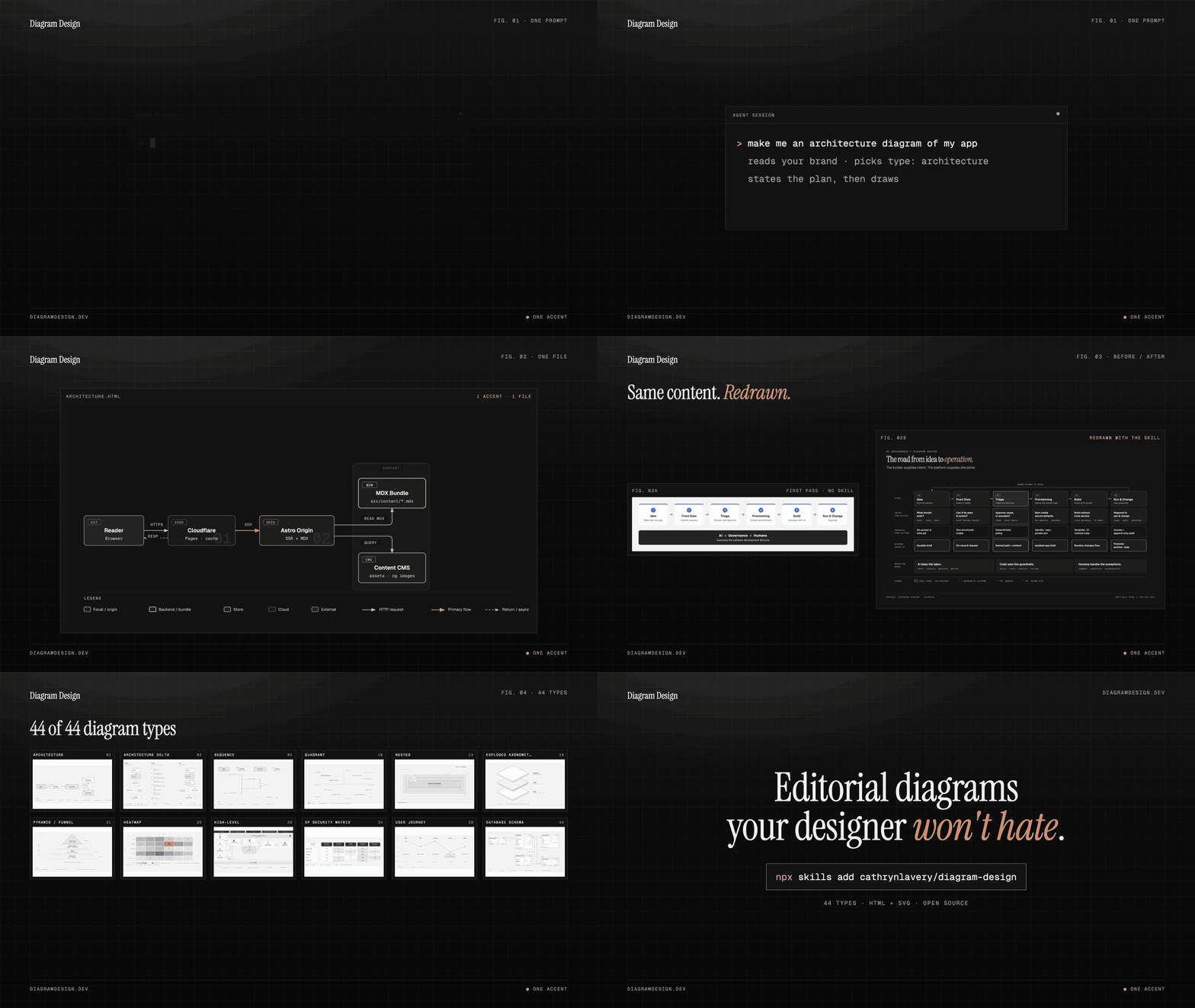
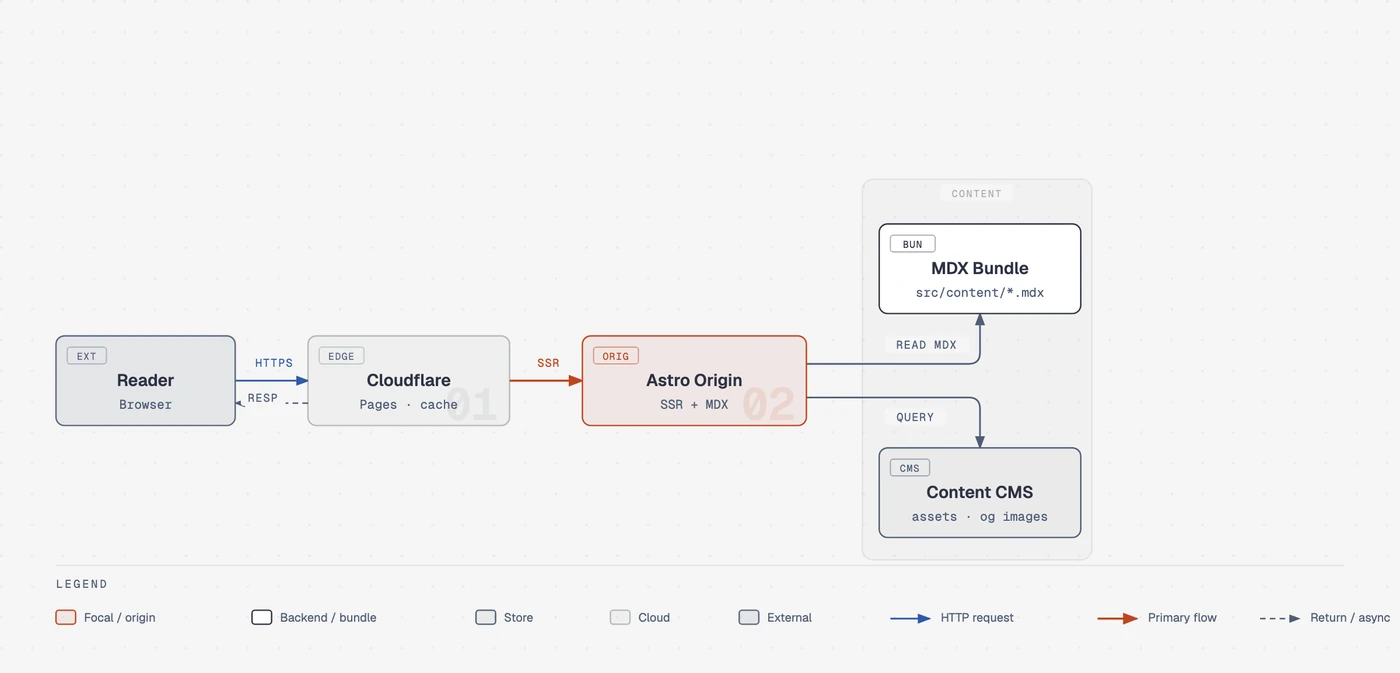
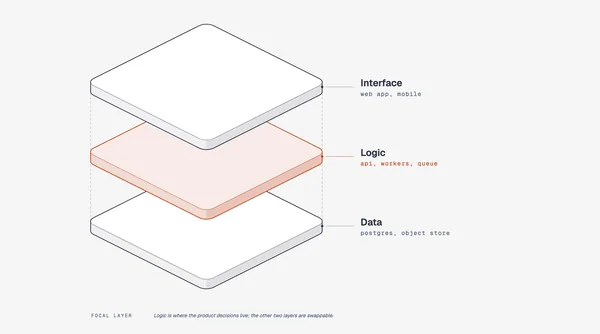
Diagram Design은 모델이 몰랐던 「취향」을 글로 적어 둔 스킬이에요. 강조색은 한두 군데만, 1px 가는 선, 그림자 없음, 모든 좌표는 4px 격자 위라는 규칙으로 45종의 다이어그램을 인라인 SVG가 든 HTML 파일 하나로 그려요. 사이트 주소를 주면 그 사이트의 색과 폰트를 뽑아 이후 모든 그림에 입히고, 이미 있는 draw.io, Mermaid, Excalidraw 파일은 내용만 남기고 이 스타일로 다시 그려요.
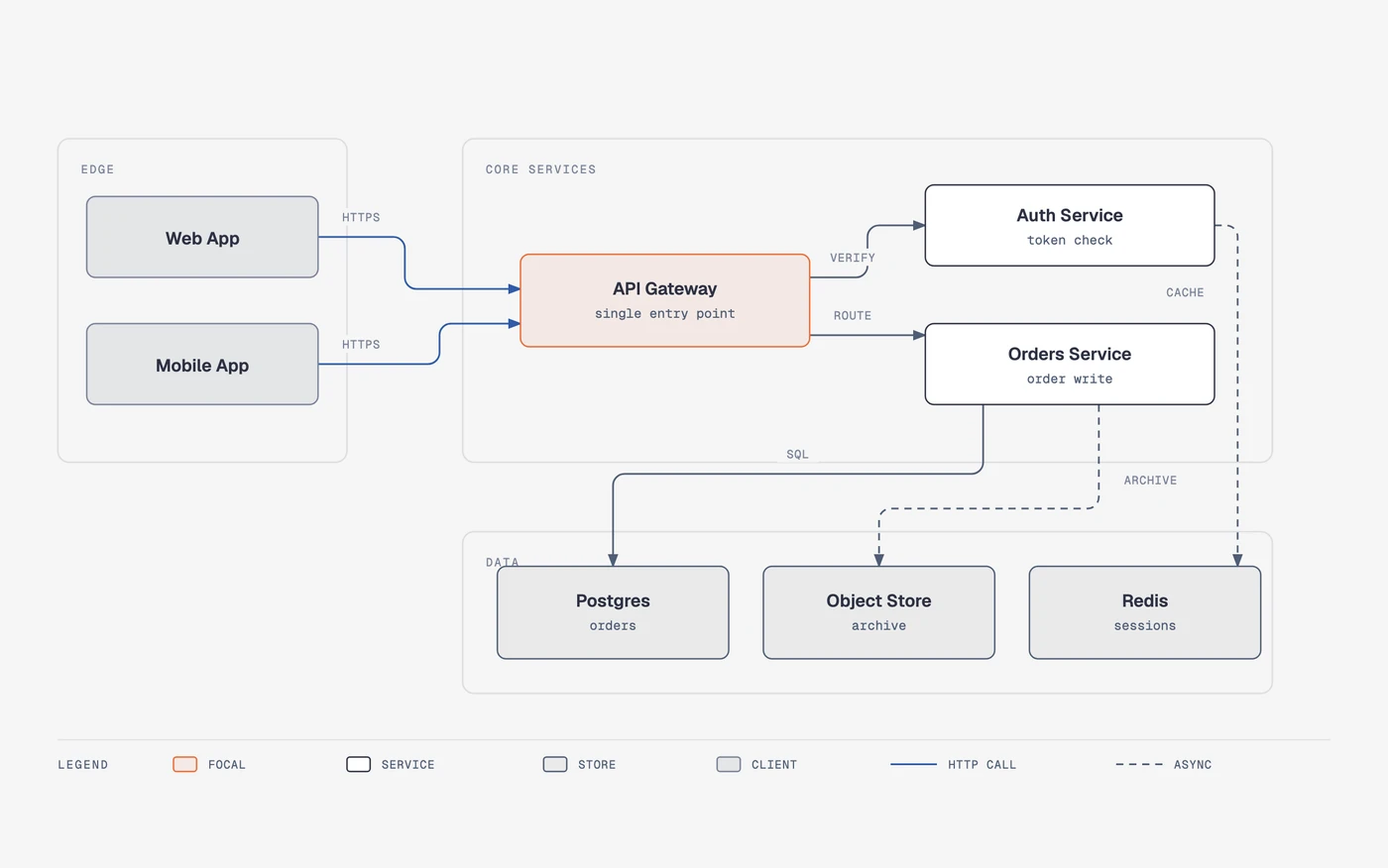
/diagram-design:import-drawio platform.drawioDetail: balanced · 12 source nodes → 8 drawnCollapsed: "Token valid?" decision → edge label on Gateway → AuthDropped: 1 sticky note ("legacy path, to be retired"), unconnected in sourceKept in full: the request path (Web/Mobile → Gateway → Orders → Postgres)
이걸로 만든 사람들
Vibe Rooster의 Tim이 주간 운영 페이지를 이 스킬로 다시 그린 전후 페이지를 만들어, README에 예시로 넣자고 PR을 올렸어요. 막힌 카드 하나만 강조색인 칸반 보드예요.
drawn as a Kanban board in the full-editorial variant with the default skin: one blocked card as the only accent, WIP chips, a bottom legend, and three summary cards of varied widths
안에서는 이렇게 돌아가요
- 1
나 → Claude Code
「앱 아키텍처 다이어그램 그려 줘」README의 예시처럼 평범한 문장으로 부탁해요. 에이전트는 시작할 때 스킬의 이름과 설명만 알고 있어요.README.md - 2
Claude Code → SKILL.md
요청이 맞으면 SKILL.md를 읽어요첫 사용이면 스타일 가이드가 기본값인지 보고, 사이트 URL, 토큰 붙여넣기, 기본값 중 어떻게 할지 물어요.skills/diagram-design/SKILL.md - 3
SKILL.md → style-guide.md
사이트에서 색과 폰트를 뽑아 토큰으로홈페이지의 배경·본문·강조색과 h1·body 폰트를 paper, ink, accent 역할에 매긴 diff를 보여 주고, 승인하면 style-guide.md에 써요.skills/diagram-design/references/onboarding.md - 4
SKILL.md → Claude Code
타입 하나 고르고 그 참조만 읽어요행동이 핵심이면 의미 패턴부터 고르고, 그리기 전에 타입·크기·뺄 것을 한 줄로 말해요. 노드 9개, 강조 2개가 상한이에요.skills/diagram-design/references/type-architecture.md - 5
Claude Code → self_check.py
template.html을 채우고 self_check.py직각 연결선, 라벨 마스크, role=img와 title/desc, 외부 자원 없음, viewBox 안에 다 들어갔는지를 검사해요.skills/diagram-design/scripts/self_check.py - 6
self_check.py → 다이어그램 .html
OK면 .html 한 파일, 필요하면 PNG/SVG더블클릭으로 열리는 HTML이 결과예요. 내보내기는 export_svg.py와 Playwright를 쓰는 export_png.py가 맡아요.skills/diagram-design/scripts/export_png.py
넣으면 이렇게 나와요
나한테 맞을까요
이럴 때 좋아요
- 블로그 글이나 문서에 들어갈 아키텍처, 플로우, 시퀀스 그림을 내 사이트 톤으로 뽑고 싶을 때
- 발표 슬라이드용 16:9 그림이 필요할 때(size 프리셋이 글자 크기까지 바꿔요)
- draw.io나 Mermaid로 그려 둔 그림을 공개용으로 다시 다듬을 때
- 여러 클라이언트의 브랜드를 프로필로 저장해 두고 번갈아 쓸 때
이건 안 돼요
- 결과물은 편집 가능한 원본 포맷이 아니에요. 매 스프린트 바뀌는 Git 문서라면 README가 Mermaid를 권해요
- 출력 품질은 쓰는 모델에 달렸고, 같은 프롬프트가 두 번 다르게 배치될 수 있다고 README가 말해요
- PNG 내보내기는 Playwright와 Chromium 설치가 필요하고, 기본 폰트는 Google Fonts를 한 번 불러와요(system fonts 옵션 있음)
- 노드 9개, 화살표 12개가 한 그림의 상한이라 큰 시스템은 개요와 상세로 나눠야 해요
Diagram Design: editorial diagrams your agent draws as one HTML file
One sentence gets any of 45 diagram types drawn in your brand colours as a single HTML file, and the repo has passed 64,000 stars
- Who
- Cathryn Lavery (LittleMight) built it after disliking the diagrams she got for her blog; for anyone who puts figures in posts and decks.
- When
- Repository opened 16 April 2026; the plugin is at 2.6.141 (last push 3 November 2026). No GitHub release tags, just a CHANGELOG.
- Where
- Claude Code, Codex, Cursor, Copilot, Pi and other Agent Skills hosts. Output: an HTML file on your PC that fetches only Google Fonts.
What was hard
Every time a post or a deck needed a figure, asking an agent returned the same rounded grey boxes with drop shadows. Matching it to the site meant thirty minutes in Figma, or shipping without the diagram.
What it does about it
Diagram Design writes down the taste the model was missing. One or two accents, 1px hairlines, no shadows and every coordinate on a 4px grid, applied to 45 diagram types, each delivered as one HTML file with inline SVG. Give it your site's address and it pulls the palette and fonts into every diagram after that; give it an existing draw.io, Mermaid or Excalidraw file and it keeps the content and redraws it in this style.
/diagram-design:import-drawio platform.drawioDetail: balanced · 12 source nodes → 8 drawnCollapsed: "Token valid?" decision → edge label on Gateway → AuthDropped: 1 sticky note ("legacy path, to be retired"), unconnected in sourceKept in full: the request path (Web/Mobile → Gateway → Orders → Postgres)
What people made with it
Tim of Vibe Rooster redrew a weekly ops page with the skill as a Kanban board, one blocked card as the only accent, and opened a PR to add the before/after pages to the README.
drawn as a Kanban board in the full-editorial variant with the default skin: one blocked card as the only accent, WIP chips, a bottom legend, and three summary cards of varied widths
How it runs inside
- 1
You → Claude Code
"Make me an architecture diagram"Ask in plain words, like the README's examples. At startup the agent only knows the skill's name and description.README.md - 2
Claude Code → SKILL.md
Loads SKILL.md when a request matchesOn first use it checks whether the style guide is still default and asks: site URL, pasted tokens or default.skills/diagram-design/SKILL.md - 3
SKILL.md → style-guide.md
Pulls colours and fonts from your siteMaps the site's colours and fonts to paper, ink and accent roles, shows a diff, then writes style-guide.md.skills/diagram-design/references/onboarding.md - 4
SKILL.md → Claude Code
Picks one type, loads only its referencePicks a semantic pattern first when behaviour matters, states type, size and cuts in one line; max 9 nodes, 2 accents.skills/diagram-design/references/type-architecture.md - 5
Claude Code → self_check.py
Fills template.html, runs self_check.pyChecks right-angle connectors, label masks, role=img with title/desc, no remote assets, everything inside the viewBox.skills/diagram-design/scripts/self_check.py - 6
self_check.py → diagram .html
OK means one .html file, PNG/SVG on requestThe result opens by double-clicking. Export is export_svg.py and export_png.py, which renders through Playwright.skills/diagram-design/scripts/export_png.py
What goes in, what comes out
Is it for you
Good for
- Architecture, flow and sequence figures for blog posts or docs in your own site's tone
- 16:9 slide figures (the size preset changes the type ramp too)
- Cleaning up draw.io or Mermaid diagrams for publication
- Keeping several clients' brands as saved profiles and switching between them
Not for
- The output is not an editable source format; for docs that live in Git and change every sprint the README still recommends Mermaid
- Quality depends on the model, and the same prompt can lay out differently twice, as the README says
- PNG export needs Playwright and Chromium; the default fonts load once from Google Fonts (a system-fonts option exists)
- Nine nodes and twelve arrows per diagram is the budget, so big systems split into overview and detail