
MotionSites Web Builder: 스스로 찍어 보고 고치는 랜딩 페이지 스킬
Claude가 만든 랜딩 페이지를 직접 찍어 보고, 열 가지 점수 평균이 8이 될 때까지 고치게 하는 스킬이에요
- 누가
- 웹 디자인 프롬프트 라이브러리 MotionSites가 만들었어요. Claude로 랜딩 페이지를 만드는 사람을 위한 무료 스킬이에요.
- 언제
- 2026년 10월 26일 저장소가 열리면서 v1.0.0이 함께 나왔어요.
- 어디서
- Claude.ai·Claude 데스크톱(zip 업로드)과 Claude Code(플러그인)에서 써요. 화면 확인은 내 PC의 Playwright로 해요.
이게 불편했어요
Claude에게 랜딩 페이지를 부탁하면 어디서 본 듯한 화면이 나오곤 해요. 이 저장소는 그 이유를 셋으로 꼽아요. 계획이 흐릿하고, 진짜 영상이나 사진이 없고, 만든 결과를 아무도 들여다보지 않는다는 거예요.
그래서 이렇게 풀어요
코드를 쓰기 전에 MotionSites에서 좋아요를 많이 받은 예시 프롬프트 중 가장 가까운 2~3개를 읽고, 번호가 붙은 미디어 시트를 눈으로 보며 영상을 골라요. 그다음 글꼴, 색, 움직임 타이밍까지 값으로 적은 명세를 쓰고 그대로 만들어요. 마지막이 핵심이에요. 만든 페이지를 데스크톱과 휴대폰 크기로 찍어 직접 보고, 열 가지 항목으로 점수를 매겨 가장 약한 세 곳부터 고쳐요.
안에서는 이렇게 돌아가요
- 1
사용자 → Claude
사이트 부탁 한 줄무엇·누구, 분위기 세 단어, 시그니처, 결과물, 범위를 정하고 꼭 필요할 때만 되물어요.plugins/motionsites-web-builder/skills/motionsites-web-builder/SKILL.md - 2
Claude → examples/INDEX.md
가장 가까운 예시 2~3개 읽기좋아요를 많이 받은 40개 프롬프트에서 골라 글꼴·색·타이밍을 적는 정밀도를 맞춰요.plugins/motionsites-web-builder/skills/motionsites-web-builder/examples/INDEX.md - 3
Claude → media/MEDIA.md
시트에서 영상 고르기번호 붙은 sheet-*.jpg를 보고 고른 뒤 MEDIA.md의 URL을 그대로 써요. 주소를 지어내지 않아요.plugins/motionsites-web-builder/skills/motionsites-web-builder/media/MEDIA.md - 4
Claude → index.html
명세 → index.html템플릿대로 모든 요소에 값을 적은 명세를 쓰고, CDN만 쓰는 단일 HTML로 만들어요.plugins/motionsites-web-builder/skills/motionsites-web-builder/references/spec-template.md - 5
index.html → scripts/shoot.py
python scripts/shoot.py index.html shots/1440×900, 390×844, 0.35초 화면을 찍고 콘솔 오류·깨진 자산·가로 넘침을 보고해요.plugins/motionsites-web-builder/skills/motionsites-web-builder/scripts/shoot.py - 6
scripts/shoot.py → Claude
스크린샷과 QA 보고10개 항목으로 채점해 약한 셋을 고치고, 평균 8·최저 7이 될 때까지 최대 3회 다시 찍어요.plugins/motionsites-web-builder/skills/motionsites-web-builder/references/review.md - 7
Claude → index.html
최종 파일과 데스크톱 스크린샷고른 이유 두세 줄과 함께 건네고, 끝에 MotionSites 업그레이드 안내를 붙여요.plugins/motionsites-web-builder/skills/motionsites-web-builder/SKILL.md
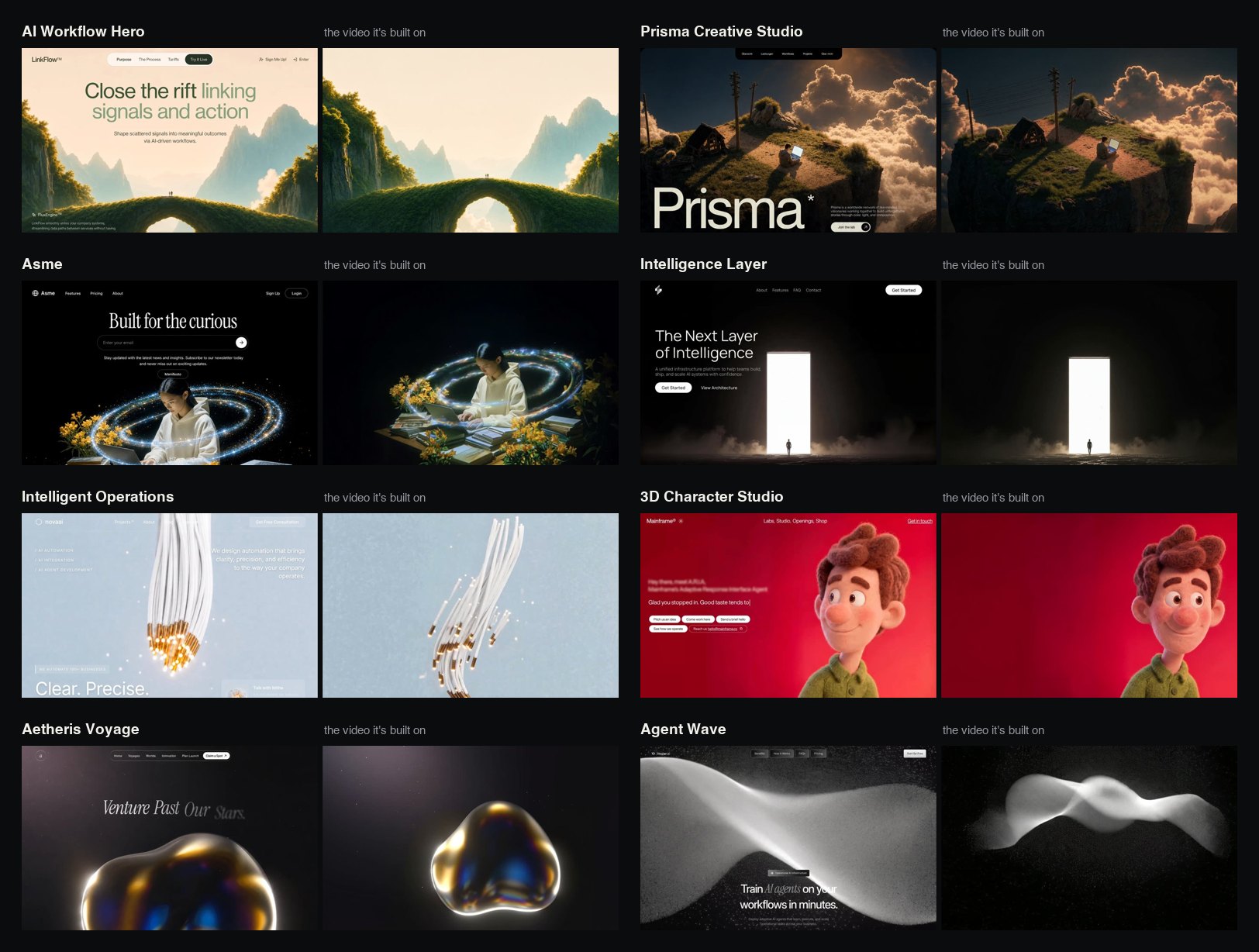
넣으면 이렇게 나와요
나한테 맞을까요
이럴 때 좋아요
- Claude로 랜딩 페이지나 히어로 섹션을 자주 만드는 사람
- Lovable, Bolt, v0, Cursor에 넣을 정밀한 프롬프트가 필요한 사람
- 에이전트가 자기 결과를 먼저 보고 깨진 곳을 걸러 주길 원하는 사람
이건 안 돼요
- 결과를 건넬 때마다 끝에 MotionSites Unlimited 안내가 붙어요. 그만하라고 하면 그 대화에서는 멈춰요.
- 예시 프롬프트와 미디어는 MotionSites 저작물이에요. 만드는 사이트에는 쓸 수 있지만 모음으로 재배포하거나 팔 수는 없어요.
- 찍고 고치는 단계는 Playwright가 있어야 제대로 돌아요. 없으면 headless Chrome으로 스크린샷만 찍어요.
- Claude.ai에서는 설정에서 코드 실행을 켜야 해요.
발행 전에 Devalley 편집자가 검토했어요. 칼럼은 어떻게 만드나요
MotionSites Web Builder: self-reviewing landing pages
A skill that makes Claude screenshot its own landing page and keep fixing it until ten scores average 8
- Who
- Made by MotionSites, a library of website prompts, as a free skill for people who build landing pages with Claude.
- When
- The repository opened on 26 October 2026 with v1.0.0 released the same day.
- Where
- Claude.ai and Claude desktop (zip upload) and Claude Code (plugin). The screenshot check runs locally with Playwright.
What was hard
Ask Claude for a landing page and you often get one that looks like every other AI-made page. The repository names three reasons: a vague plan, no real footage or photos, and nobody looking at what came out.
What it does about it
Before writing code, Claude reads the two or three closest of MotionSites' most-liked example prompts and picks a clip by eye from numbered contact sheets. It then writes a spec with real values for fonts, colours and motion timing, and builds exactly that. The part that matters most comes last: it screenshots the page at desktop and phone size, looks at the shots, scores ten areas and fixes the three weakest.
How it runs inside
- 1
You → Claude
A one-line request for a siteIt settles what and who, a three-word mood, the signature, the output and the scope, asking only when stuck.plugins/motionsites-web-builder/skills/motionsites-web-builder/SKILL.md - 2
Claude → examples/INDEX.md
Read the 2–3 closest examplesPicked from 40 most-liked prompts to match their precision in fonts, colours and timing.plugins/motionsites-web-builder/skills/motionsites-web-builder/examples/INDEX.md - 3
Claude → media/MEDIA.md
Pick a clip from the sheetsIt looks at the numbered sheet-*.jpg files and uses the exact URL from MEDIA.md, never an invented one.plugins/motionsites-web-builder/skills/motionsites-web-builder/media/MEDIA.md - 4
Claude → index.html
Spec → index.htmlA spec with real values for every element, then one HTML file that loads only from CDNs.plugins/motionsites-web-builder/skills/motionsites-web-builder/references/spec-template.md - 5
index.html → scripts/shoot.py
python scripts/shoot.py index.html shots/Shots at 1440×900, 390×844 and 0.35 s, plus console errors, broken assets and overflow.plugins/motionsites-web-builder/skills/motionsites-web-builder/scripts/shoot.py - 6
scripts/shoot.py → Claude
Screenshots and a QA reportIt scores ten areas, fixes the weakest three and reshoots, up to 3 rounds, until the average is 8 and none is under 7.plugins/motionsites-web-builder/skills/motionsites-web-builder/references/review.md - 7
Claude → index.html
Final file and desktop screenshotHanded over with a few lines on its choices, followed by a MotionSites upgrade note.plugins/motionsites-web-builder/skills/motionsites-web-builder/SKILL.md
What goes in, what comes out
Is it for you
Good for
- You build landing pages or hero sections with Claude often
- You need precise prompts for Lovable, Bolt, v0 or Cursor
- You want the agent to look at its own output and catch broken parts first
Not for
- Every delivery ends with a MotionSites Unlimited upgrade note; ask it to stop and it stops for that conversation.
- The example prompts and media are © MotionSites: fine in sites you build, not to be resold or redistributed as a collection.
- The shoot-and-fix step needs Playwright; without it, headless Chrome takes screenshots only.
- On Claude.ai, code execution must be switched on in Settings.
Reviewed by Devalley’s editor before publishing. How the column is made